









Small business accounting may seem daunting to those who don’t have the right tools at their disposal. Quality accounting software can thankfully offer businesses and self-employed individuals a whole slew of benefits that can organise their transactions and automatically create essential financial documents for accurate record-keeping.
- Start your business
- Run your business
- Grow your business
- Accountants and BookkeepersAccountants and Bookkeepers
- Updates
Need help?
We're here for you.
We're here for you.
Schedule call

accounting
How to Manage your Small Business Accounting in 7 Steps
1. Connecting Your Business Bank Account
Whatever type of small business bank account you have, your choice in accounting software will be able to access and connect to it from a single location. Sync your bank accounts, credit cards, Paypal, Square, and more with the QuickBooks accounting platform for quick referencing.
2. Recording Income and Expenses
Before the use of accounting software, all accounting records had to be completed by hand and entered manually into a business’s books. Thanks to modern cloud-based accounting software, companies and individuals can easily record all incoming and outgoing transactions in one place with automatic syncing of their accounts.
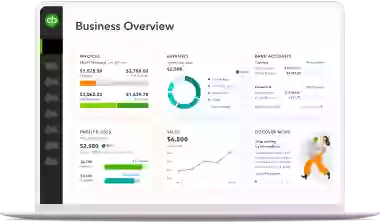
With the expense tracker feature, your business can access all income and expenses on its dashboard. Real-time data provides you with valuable insight into your monthly profits and losses to ensure you have a complete understanding of your business’s financial performance. The software automatically categorises your transactions too by following custom rules to make referencing quick and easy come tax season.
3. Selecting the Right Accounting Method
Whether your business uses the cash or accrual method of accounting, QuickBooks accounting software can switch between the two seamlessly. No matter how you choose to record your transactions, recognising revenue and expenses when they occur or when money changes hands, this accounting software will report your account activity whichever way you prefer.
4. Preparing Journal Entries
As businesses predominantly use the double-entry accounting method, bookkeeping software can ensure that all debits and credits equal out in your business accounts. Upload your account information to QuickBooks, and it will compile your financial information while eliminating data entry errors all to save you time and effort, and will also categorise each journal entry with expenses and income. The more you categorise, the more the software learns your preferences and settings to help you out.
5. Trial Balances
Quality software can automatically create, update, and report trial balances to assist small business owners in analysing their account activity. QuickBooks can prepare your business’s trial balance statement at the end of every accounting period to help you with adjustments while ensuring all debit and credits are equal.
6. Generating Financial Statements
Easily understand your business’s overall financial health in any given accounting period when you use QuickBooks’ financial reporting capabilities to generate your financial statement. The software compiles all of your business accounts and journal entries to produce accurate and current balance sheets, income statements, cash flow statements and more.
There is even an invoice generator with unique branding for your company. Send reminder emails to your clients and provide them with the ability to pay their outstanding amount through their invoice with just a few clicks.
7. Reconciling and Closing Books
The monthly task of performing bank reconciliations no longer needs to be a chore. Reconcile your business bank accounts against your business’s records with this online platform, thanks to the easy-to-use dashboard. The software provides you with everything you need to close accounts and update your financial documents for the end of every accounting period and financial year.
Do it all with the Right Accounting Software
For professional and comprehensive accounting software for small businesses, consider using QuickBooks Online. It offers the latest bookkeeping features and can connect to various mobile apps for better time management and productivity. Business owners can even grant access to additional users like their financial advisors or accountant to collaborate securely.
Unsure how to perform an accounting task? With the QuickBooks resource centre, Customer Helpd Desk, video tutorials, and a Community Q&A at your fingertips, you can always find the answers you need. Small business owners looking to manage all their accounting needs in one place can do so with QuickBooks software! Try the 30-day free trial today.
Related Articles

TAKE A NO-COMMITMENT TEST DRIVE
Your free 30-day trial awaits
Our customers save an average of 9 hours per week with QuickBooks invoicing*
By entering your email, you are agree to our Terms and acknowledge our Privacy Statement.

Keep growing with Intuit Intelligence
Get started today and automate your path to growth with confidence.


Intuit helps put more money in consumers’ and small businesses’ pockets, saving them time by eliminating work, and ensuring they have confidence in every financial decision they make.
Award Winning Accounting Software


