- Start your business
- Run your business
- Grow your business
- Accountants and BookkeepersAccountants and Bookkeepers
- Updates









Need help?
We're here for you.
We're here for you.
Schedule call

product update
Explore the new Intuit QuickBooks platform
Running a small business is a lot of work, and juggling admin tasks shouldn’t take up all your time. That’s why we’ve reimagined QuickBooks as an all-in-one connected platform built to help you get more done in less time.
QuickBooks on the Intuit platform has been redesigned to give you smarter navigation and better tools—all in one place. The updated layout makes it easier to find what you need, while the functionality gives you deeper insights into your business finances, helping you feel more in control.
We understand it may take you a moment to get used to the new design, but we’re here every step of the way to help you get comfortable. Early Access is available now, which means you can jump in, start exploring the tools, and get ready for the future of QuickBooks. Plus, if you need to switch back to the older version of QuickBooks while you adjust, you can do so anytime until our new platform becomes the default.
Redesigned Navigation: Apps, Add-ons, and Integrations
No more wasting time scrolling through menus or switching between disconnected tools. The redesigned QuickBooks platform is here to make running your business easier.
Here’s what’s new:
- Apps Carousel: Features like Sales and Expenses are now called Apps, and they’re organised in a carousel at the top of your dashboard for quick access. It’s everything you need, exactly where you need it.
- My Apps Menu: Switch easily between Apps in the left-hand navigation menu. Handy features like Bank Transactions are now grouped within these Apps for faster access.
- Add-ons: Add-ons like Payroll* are now marked with a gem icon
 , and displayed in the My Apps menu.
 - Integrations: Third-party tools, now called Integrations*, are accessible via the plug icon in the top navigation.

While the names and locations of features may look a little different, all the tools you rely on are still there—just organised to make them easier and faster to find.

Watch the walkthrough video to compare the new QuickBooks platform to the classic version.
Apps That Simplify Your Work
We’ve grouped features into Apps to save you time and make running your business easier.
Here’s how each App works for you:
- Accounting: Manage bank transactions, reconciliations, recurring transactions, and your chart of accounts all from one place.
- Expenses & Bills: Track expenses, manage suppliers, and take care of bill payments with less effort.
- Sales & Get Paid: Keep on top of invoices, orders, and sales transactions without any headaches.
- Customer Hub: Stay organised with customer details, track leads, and manage quotes in one central location.
- Team: Manage team members details, costs, and billing rates with ease; perfect for managing time activities.
- Projects: Know where every dollar is spent by tracking project income, costs, and profit margins.
- Inventory: Keep tabs on your products and services, purchase orders, and sales orders under one roof with the new Inventory App.
- GST: Make ATO submissions, BAS preparation, and GST tracking far simpler—it's all in one place.
- Payroll*: QuickBooks Payroll powered by Employment Hero integrates seamlessly so payroll runs smoothly.
- Marketing*: Connect the Mailchimp add-on to sync your QuickBooks data, build your brand, and engage your customers with better communication.
- Reports: Access P&L, balance sheets, and powerful cash flow planning tools all from your navigation menu—financial visibility made simple.
Tailor QuickBooks to Fit Your Business
No two businesses are the same, which is why QuickBooks lets you customise tools and navigation. Focus on the features and workflows that matter most to your business—it’s your platform, just how you like it.
Here’s what’s new:
- Create Button: The +New button is now the Create button, letting you quickly add tasks like creating invoices or recording expenses. Add up to 10 tasks to your dashboard for easy access!
- Bookmarks: Bookmark your favourite features for quick navigation. Don't worry—your existing bookmarks will stay right where they are when you switch.
- My Apps: Pin up to three Apps—like Sales, Expenses and GST—to the left-hand navigation for instant access.
- Smart Search: Look things up faster with search filters to find transactions, reports, customer information, and even searches like “payments over $3000.”
- Widgets: Personalise your dashboard with the widgets you need, resize and reposition them to keep the info that matters most front and centre.

Watch the QuickBooks Product Tour to see how to personalise your platform.
New AI-Powered Tools That Save You Time
We’re excited to bring Intuit AI Agents to the redesigned QuickBooks platform! The new Accounting Agent+ with AI-powered bank feeds is ready for you to try with manual opt-in, designed to make your work faster and more accurate.
Here’s how these tools make bookkeeping quicker:
- Smart categorisation: The AI learns from past transactions and suggests categories with explanations, ensuring consistency and accuracy.
- Transaction matching: The AI makes matching invoices and payments a breeze and even offers suggestions when bank transaction descriptions are unclear.
- Quick adjustments: Tweak categories, suppliers, or details like class or attachments directly from your bank feed without opening individual transactions.
- Customised tables: Focus on what matters most with fields tailored to your needs, like location or attachments.

Watch how AI can transform your bank feeds.
We’ve Got You Covered
Change can feel overwhelming, but we’re here to help you every step of the way with resources designed to guide you through the updates.
To find answers to common questions about the new QuickBooks, refer to the FAQs.
The new Intuit QuickBooks platform isn’t just about new features—it’s about giving you the tools to get your business admin done faster and easier. With improved navigation, smarter workflows, and powerful automation, QuickBooks puts more time back into your day. Switch now to try the platform for yourself, and get ready to simplify the way you run your business.
Disclaimers
+Currently Intuit AI Agents process information in the same languages QuickBooks is available in your region. If your account contains information in other languages, there may be some limitations in the outputs provided by Intuit AI Agents. We recommend you review all outputs carefully. This information is intended to outline our general product direction, but represents no obligation and should not be relied on in making a purchasing decision. Additional terms, conditions and fees may apply. Product offers, features, and functionality are subject to change without notice.
*Additional fees apply.
Related Articles





Intuit helps put more money in consumers’ and small businesses’ pockets, saving them time by eliminating work, and ensuring they have confidence in every financial decision they make.
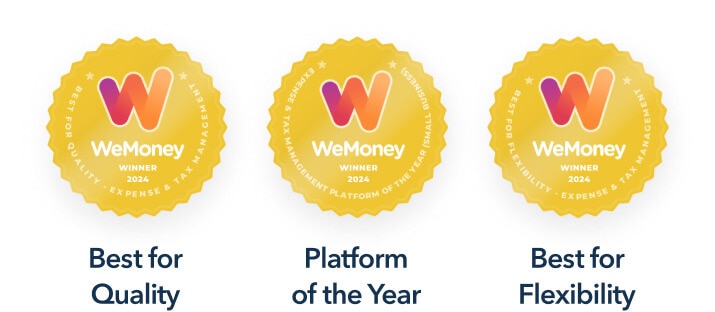
Award Winning Accounting Software


