QuickBooks Blog
Need help choosing a plan?
Created with Sketch. 1800 917 771 Schedule a call
Need help?
We're here for you.
Schedule call
Created with Sketch.
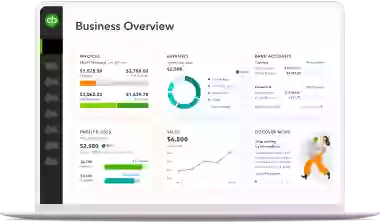
A dashboard with a lot of information on it.
product update

Your partner in business

A more powerful QuickBooks will soon put Intuit AI agents to work for you

The AI capabilities coming soon to QuickBooks were developed with one goal in mind: to help take care of the small stuff so you can focus on the big picture. It works with you, under your control, to create more efficient workflows. The best part? The more you use it, the better and more valuable it becomes.

Homepage screen

What are AI Agents?

Intuit AI agents are designed to automate key business flows with your guidance, helping you complete simple tasks. Soon, QuickBooks will integrate these AI agents to streamline day-to-day operations across workstreams. Let’s explore what these AI Agents can do for you.

Introducing Intuit's AI Agents

The Accounting Agent in action

The Accounting Agent helps keep your books accurate by suggesting categories and matching transactions. It detects and resolves anomalies and streamlines collaboration.

  • AI-powered bank feeds: Monitoring bank feeds and transactions can be time-consuming. Transactions will be automatically matched and categorised for your approval based on past allocations. You’ll also have the ability to easily edit inline, eliminating overlays and extra clicks. For example, if the Accounting Agent sees a charge for a petrol station, it’ll automatically categorise it as vehicle expense.
  • AI-powered collaboration (BETA): Find out exactly what your accountant or bookkeeper needs, when they need it. If an item needs further clarification or is missing a receipt, you’ll get an instant message so you can take care of it right away. For example, if your accountant sees a charge for something on Amazon and isn’t sure what it’s for, you’ll see a message request within QuickBooks to upload the receipt. Once uploaded, the agent will also scan the receipt to make sure it’s the right one.
  • AI-powered anomaly detection: The Accounting Agent identifies potential errors on your balance sheet and profit and loss reports, highlighting which transactions were the cause. It will put together a detailed explanation so you can investigate further to determine if any action needs to be taken. For example, if you usually spend $72 on your phone bill and suddenly have a charge for $250, it will surface the discrepancy and ask you to verify the charge.
Accounting agent screen

Make your Finance+ Agent work for you

With a Finance Agent that’s committed to your business, you can ensure you have the most accurate, up-to-date information to work from every step of the way. If anything needs your attention, you’ll see it right on your dashboard.

  • Tailored summaries of profit and loss, cash flow, and balance sheet information will help you easily see risks and trends based on actuals vs. forecasts, so you always know where you stand.
  • Anomaly detection will surface unusual entries or discrepancies in your accounts and budgets, helping you catch issues early and avoid surprises.Β 

For example, on your dashboard you may see that your income is down by 5%. After viewing the agent’s insights, you notice this is likely due to two of your customers. Using this information you can send invoices, or reminders, to those customers to get things back on track.


Finance agent screen

Get a head start with your Project Management Agent

Spend less time on data entry so you can get right to work. Your Project Management Agent will take care of the busywork by creating draft projects for you to review and edit as needed. The agent autofills forms with key details such as project name, customer information, start/end dates, and even custom categories.

Project Manager Agent screen

Connect and prioritise with your Customer Agent

The Customer Agent will take the guesswork out of lead management by integrating with your email platform, such as Outlook or Gmail, to source and prioritise leads based on their likelihood to convert. It also drafts personalised responses so you can act quickly without getting bogged down in manual tasks.

For example, if you receive an email requesting a quote for 300sqm of hardwood floors, the Customer Agent prioritises that as a hot lead and drafts a professional response with the requested details ready for your review, all within QuickBooks.

Customer Agent screen

Stay compliant with your GST AI Agent (BETA)

The GST AI Agent will help with reconciliation, completing a pre-lodgement check to keep Australian businesses compliant when preparing activity statements for the Australian Taxation Office (ATO).

For example, the GST AI Agent will identify transactions that cause differences between your income reporting on the Profit and Loss report and GST reportable income on your BAS. It also flags potential causes for these differences and suggests recommendations to help you file with confidence.

GST AI Agent screen

Take the lead with your Business Feed

The personalised business feed will save you time, help you stay in control, and get work done. It’s your home base for efficiency, from monitoring work done by AI agents that’s ready for you to review and approve, to tips on what’s next.

We’ve Got You Covered

At QuickBooks, we’re always looking for new ways to make your day-to-day tasks a little easier. That’s why we’re soon putting Intuit AI agents to work for you throughout your every day workflow to help minimise busywork. As the industry continues to evolve, we’ll give you the tools you need to stay ahead.

Explore more resources to guide you through the new QuickBooks on the Intuit platform available now:

  • QuickBooks platform: Deep dive into an overview of the new Quickbooks platform.
  • FAQs: Answers to common questions about the new QuickBooks platform experience.

Disclaimers

This information is intended to outline our general product direction, but represents no obligation and should not be relied on in making a purchasing decision. Additional terms, conditions and fees may apply. Product offers, features, and functionality are subject to change without notice.

Beta features: Beta features have very limited availability and are subject to change. Features may be more broadly available soon.

+Finance Agent available on QuickBooks Advanced only. Not available to customers with multi-currency enabled.


Related Articles

A computer screen showing a picture of a computer.

TAKE A NO-COMMITMENT TEST DRIVE

Your free 30-day trial awaits

Our customers save an average of 9 hours per week with QuickBooks invoicing*

No credit card needed

Cancel anytime

Unlimited support

By entering your email, you are agree to our Terms and acknowledge our Privacy Statement.