- Start your business
- Run your business
- Grow your business
- Accountants and BookkeepersAccountants and Bookkeepers
- Updates










Need help?
We're here for you.
We're here for you.
Schedule call

product update
Introducing the Accounting Agent: Say Goodbye to Bookkeeping Headaches
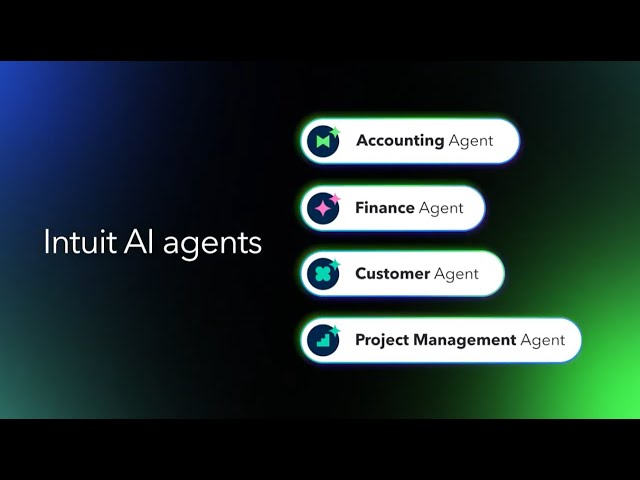
Running your business is your priority. But if you’re like most business owners, you know that keeping up with transaction categorisation and making sure the books are accurate often feels like a tedious job that eats up time you don’t have. That’s precious time that could be spent serving customers, developing new products, or planning your next move.
That’s where the QuickBooks Accounting Agent steps in.
Built for business owners, the Accounting Agent uses powerful AI to automate the bookkeeping tasks that slow you down. With features like AI-powered transaction matching, collaboration tools, and anomaly detection, the Accounting Agent is here to help you save time, reduce errors, and improve accuracy, all while keeping you in full control of your finances.
Let’s dive into how the Accounting Agent works and how it empowers you to work smarter, not harder.
What is the Accounting Agent?
The Accounting Agent is your AI-powered assistant built to handle tedious financial admin tasks, streamline workflows, and make bookkeeping easier. It combines automation and transparency to keep your books accurate and consistent.
Its core purpose is to help keep your books accurate by providing category suggestions, matching transactions, and detecting and resolving anomalies - all ready for your review and approval. You or your Advisor remain the final authority, ensuring you stay in control while the Agent handles the heavy lifting.
The Three Pillars of the Accounting Agent
The Accounting Agent is powered by three AI-driven functions that transform the way you manage your business finances:
1. AI-Powered Bank Feeds: Streamlined Categorisation
(Available in Simple Start, Essentials, Plus, and Advanced)
The new, AI-powered bank feed is designed to be a learning partner that supercharges your workflow. The Agent matches bank transactions and suggests categories, constantly learning from your responses so they’re done correctly and consistently, day or night.
- Smart Categorisation and Matching: The system learns from your business's history to automatically suggest the right categories for new bank transactions. It can also help with complex matching, such as linking one lump sum bank payment to multiple outstanding invoices, eliminating confusion from vague transaction descriptions.
- Transparency and Control: Clear, detailed explanations are provided for every AI agent recommendation, so you know why a suggestion was made. This builds confidence, allowing you to quickly review and approve or confidently change the Agent's suggestion.
- Boosted Efficiency: We’ve made it faster than ever to approve transactions. You can update categories, vendors, or add details like a receipt right in the list using inline editing so there’s no need to click on an overlay to make adjustments. You can also leverage the customisable table view to update the fields that matter most, saving clicks and time.
2. AI-Powered Collaboration [BETA^]: Connect Easily with Your Advisor
(Available in Essentials, Plus, and Advanced)
If you work with an accountant or bookkeeper, clarifying outstanding queries can be a fragmented process involving endless emails. AI-powered collaboration makes it easy to answer questions from your advisor.
- Seamless Communication: If your bookkeeper or accountant needs a receipt or clarification on a transaction, the Agent facilitates in-platform messaging. You can quickly provide a response or upload a receipt right in QuickBooks, and the Agent even checks the information provided to ensure an accurate response. This keeps all chat history organised within your file, helping everyone work more efficiently.
- Faster Answers: By centralising communications, you cut down on email clutter and quickly provide the necessary information, accelerating the process of getting your books completed.
3. AI-Powered Anomaly Detection: Take Control with Confidence
(Available in Plus and Advanced)
AI-powered anomaly detection acts as a proactive quality control measure for your books, identifying potential issues before they become major problems that cost you time and money.
- Early Error Identification: The Agent flags transactions that look unusual, such as an invoice that’s significantly higher than normal, or a payment that doesn't fit your business's typical patterns. It also identifies potential reporting discrepancies in financial reports.
- Actionable Guidance: When an anomaly is detected, the Agent provides context and guidance on how to investigate and fix the issue, giving you the necessary information to resolve errors quickly and keep your books accurate.

How Does It Benefit Your Business?
The Accounting Agent is built to be a catalyst for efficiency, accuracy, and growth. Here’s how it transforms your business finances:
1. Get Your Books Done Faster (and More Accurately)
By automating routine tasks like categorisation and transaction matching, the Accounting Agent drastically cuts down on hours spent on data entry. This efficiency means less time spent manually reviewing transactions and more time dedicated to your customers and operations.
2. Eliminate Costly Mistakes
The Agent provides clear, transparent explanations for every suggestion, giving you the confidence to approve transactions without second-guessing. Anomaly Detection acts as a built-in safety net, catching expensive errors or incorrect categorisations immediately, which helps protect your profits and ensures you’re ready for tax time.
3. Gain Time to Grow Your Business
When AI handles the financial admin, you get more of your most valuable asset - your time. The Accounting Agent removes the burden of repetitive data entry, allowing you to move away from being constantly reactive. Use this regained time to focus on strategic growth, serve more customers, or simply enjoy a better work-life balance.
Your Central Control Panel: The Business Feed
In the new QuickBooks experience, all tasks completed by the Accounting Agent that require your attention are consolidated into one efficient spot: the Business Feed. Think of it as your daily financial checklist, a single place to quickly review and approve AI-driven suggestions and ensure your books are always current.

Transitioning to AI-Powered Bank Feeds
The Accounting Agent’s AI-powered bank feeds are currently opt-in. Eventually, all users will be transitioned to the new view automatically, and the previous version (without the AI capabilities) will no longer be accessible. You’ll be notified before these changes occur.
Rest assured, the upgrade will not impact your connection with your bank and works seamlessly with Open Banking in Australia.

Accounting Agent FAQs
The Accounting Agent isn’t just a tool. It’s your partner in simplifying workflows, ensuring your books are accurate, and giving you back time to focus on your core business. Automate financial admin, surface insights, and resolve issues quickly, so you’ll have more time to focus on growing your practice.
Ready to see it in action?
Start exploring the Accounting Agent today and discover smarter workflows with QuickBooks.
Disclaimers
**Feature availability varies by product. While available in all QuickBooks supported languages, the AI agent’s output will be English only at launch. We recommend you review all outputs carefully. This information is intended to outline our general product direction, but represents no obligation and should not be relied on in making a purchasing decision. Additional terms, conditions and fees may apply. Product offers, features, and functionality are subject to change without notice.
^[Beta] has limited availability and is subject to change. Features may be more broadly available soon.
Related Articles


TAKE A NO-COMMITMENT TEST DRIVE
Your free 30-day trial awaits
Our customers save an average of 9 hours per week with QuickBooks invoicing*
By entering your email, you are agree to our Terms and acknowledge our Privacy Statement.

Keep growing with Intuit Intelligence
Get started today and automate your path to growth with confidence.


Intuit helps put more money in consumers’ and small businesses’ pockets, saving them time by eliminating work, and ensuring they have confidence in every financial decision they make.
Award Winning Accounting Software


