Monthly reporting
Required if your GST turnover is $20 million or more. Businesses under $20 million can also choose monthly reporting - some prefer smaller, more frequent payments for cash flow - and the ATO may direct you to report monthly if you’re not meeting your GST obligations.
Monthly BAS is due on the 21st of the following month - your July 2026 BAS is due 21 August 2026, and so on. Where the 21st lands on a weekend, the deadline rolls to the next business day. In 2026-27 that affects November 2026 (due Mon 23 Nov), February 2027 (Mon 22 Feb), March 2027 (Mon 22 Mar) and August 2027 (Mon 23 Aug). Monthly lodgers don’t receive the two‑week online concession.
Annual GST return
If you’re voluntarily registered for GST and your turnover is under $75,000 ($150,000 for not‑for‑profits), you can elect to report and pay GST annually. Some quarterly lodgers also pay ATO‑calculated GST instalments each quarter and reconcile with an annual GST return.
If you report GST annually, your return for 2025-26 is due 31 October 2026. Because that’s a Saturday, you have until Monday 2 November 2026. If you aren’t required to lodge an income tax return, the due date is 28 February 2027 instead.
Source: ATO - Due dates for lodging and paying your BAS.
How to track your BAS due dates
Staying on top of ATO deadlines can be tricky if you’re running a paper‑based or spreadsheet system. You have to reconcile your accounts, manually transfer figures into the BAS form and remember to lodge by the due date - time‑consuming and easy to get wrong.
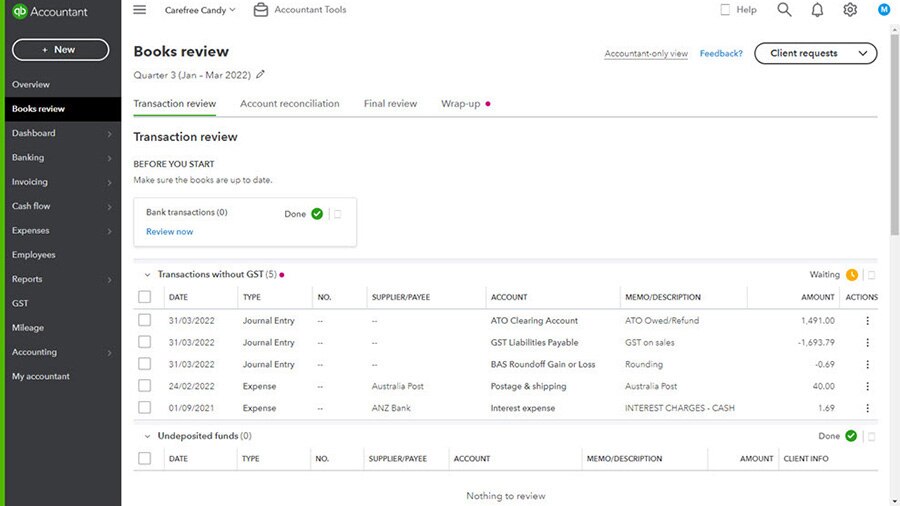
Accounting software simplifies the whole cycle. QuickBooks Online tracks GST on every transaction, generates your BAS figures, reminds you when a lodgement is coming up and lets you lodge directly with the ATO.
Now there’s an extra safety net before you press lodge. The QuickBooks GST AI Agent (BETA^), available on all QuickBooks Online plans, automatically reviews your GST data ahead of lodgement. It compares the income on your Profit & Loss with the net sales on your GST report, flags transactions with missing or incorrect GST codes or items wrongly excluded from the BAS, explains the cause in plain English (for example, a sale marked GST‑free that created a $50 difference) and recommends the fix. You review and approve every correction - the Agent never lodges on your behalf.
The flags appear in the pre‑file check when you prepare your BAS and as actionable tasks in your Business Feed, so the errors that usually surface after lodgement - and trigger ATO queries - get caught beforehand. If you work with an accountant or bookkeeper, it also means cleaner books land on their desk, which might save you billable hours.