Let me answer your question why you're getting the error message and prevent this from happening again, kevin-jaygoleisu.
It usually means you're using a login name that is not associated with an active QuickBooks Time account. Make sure to type in the same username and password that you used when you activated your account. You can
You'll also want to log in to the website first to check if you're able to log in. Here's the link: https://quickbooks.intuit.com/uk/time-tracking/.
If you're not able to log in to the website either, you can follow these steps to recover your account:
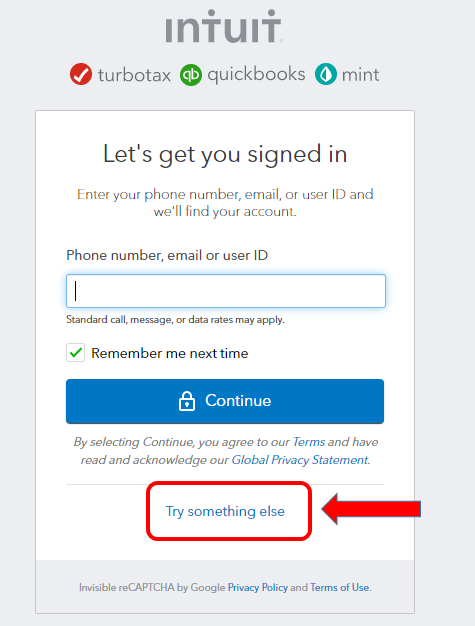
- Go to our sign in help page.
- Click Try something else and answer other questions about yourself. Then, select Continue.
- Check your phone or email for a message from Intuit or QuickBooks. Enter the code we sent, or follow the instructions in the message. We may ask you for a little more info to make sure it’s really you.
- Reset your password when prompted.
You can check out this article as well for additional details: Get Help if You Can't Sign In to Your QuickBooks Time account.
I also suggest reaching out to customer support teams for QuickBooks Time. They'll be able to verify your account and make sure that you're able to log in to the app. Go to this article to get their contact details: Contact QuickBooks Time Support.
Feel free to check out this article in case you need more guidance when using the app: Best Practices for Using the QuickBooks Time Mobile Apps.
Please know that you can always ask questions in the forum if you have more questions for us. We're always happy to offer our help any time you need it.


