I want to officially welcome you to the QuickBooks Community, @Wiggle1.
Let me share some ideas, so you can work your QuickBooks account seamlessly.
You can import your data( customers, suppliers, Chart of accounts) into QuickBooks Online. When importing, you'll need to have a supported file compatible with QuickBooks. You can either use CSV or XLS/XLSX file format.
Also, the following information can be imported to QBO:
To Import your data into QuickBooks, I'll show you how:
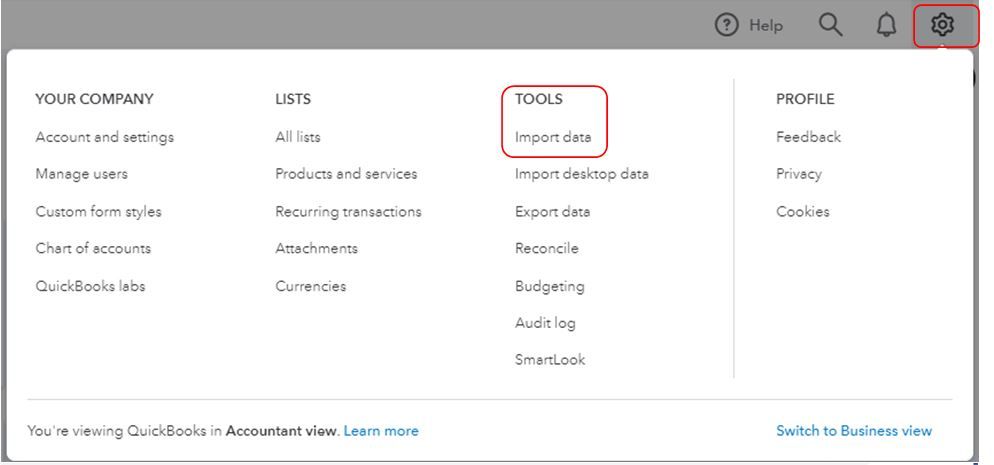
- Go to the Gear icon.
- Click Import Data under Tools.
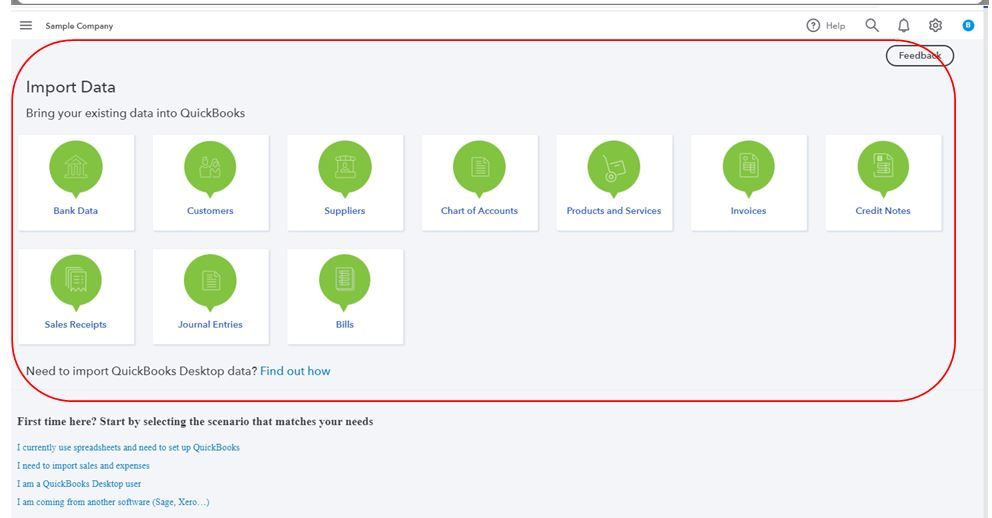
- Choose the data you want to import.
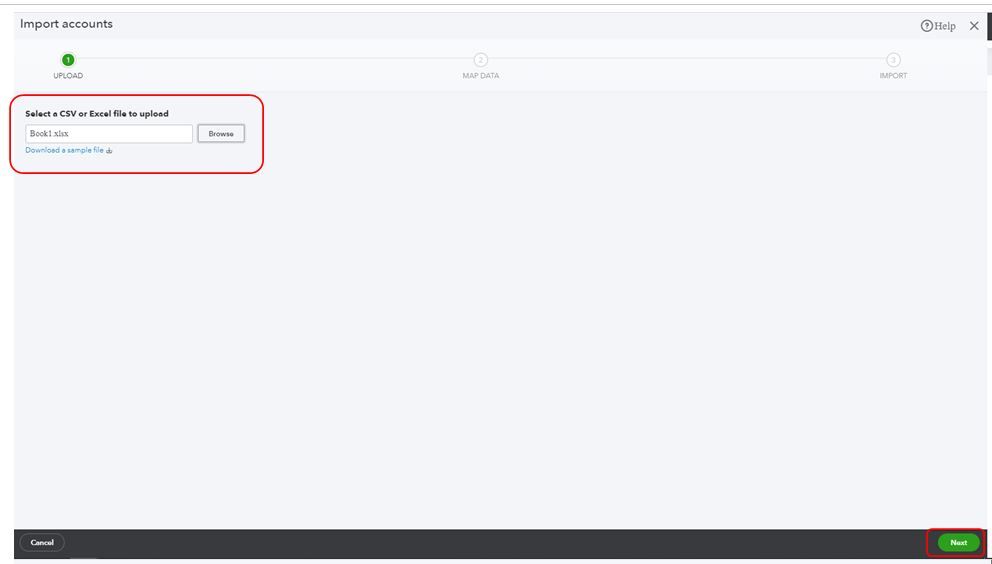
- Click Browse and choose the file.
- Tip: If you need help formatting your list, select Download a sample file.
- Find and select your Excel file. Select Open, then Next.
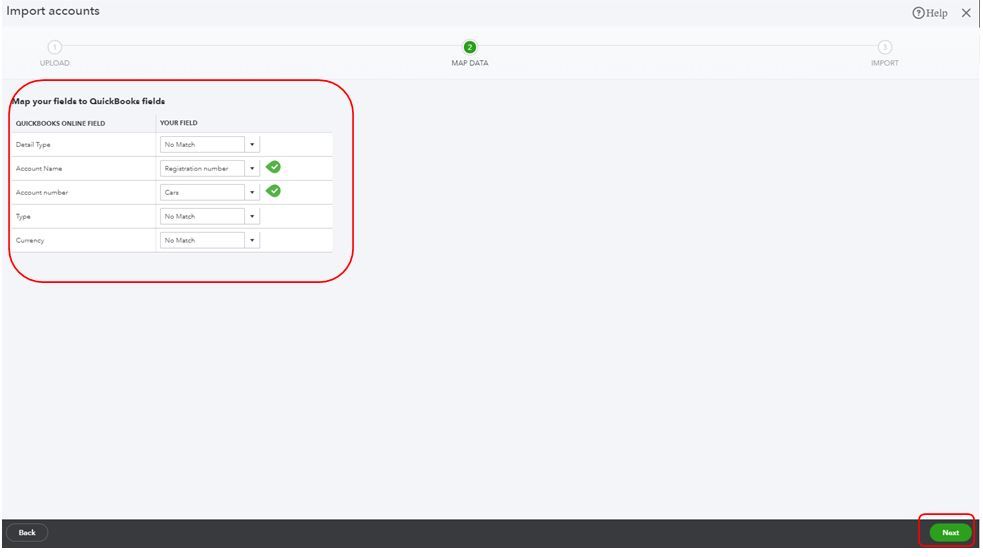
- Map your information. Your Field represents the headers on your spreadsheet. From each drop-down menu ▼, select the one that matches a field in QuickBooks Online.
- Select Next.
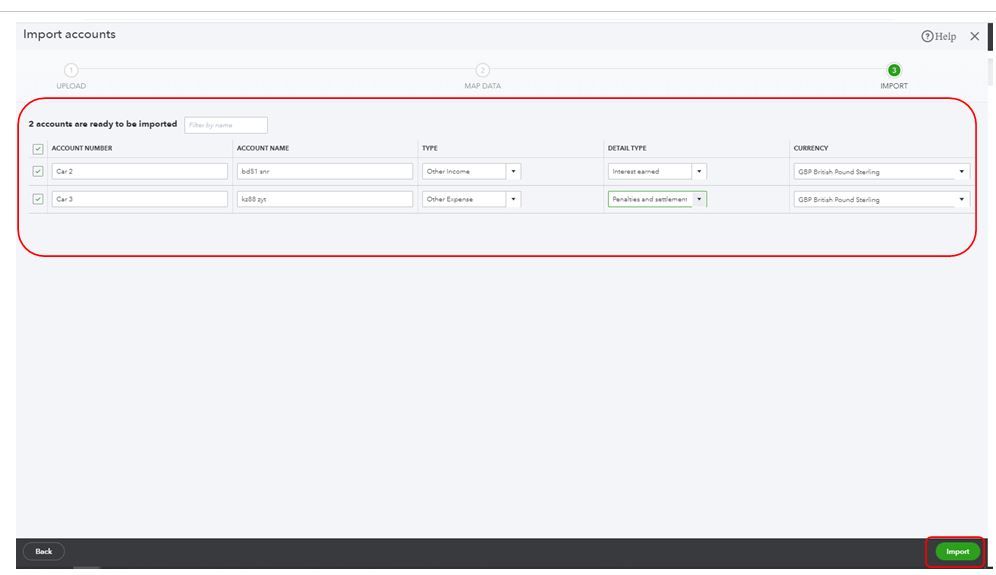
- When everything looks correct, click Import.
See screenshots for a visual reference.
For additional information about importing data in QBO, please refer to this article: Common questions about importing data to QuickBooks Online. This article also provides details on how to map the file formats into the QuickBooks system.
Also, our Community Contributors and Established Backers can share their best practices about the migration from another accounting system into QuickBooks.
After successfully importing your file, you can run reports such as Profit and Loss and other transaction reports to check if the data that was converted is accurate. This article will guide you through the steps: Run Reports.
Please let me know how it goes or if you have any other questions or concerns. I'm always here to help. Have a wonderful day!




