Turn on suggestions
Auto-suggest helps you quickly narrow down your search results by suggesting possible matches as you type.
Showing results for
Joining the thread to share additional info, rjwbailey,
For Standard Payroll, we're unable to change the pay schedule once an employee has been paid. The article mentioned in the Multiple Pay Schedules in QuickBooks Online Standard Payroll article talks more about moving employees between pay schedules.
We don't support moving employees between pay schedules automatically during a tax year. To move an employee between pay schedules, you need to mark them as a leaver before recreating their profile and assigning them to a new pay schedule.
Remember to put the year-to-date data for any earnings and tax in Pay History if you move your employee's pay schedule mid year.
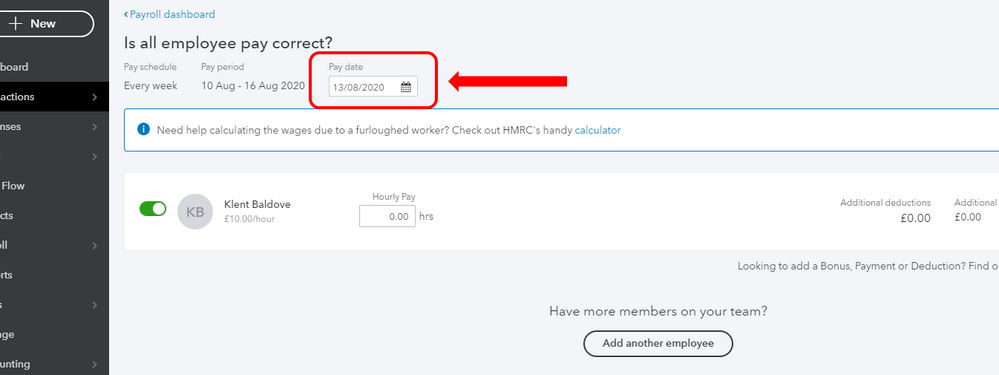
You could manually change the Pay Date when running payroll. See screenshot below where you can edit it.
This article may also be helpful: Edit employees in QuickBooks Online Standard Payroll (UK)
As always, please don't hesitate to reach out to us again if you need anything else.