Turn on suggestions
Auto-suggest helps you quickly narrow down your search results by suggesting possible matches as you type.
Showing results for

Delighted to have you here in the Community, @contact-irwinbla. I’ll help you with changing your bank account number on an invoice in QuickBooks Online (QBO).
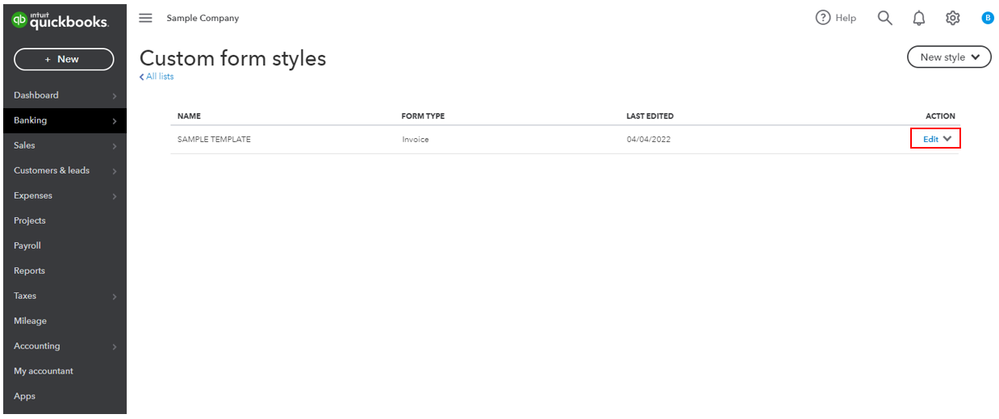
When creating an invoice, let’s make sure that we’re using the correct template to be sent out to the customers. To change the bank account number, we can edit the template by following the steps below:
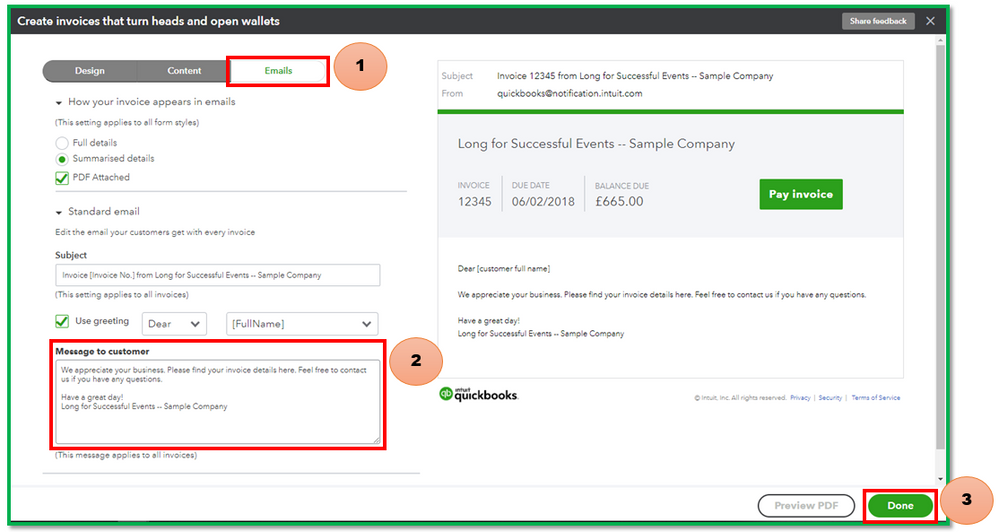
You can also add the corrected details by going to the Emails tab, and entering the details under Message to customer. Then, click Done.
For further assistance with customizing transactions, you can always hit the Reply button. The Community always has your back. Have a great day!