

Journeys by Design gains multi-year financial visibility with QuickBooks Advanced
Simple, smart accounting software - no commitment, cancel anytime


MAKING TAX DIGITAL


Making Tax Digital for Income Tax (MTD for IT) is a government initiative that’s taking the Income Tax return submission process online.Making Tax Digital for VAT was widely introduced in 2022 for VAT returns, but, from April 2026, it will be compulsory for some businesses to follow for Income Tax.
Making Tax Digital software aims to make these processes easy and accessible. It helps keep you organised and makes submitting your Income Tax and/or VAT returns simple, whatever the size of your business. Purpose-made MTD tools allow you to manage your digital records, submit the required information directly to HMRC, and take the hassle out of complicated admin.
Read on to learn more about what MTD software is and how it could make submitting your Income Tax returns as a small business a little less daunting.
As of April 2026, all sole traders or landlords with a qualifying income of over £50,000 in the tax year 2024 to 2025 will need to comply with Making Tax Digital for Income Tax and require MTD compatible software.
HMRC does not offer its own MTD compatible software, but all affected businesses need to choose and use HMRC-recognised software that is compatible with Making Tax Digital.
There are many different types of MTD software. The one you choose will depend on your business needs and circumstances.
Yes, some form of HMRC-recognised, MTD-compatible software is needed for Making Tax Digital. HMRC doesn’t offer a tool or portal itself to submit your Income Tax returns through, so you’ll need an HMRC-recognised platform. Also, from April 2026, MTD is set to become compulsory for sole traders and landlords who have a qualifying income of over £50,000 in the tax year 2024 to 2025, so compliance is important.
HMRC provides a list of MTD-compatible software for you to choose from. There’s no specific MTD software HMRC states you need, but the platform you choose should be HMRC-recognised. The software itself helps make Income Tax admin more straightforward, reducing time spent managing records and limiting human error. This helps your small business meet MTD rules, and your quarterly updates accurate.
In summary, software isn’t optional for Making Tax Digital. If, as a sole trader or landlord, you have a qualifying income of more than £50,000 per tax year, it is essential for keeping Income Tax records and sending them to HMRC.
Learn more about QuickBooks Making Tax Digital Software.
Making Tax Digital software is vital for staying compliant with HMRC rules and submitting your Income Tax returns accurately and on time. HMRC-recognised MTD-compatible platforms offer some key functions to help you manage and submit your Income Tax records:
Keeps digital records. Allows you to store, create and manage digital records for your Income Tax and expenses.
Submits quarterly updates and yearly Income Tax returns. You can submit your Income Tax returns online directly to HMRC.
Helps ensure your records are submitted on time and correctly means your business can stay compliant with MTD rules.
Some MTD-compatible software might also manage invoices and payments, keeping your finances on-track alongside fulfilling your Income Tax and VAT obligations.
The type of Making Tax Digital platform you choose is up to you—it just needs to be HMRC-recognised. But you’ll want to consider the needs of your business before you make your decision. With this in mind, there are a few different types of MTD software to consider:
Full MTD-compatible accounting softwares are end-to-end platforms that perform everything from invoicing and VAT, to accounting and HMRC Income Tax submissions. These are essentially all-in-one solutions that handle all the essentials for running the finances of a business, and more. Typical features include:
Submit MTD for IT and/or VAT returns directly to HMRC
Keeps your records digitally
Accounting specific features like invoice and expense tracking
Helps you keep accurate records to meet your record keeping requirements
Useful for: Sole traders, landlords and small businesses that are looking to combine and automate several bookkeeping, Income Tax, VAT and accountancy tasks.
Bridging software is a tool that connects your record-keeping systems—like Excel spreadsheets and offline records—to HMRC for MTD submissions. They essentially bridge the gap between your offline records and HMRCs digital platform.
Allows you to keep working with spreadsheets while submitting Making Tax Digital for Income Tax returns digitally
Connects existing records keeping tools to HMRCs digital systems
Enables you to digitally transfer data to ensure you’re meeting HMRC rules
Useful for: Sole traders that want to continue managing their data through methods like Excel spreadsheets, but still need to submit digitally to HMRC.
CTA: Learn more about our Making Tax Digital for VAT software
Keep digital records, submit quarterly updates to HMRC, and finalise your Income Tax at the end of your accounting period with Intuit QuickBooks.
Explore plans & pricing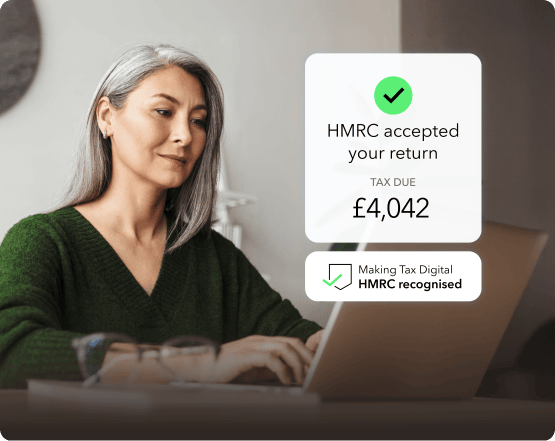
Basic MTD software often comes at a lower cost—or is free altogether—but may be lacking in some features. They provide features like digital record keeping and Income Tax submissions, but may not offer more advanced features like invoice or expenses tracking, for example.
Digital record keeping
Submits quarterly updates and end-of-year returns
Offers some basic bookkeeping tools—often manual rather than automatic
Useful for: Sole traders and micro-businesses with low turnover who only require basic compliance support.
Whatever type of Making Tax Digital platform you choose, it should offer a few key features to be fully MTD-compatible for Income Tax. While you might want to think about what works best for your business, you should also look for the following.
Automating accounting and bookkeeping processes help reduce time spent on Income Tax-based admin tasks and also minimise human error. This means your small business can remain MTD-compatible with more accurate documentation, and also means you can rest assured knowing your returns are being submitted on time.
MTD for IT compatible software should be able to reliably store the right digital records. For Income Tax this involves income and expenses, while for VAT it’s a breakdown of each transaction which includes VAT. You need to be able to store these records digitally, rather than relying on paper records which are more easily lost and mismanaged. This digitally stored data can then be easily accessed, updated and used in your submissions to HMRC.
How easily you can use and access your Making Tax Digital software is also important when navigating and managing your digital records. Many MTD for IT platforms offer cloud-based storage solutions, alongside multi-user desktop and even app accessibility. What you look for specifically will depend on the structure and size of your business.
Your chosen MTD software must be able to link to HMRCs systems, so you can manage and submit your records digitally. Data must flow directly from your MTD for IT compatible software to HMRC, under a unique business ID, ensuring your submissions are error-free and MTD-compliant.
While some of the more basic Making Tax Digital platforms are free or low-cost, this also means they offer simpler features. If you’re a larger business—or require more compliance or expense support—a more comprehensive, paid-for platforms might be right for you. Consider the cost of software against the features it provides and which are most important to your work.
The cost of MTD software depends on the type you choose—for example, you may require a Full MTD platform, or just bridging software. The more comprehensive the software, the more expensive it’s likely to be. For example, at QuickBooks we offer tailored plans, with our Simple Start and Sole Trader plans costing between £10 and £17.50 per month (excluding VAT).
Explore our different plans and pricing
The best MTD software for you will depend on your business needs and circumstances. For example, you may be looking for a more basic, low-cost platform if you’re a low-income business, or a more advanced Full MTD-compatible platform if you have a higher turnover and require more comprehensive record-keeping tools.
Yes, you can use Microsoft Excel spreadsheets for Making Tax Digital, but not by themselves. You need to use it with HMRC-recognised bridging software so you can submit your data directly to them. Excel allows you to record and manage your data, but you then need to connect that information to an online, third-party platform so you can submit it digitally.
Yes, all VAT-registered businesses must use some form of MTD-compatible software, though the VAT-specific capabilities of these tools may be included in other platform types—like Full MTD software. Using MTD for VAT-compatible software can help you keep accurate digital VAT records, submit VAT records to HMRC and ensure your business meets digital HMRC VAT regulations.
The information on this website is provided free of charge and is intended to be helpful to a wide range of businesses. Because of its general nature the information cannot be taken as comprehensive and they do not constitute and should never be used as a substitute for legal, accounting, tax or professional advice. We cannot guarantee that the information applies to the individual circumstances of your business. Despite our best efforts it is possible that some information may be out of date. Any reliance you place on information found on this site or linked to on other websites will be at your own risk.
Share:
Subscribe to get our latest insights, promotions, and product releases straight to your inbox.
9.00am - 5.30pm Monday - Thursday
9.00am - 4.30pm Friday

