

Need help choosing?
Speak to a QuickBooks expert to find the right product for your business
Talk to sales: 0808 168 9533
9.00am - 5.30pm Monday - Friday
Get product support
Contact support Visit support page
PAYROLL SOFTWARE FOR ACCOUNTANTS & CLIENTS
All-in-one payroll and workforce solutions
Manage your client’s payroll with QuickBooks’ range of payroll and workforce solutions, backed by the Intuit platform. Payday never looked so good.
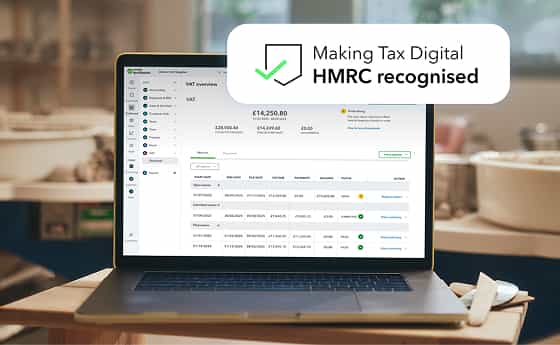
HMRC recognised - Human product support - No commitment, cancel anytime
Are you a business owner looking for payroll? Click here
“Payroll in QuickBooks has been transformational for me. It’s all in one place. It’s so straightforward.”
 Watch the video
“I’m very confident using QuickBooks Payroll and I know the right information is going to HMRC.”
Sarah Griffin, FLYTE Creative Media
From geofencing to auto-payroll, we’ve got your clients covered
Help your small to medium size business clients run payroll, track time, and manage their workforce with solutions designed to support them as they scale.
Payroll Elite
Payroll Premium
Payroll Core
Plus everything else you’d expect from payroll software

Time tracking that pays off
Capture hours worked for your clients and see it flow straight into payroll, eliminating the headache of manual data entry and calculations.*
* Available in Premium and Elite only.

More choice with pensions
Connect to a wider range of pension providers, and automate with NEST and Smart Pensions*, to suit your clients’ needs.
* Available in Premium and Elite only.

Deeper insights with job costing
Assign payroll costs to specific client jobs to see which are most profitable so they can plan their resources more effectively.*
* Available in Premium and Elite only.

Enhanced product support for your clients
Empower your clients to master the new workforce tools with an additional onboarding session, plus specialised product support for their questions.

Run payroll faster
Set auto-payroll to run for clients’ employees who work the same hours each period.

Pension duties, handled with ease
Simplify your clients’ auto-enrolment obligations with automated submissions (NEST and Smart Pensions*).
* Available in Premium and Elite only.

Client compliance made easier
Automatically calculate tax and National Insurance, and submit Real Time Information (RTI) filings directly to HMRC from the same workflow. Statutory payments also calculated for you.

Let client employees self serve
Mobile friendly tools and self-serve portal give your client employees access to payslips, P60s and key payroll info available anytime, from anywhere.
Get started with QuickBooks Payroll
If you already have a QuickBooks account, adding payroll couldn't be easier—just follow these steps. If you're not using QuickBooks yet, learn more here.


Talk to us about QuickBooks Payroll today
Our product experts are here to discuss your needs and find the best payroll solution for you. Talk to us about licence package options and payroll discounts on
0808 168 9533
9:00am - 5:30pm Monday - Thursday, 9:00am - 4:30pm Friday
Here for you,
every step of the way
From expert help when getting set up to ongoing support and training, we’re here to help you and your practice thrive. Hit the ground running with QuickBooks pre-built task templates and get started videos.
Phone support available 8.00am - 7.00pm Monday - Friday
or live message 8.00am - 10.00pm Monday to Friday,
8.00am - 6.00pm Saturday & Sunday

Learn more about payroll

Introducing QuickBooks’ new payroll solutions
Intuit’s new solutions offer a clearer three-tier structure built natively on the Intuit platform to bring payroll, workforce and financial management closer together.

Discover payroll on the Intuit platform
Explore our suite of full-service payroll solutions backed by the Intuit platform.

The new frontier of payroll services
Explore the outsource market, onshore services, and how payroll insights and technology can make you an indispensable business partner for your clients.
Frequently asked questions

Stay informed and inspired
Subscribe to get our latest insights, promotions, and product releases straight to your inbox.
