

Journeys by Design gains multi-year financial visibility with QuickBooks Advanced
Simple, smart accounting software - no commitment, cancel anytime


MAKING TAX DIGITAL


Making Tax Digital (MTD) is a government initiative to move Income Tax records for landlords, sole traders and the self-employed to an online system. For many, this means a change to the way Income Tax is reported. While change can be daunting, we’ll explore the ways MTD for IT can benefit you, what you’ll need to do (if anything), and how you can prepare for Making Tax Digital as a landlord.
Landlords who have over £50,000 in qualifying income from either their property or sole trade will need to follow Making Tax Digital for Income Tax rules
As a landlord, you’ll be required to use HMRC-recognised MTD-compatible software.
Not following MTD for Income Tax, or missing payments, can result in financial penalties and additional charges
Firstly, MTD will only be mandatory in 2026 if you have over £50,000 in qualifying income from property or self-employment. But if this does apply to you, then you’ll be expected to submit quarterly updates rather than an annual return. These updates will be every three months, on the 7 August, November, February and May. You’ll also be required to submit a final declaration by the 31 January every year, confirming the accuracy of your submissions.
One of the key parts of MTD for landlords is that you’ll be required to make all these updates through MTD for Income Tax-compatible software that’s HMRC recognised. This might mean buying or subscribing to software if you don’t already. Discover our MTD software.
If you’re a landlord, you can sign up to MTD today, regardless of how much you have. However, if you have over £50,000 in qualifying income from property or self-employment, you’ll need to sign up to Making Tax Digital before the 6 April, 2026.
If you have £30,000 or more in qualifying income, the registration deadline is April 2027, and if you have £20,000 or more in qualifying income as a landlord, the MTD registration deadline is April 2028.
HMRC guidelines use the blanket term ‘landlords’ when discussing Making Tax Digital, which means these changes apply to the following:
Buy-to-let landlords are landlords who purchase properties with the specific intention of renting them out. Profit on buy-to-let properties can be minimal, and is often a long-term investment. However, Income Tax is still payable on rental profit if you’re operating as an individual.
A portfolio landlord is essentially a landlord with multiple properties. According to the Prudential Regulation Authority (PRA) the minimum number of properties you’ll need to own to be classed as a portfolio landlord is four. Portfolio landlords can earn more money as they have profit coming in from multiple properties, but this has to be weighed against increased outgoings too. Even though a portfolio landlord may have more properties than a buy-to-let landlord, they could still be operating as an individual. This means that MTD for IT would apply to qualifying income from this portfolio.
A professional landlord manages rental properties as their full-time job as opposed to a part-time or passive source of income. To work as a professional landlord, you may need a large portfolio of properties and a team of employees, but as your income derives solely from property. As a result, you may be working in a partnership or even as a limited company, meaning that Making Tax Digital for Income Tax would not apply.
Types of landlords can overlap, too. For example, a professional landlord can also be a portfolio landlord. There are other types such as:
First-time landlords—those who are renting out a property for the first time
Accidental landlords—those who have inherited property with tenants
Live-in landlords—those who live in the property they’re renting, sharing the space with tenants.
Making Tax Digital for Income Tax applies to all landlords with qualifying income above the specified amount in a given tax year , regardless of their property types. This includes:
Residential properties and buildings that house people. These can range from flats to bungalows, to houses of all sizes. If it’s designed for people to live in, then it’s likely a residential property. Income for a residential property comes from tenants who live there.
Keep digital records, submit quarterly updates to HMRC, and finalise your Income Tax at the end of your accounting period with Intuit QuickBooks.
Explore plans & pricing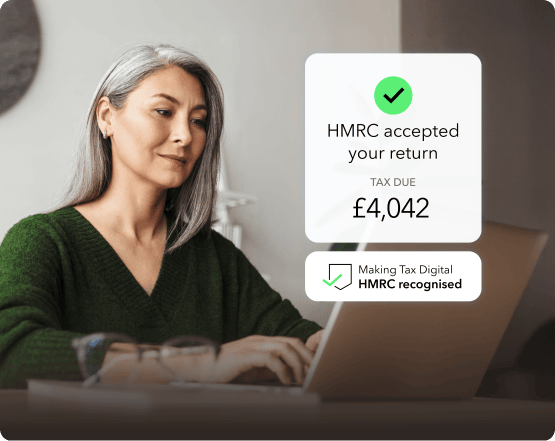
Commercial property is space that’s intended for business use, whether that’s selling directly to customers or engaging in remote business activities. This encompasses everything from greengrocers to cafes to office blocks. The rent in commercial properties is paid by the business owners.
These properties are rented to holidaymakers, often for short periods of time. They might include existing residential properties rented specifically to tourists or purpose-built spaces, such as beachside villas. Income from holiday lettings can be sporadic, especially during quiet seasons, and is particularly vulnerable to economic downturn.
Property owned abroad could include residential homes or flats, business offices and other types of commercial space where rent is charged. For UK citizens, profits from overseas property are also subject to the rules around Making Tax Digital for Income Tax.
Whether you’re a landlord who needs to follow Making Tax Digital rules before April 2026, or if you want to familiarise yourself with Making Tax Digital sooner rather than later, you can prepare by following the below:
Review your qualifying income to see if MTD applies. First things first, you’ll need to check if Making Tax Digital applies to you. If you have a qualifying income over £50,000, you will likely need to follow MTD Income Tax rules, though there are other factors. However, even if your gross income is below the threshold, you can sign up to MTD for IT rules voluntarily.
Register for Self Assessment, if you haven’t already. If you’ve determined that MTD is relevant to you, you can sign up via the HMRC website.
Select an appropriate MTD software. You’ll need accounting software that’s compatible with Making Tax Digital and recognised by HMRC, so you can submit your quarterly updates and final declaration.
Familiarise yourself with the process and requirements. Getting familiar with the requirements of MTD for IT means you won’t be caught out, and will reduce the odds of you missing submissions. Likewise, familiarising yourself with the software you’ve chosen can help produce a smoother process.
Keep accurate digital records of your landlord income and outgoings. It’s likely you already keep accurate records from your property income and your outgoings. But to follow Making Tax Digital rules you’ll need to keep digital records in your HMRC recognised accounting software or in a place where your software can access them.
Submit quarterly updates to HMRC through your Making Tax Digital software. As part of Making Tax Digital you’re required to submit quarterly updates on your qualifying income from property from your MTD for IT-compatible software.
Making Tax Digital means that returns need to be submitted every quarter, or three months. This works out as 7 August, November, February and May, every year. On top of this return, you’ll also be expected to submit a final declaration on 31 January every year. This will help confirm the accuracy of your submissions and let you claim any reliefs or allowances you may be entitled to. Check the MTD deadlines.
Depending on the type of income or outgoing, there are different requirements for submitting Income Tax to HMRC through MTD-compatible software:
Rental income (quarterly). The qualifying income you earn from tenants, whether that’s paid weekly, monthly, or annually.
Expenses (quarterly). The costs of running your business or managing your property. This can include the cost of legal fees, maintenance or repairs and regulatory costs.
Income Tax Relief claims (annually). Landlords are entitled to some Income Tax Relief. For example, on the cost of replacing domestic items, or on mortgage interest payments.
Other income (annually). If you receive income from another source.
While the changes brought by Making Tax Digital might affect the way you record your finances, there are a number of benefits you can enjoy as part of the new process.
Digital integration means removing the paper trail so you can find all your information in a single, easy to access location
Quarterly updates to HMRC give a more accurate picture allowing you to make smarter decisions about your properties
More detailed transaction records can reduce errors and the likelihood of receiving penalties for late submissions
Get rid of manual spreadsheets and bookkeeping to save you time and effort
A more efficient process that gives you the time back that you can spend managing your properties
If you’re a landlord and you have qualifying income above the £50,000 threshold in the tax year 2025/26, you’ll be required to follow Making Tax Digital for Income Tax rules by 6 April. If you have less than £50,000 of qualifying income you won’t have to follow MTD this year, but the threshold for signing up will be £30,000 in 2027 and £20,000 in 2028.
For the first tax year of MTD (2026 to 2027), penalty points for late filing of quarterly Income Tax updates will not apply. In the following tax year, 2027-2028, you'll be penalised every time you miss a deadline: two penalties in a 24-month period will result in a fine of £200. Late payments will have an interest rate of 7.75% added to the total cost.
By default, the Income Tax on rental incomes is split evenly if the joint owners are married, or are civil partners. If you own the property in unequal shares, you can change this 50:50 Income Tax split by completing a form from HMRC. If you’re not married, you’ll typically pay a percentage of Income Tax equal to the share you own. For MTD for IT purposes, when assessing if you need to register for MTD, qualifying rental income is assessed on a person by person basis.
There are scenarios where you can be exempt from Making Tax Digital. These are generally based on your ability to access and use technology. For example, if your religious beliefs prohibit you from using technology, or if you live in a location without reliable internet access. You may also be exempt if you have a disability or condition that prevents you from using a computer or MTD software.
You can sign up for Making Tax Digital as a landlord via the GOV.UK website. You’ll need to provide details including the date you began receiving property income if it’s within two years. You’ll need to be registered for Self Assessment and you may need to prove your identity to sign up to MTD.
Disclaimer
The information on this website is provided free of charge and is intended to be helpful to a wide range of businesses. Because of its general nature the information cannot be taken as comprehensive and they do not constitute and should never be used as a substitute for legal, accounting, tax or professional advice. We cannot guarantee that the information applies to the individual circumstances of your business. Despite our best efforts it is possible that some information may be out of date. Any reliance you place on information found on this site or linked to on other websites will be at your own risk.
Share:
Subscribe to get our latest insights, promotions, and product releases straight to your inbox.
9.00am - 5.30pm Monday - Thursday
9.00am - 4.30pm Friday

