

Ecommerce
Guide to the SaaS Sales Process
Simple, smart accounting software - no commitment, cancel anytime


MAKING TAX DIGITAL


If you’re a sole trader, then Making Tax Digital for Income Tax may already be on your horizon. Making Tax Digital for Income Tax, or MTD for IT, is a set of HMRC rules designed to move record-keeping and Income Tax reporting for sole traders and landlords online. On this page, we’ll explore what this might mean for you, how to prepare for MTD for IT, and how you can benefit from the new process.
For April 6 2026 to April 5 2027 Making Tax Digital for Income Tax will only impact sole traders who have over £50,000 in qualifying income for the tax year April 6 2024 to April 5 2025, though the threshold is set to decrease over the coming years.
HMRC requires sole traders to use HMRC-recognised software to store digital records and submit quarterly updates.
There are penalties if you fail to comply with Making Tax Digital for Income Tax rules, but MTD for IT should make managing your business easier and free up more time.
MTD for IT will change how Income Tax is recorded and reported by sole traders and landlords. From 6 April 2026 it will be mandatory for those who have a qualifying income over £50,000 in the tax year 6 April 2024 to 5 April 2025.
As part of the new rulings, you’ll be required to keep digital records, submit quarterly updates from your software instead of annual tax returns, and use HMRC-recognised software.
These changes, and MTD more broadly, are the result of the government’s aim to modernise the UK tax reporting system. Initially, only sole traders and landlords who have a qualifying income over £50,000 in the tax year 2024-25 will have to comply with these new rules from 6 April 2026, but the threshold will decrease over the following years. Sole traders with a qualifying income of over £30,000 in the tax year 2025-26 will need to use MTD for IT-compatible software from 6 April 2027, and sole traders who have a qualifying income of over £20,000 in the tax year 2026 to 2027 are also expected to comply with Making Tax Digital for Income Tax rules from April 6 2028.
If you believe you’re likely to be impacted by MTD for Income Tax as a sole trader, you can prepare for the coming changes by following the steps below:
Research whether MTD for IT applies to you. Firstly, you’ll need to see if Making Tax Digital for Income Tax applies to you. Are you a sole trader and/or a landlord? If so, then MTD for IT may be relevant to you.
Sign up for Self-Assessment if necessary. If you haven’t already, you’ll need to sign up for Self-Assessment so you can start sending Income Tax returns.
Review your qualifying income. Only your qualifying income counts towards the MTD for IT threshold. For example, if you have income of over £50,000 for the tax year 6 April 2024 to 5 April 2025, but only £30,000 of that is from turnover as a sole trader and the other £20,000 is from a PAYE wage, you wouldn’t be obliged to follow MTD for IT rules straight away. However, if that £20,000 came from money you earn as a landlord, then that would also be considered qualifying income and you would need to comply with Making Tax Digital for Income Tax rules.
Get hold of HMRC-recognised, MTD-compatible software. To comply with Making Tax Digital for Income Tax, you’ll need to use HMRC-recognised digital software to send your Income Tax returns from. There are generally two options for sole traders: the most complete option is accounting software that stores digital records and allows you to submit quarterly Income Tax updates. The alternative is what’s known as bridging software, which works by accessing spreadsheet records on your device and submitting them to HMRC.
Start to keep full digital records of all transactions. Instead of storing expenses and income data on paper, you’ll need to keep digital records. This might mean on a spreadsheet or in the software you’ve chosen.
Provide quarterly updates to HMRC from your software. As part of Making Tax Digital for Income Tax rules, you’ll be required to send quarterly updates to HMRC. How you do this will depend on the software you’ve chosen. Learn how to send updates with QuickBooks.
If you’re nervous or uncertain about the change to MTD for IT as a sole trader, you needn’t be. There are plenty of benefits and advantages to the new system, most of which could help you manage your business more efficiently. From Making Tax Digital for Income Tax, you can expect:
More efficient Income Tax submissions, meaning you get to save time for the important part of running your business.
More frequent updates to HMRC give better clarity on Income Tax and finances, as well as a broader view of how your business is operating.
Digitally integrated records can help you manage your Income Tax information more accurately and reduce the chances of mistakes.
While Making Tax Digital for Income Tax has a range of benefits, there are still things to consider as part of the transition.
You’ll need a reasonable understanding of what’s required of you as a sole trader. This means you’ll need a firm grasp of the rules and regulations of Making Tax Digital for Income Tax.
If you’re not using HMRC-recognised accounting software already, you’ll be required to use some as part of the MTD for IT rules. This might mean having to pay a monthly subscription or a one-off fee. Learn about QuickBooks pricing.
Making Tax Digital for Income Tax might have an impact on how you operate and could change your processes. This may mean you encounter initial sticking points, and you may need some retraining.
To follow MTD for Income Tax rules, sole traders must use HMRC-recognised, MTD for Income Tax compatible software to keep digital records and send quarterly updates to HMRC. This software acts as the connection between your business's financial information and HMRC. There are a few main types of MTD software available, so it’s important to choose one which best suits your sole trader needs.
Comprehensive accounting software tools are able to manage all aspects of your business finances. They usually cover things like invoicing, expenses tracking, bank reconciliation and reports. They also store your digital records, facilitating the necessary quarterly Income Tax updates to HMRC.
Best for: Sole traders who want a complete solution to help streamline their financial bookkeeping and help them stay compliant with MTD for Income Tax rules.
Bridging software is used with existing digital record-keeping methods, like spreadsheets. It allows you to take data directly from your current records and submit it to HMRC in the correct format.
Best for: Sole traders who would prefer to continue using spreadsheets for their financial records but still need a way to meet MTD for Income Tax submission requirements.
Some providers may offer free, or low-cost MTD for Income Tax compatible software. Although these might offer fewer features than fully equipped accounting platforms, they can act as a good starting point for sole traders with simpler financial affairs or when they have qualifying income just above the threshold.
Best for: Sole traders who want to trial a cost-effective way to submit their Income Tax returns in a compliant way before considering other options.
Keep digital records, submit quarterly updates to HMRC, and finalise your Income Tax at the end of your accounting period with Intuit QuickBooks.
Explore plans & pricing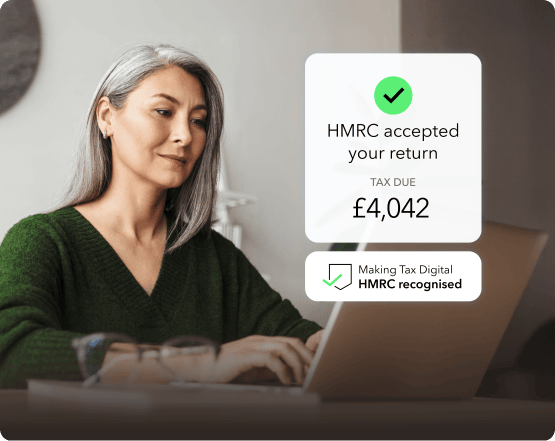
It can be daunting as a self-employed person to research the full array of MTD for IT compatible software available, but there are a few key questions to ask when deciding what to go for.
Some Making Tax Digital for Income Tax software can automate tasks such as calculating your Income Tax position, generating reports and putting transactions into categories. Automation can help reduce the amount of manual work - and errors - involved in staying compliant with Making Tax Digital for Income Tax rules, allowing you to focus on your clients and customers.
MTD for IT compatible software should make it easy to keep a digital record of all your self employed business transactions, including both qualifying income and expenses. It will also help if the tool can link directly to your business bank account, for easy reconciliation, as well as offer wider tools for billing and invoicing.
Consider how easy the software is to work with, and whether it has any additional quality of life features like being cloud-based or offering an app. For sole traders, an intuitive and uncluttered user experience can be important in helping you effectively manage your MTD for Income Tax obligations on a regular basis.
One of the most crucial aspects of Making Tax Digital for Income Tax software is that it is HMRC-recognised and integrates with HMRC systems. This direct integration means that your quarterly Income Tax updates can be sent directly from your software and in the correct format, helping you stay compliant.
Look at the overall cost of each software, and any pricing structure involved. For example, this could be in the form of a larger one-off cost, or a monthly subscription fee. If a platform is more expensive, make sure to consider whether you need all the features it offers. Similarly, check whether more affordable options are able to grow with your business should you expand in future.
Fortunately, for the first tax year of MTD for IT (6 April 2025 to 5 April 2026) penalty points for late filing of quarterly Income Tax updates won’t apply. In the following tax year, April 6 2025 to April 5 2027, users will receive a penalty point every time they miss a deadline: four penalties within 24 months will result in a fine of £200.
If you’re late paying Income Tax, you’ll receive financial penalties that are relative to how late you are:
If you’re late by 15 days or less, you’ll be told your payments are overdue, but you won’t receive a penalty.
Between 16 and 20 days, you’ll be charged 3% on top of what you owed on the 15th day.
After 31 days, you’ll receive an additional 3% on top of what you owe.
After this, an additional 10% per annum will be added onto your owed Income Tax.
Making Tax Digital applies to sole traders regardless of industry. The only limiting factor for Sole Traders who file Income Tax is the amount of qualifying income they have. If you have over £50,000 of qualifying income for the tax year in question, MTD for IT rules will apply to you. However, even if you’re under the threshold, you can still volunteer for income tax submissions through MTD-compatible software.
First, you’ll need to check you’re eligible for MTD for IT and determine if you’ve reached the threshold for qualifying income. Then you’ll need to choose a HMRC recognised software that’s compatible with MTD for Income Tax rules. After that, you should follow the registration process, which can involve providing essential details and verifying your identity.
As a sole trader, you’re required to keep a variety of digital records for MTD for IT on HMRC-compatible software. The digital records will include your:
Self-employment income
Self-employment expenses
For each, you’ll need to record the:
Amount
Date of the income or expense
Category of each, which will be dictated by the type of business you have.
If you have multiple sole trader businesses, you’ll need to create separate digital records for each source of income.
The information on this website is provided free of charge and is intended to be helpful to a wide range of businesses. Because of its general nature the information cannot be taken as comprehensive and they do not constitute and should never be used as a substitute for legal, accounting, tax or professional advice. We cannot guarantee that the information applies to the individual circumstances of your business. Despite our best efforts it is possible that some information may be out of date. Any reliance you place on information found on this site or linked to on other websites will be at your own risk.
This information is intended to outline our general product direction, but represents no obligation and should not be relied on in making a purchasing decision. Additional terms, conditions and fees may apply with certain features and functionality. Eligibility criteria may apply. Product offers, features, functionality are subject to change without notice.
Share:
Subscribe to get our latest insights, promotions, and product releases straight to your inbox.
9.00am - 5.30pm Monday - Friday

