KEY DATES, RESOURCES, AND INFO
Get ready for end of financial year with Intuit QuickBooks’ EOFY guide and checklist so your business is prepared for tax time.

EOFY 2026 key dates for businesses
The end of financial year for Australian businesses occurs on 30 June. As this date approaches, it’s important to review the key dates and your finances to prepare the information needed for your tax return.

Get your end of financial year checklist
Our EOFY checklist and toolkit for Australian businesses helps you stay organised by breaking down the key tasks you need to complete before and after 30 June.
Download now to make ATO reporting simple and approach tax time with confidence.
Download checklist
By selecting Download the EOFY Checklist, you agree to our Terms of Service. Our Global Privacy Statement applies to any personal information provided to us.

Do end of financial year differently
QuickBooks Online makes wrapping up the financial year easy. Automatically track and categorise your expenses, finalise payroll, and submit your small business tax return, all from one convenient place.

Track every trip with the QuickBooks mobile app. Mark your journey as business or personal and claim money back on your driving.
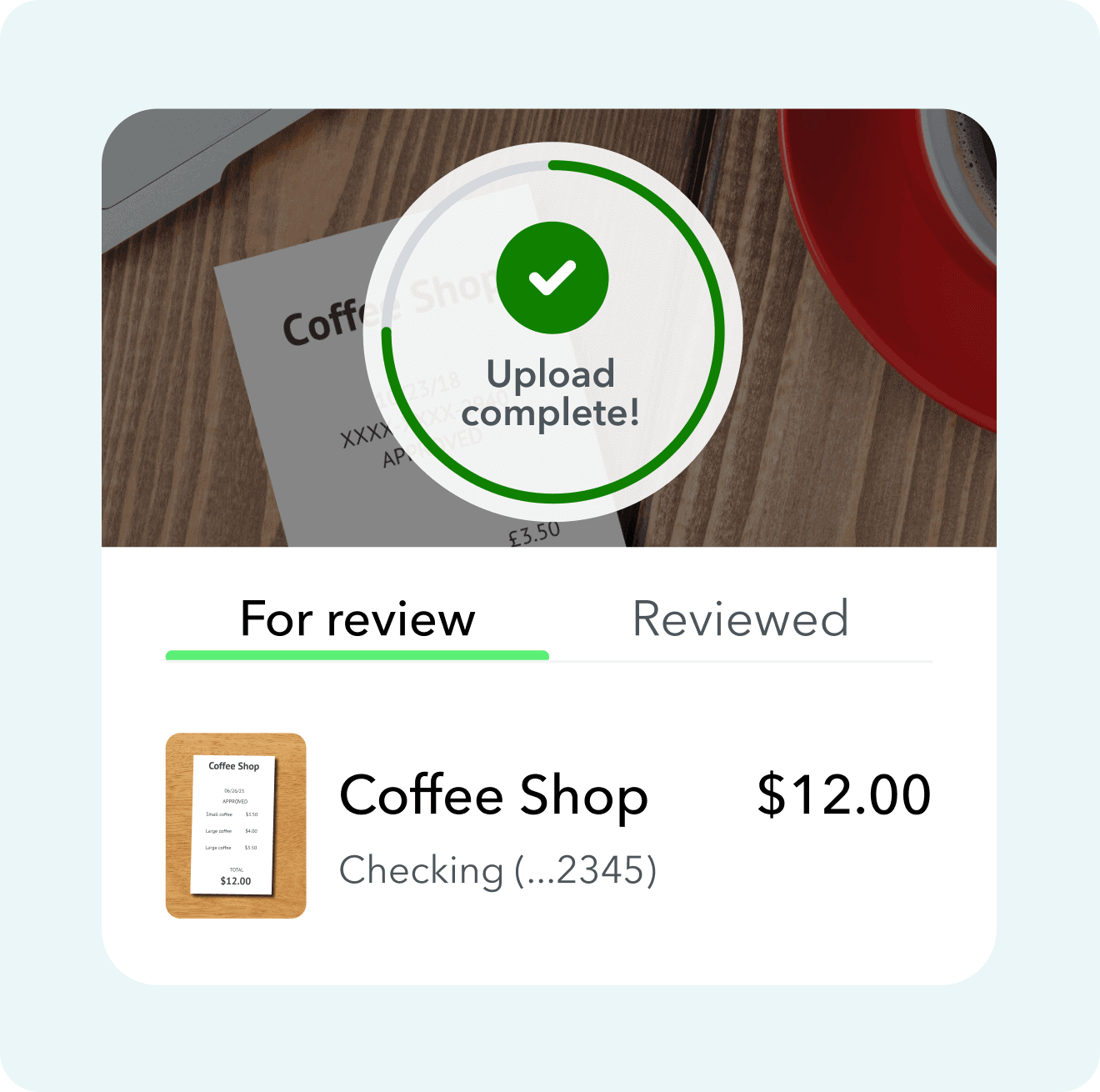
Capture your receipts on the go. We'll take the relevant data and match the details to an expense.

Connect your bank accounts and more to have transactions automatically sorted and categorised so you're ready for tax time.
Find a plan that’s right for you
Free unlimited support
No contract, cancel anytime
Trusted by 7 million customers worldwide
Unlock efficiency
Accelerate
Advanced
Boost efficiency & profitability
25 users
Plus access for your accountant
Top tips to help SMEs prepare for EOFY
Preparing early can help you stay organised and meet your ATO obligations, making tax time much easier to manage.

Review your financial records
Check that your income, expenses, and bank transactions are accurate and up to date.
Reconcile your accounts
Match your bank statements, invoices, and receipts to ensure your records are complete before lodging your tax return.
Identify deductions and concessions
Review eligible business expenses, asset purchases, and tax concessions that may reduce your taxable income.
Finalise payroll and reporting
Make sure employee payments, PAYG withholding, and Single Touch Payroll (STP) reporting are complete.
Check superannuation contributions
Confirm employee super payments are up to date and submitted by the required deadlines.
Prepare key financial reports
Generate reports such as your profit and loss statement and balance sheet to support your tax return.
Review cash flow and upcoming obligations
Look ahead to BAS, PAYG, and super deadlines so your business starts the new financial year in a strong position.
Speak with your accountant or tax adviser
If you’re unsure about deductions, lodgement dates, or compliance requirements, professional advice can help.

Find a tax professional to help you this EOFY
Manage your end of financial year obligations and share your finances in real time with your accountant, bookkeeper, or financial advisor.
Intuit QuickBooks makes EOFY simple
Whether you run a business in trades and construction, professional services, or another industry, Intuit QuickBooks helps you stay organised so EOFY is easier to manage. Track income and expenses, manage GST & BAS, and keep your records up to date in one place. QuickBooks can also support everyday tasks like invoicing, payroll, and reporting, and you can access downloadable invoice templates to help streamline your billing and stay prepared for tax time.
EOFY frequently asked questions

Payday Super
With changes taking effect on 1 July 2026, take a look at how you can prepare for these updates.

Webinar - JUNE 2, 11AM AEST
Payday Super Webinar
Join our webinar to learn how QuickBooks Payroll powered by Employment Hero and HeroClear will help you get your clients ready and compliant for Payday Super on 1 July.

INFORMATION
Are your clients Payday Super ready?
Learn more about Payday Super to ensure your clients are ready on 1 July.

Frequently Asked Questions


Intuit helps put more money in consumers’ and small businesses’ pockets, saving them time by eliminating work, and ensuring they have confidence in every financial decision they make.
Award Winning Accounting Software


