Hi there, Donna.
Thanks for reaching out. You or the account admin can help your client get access by inviting them to the account.
Here's how:
- Click the Settings icon (top-right corner of the dashboard).
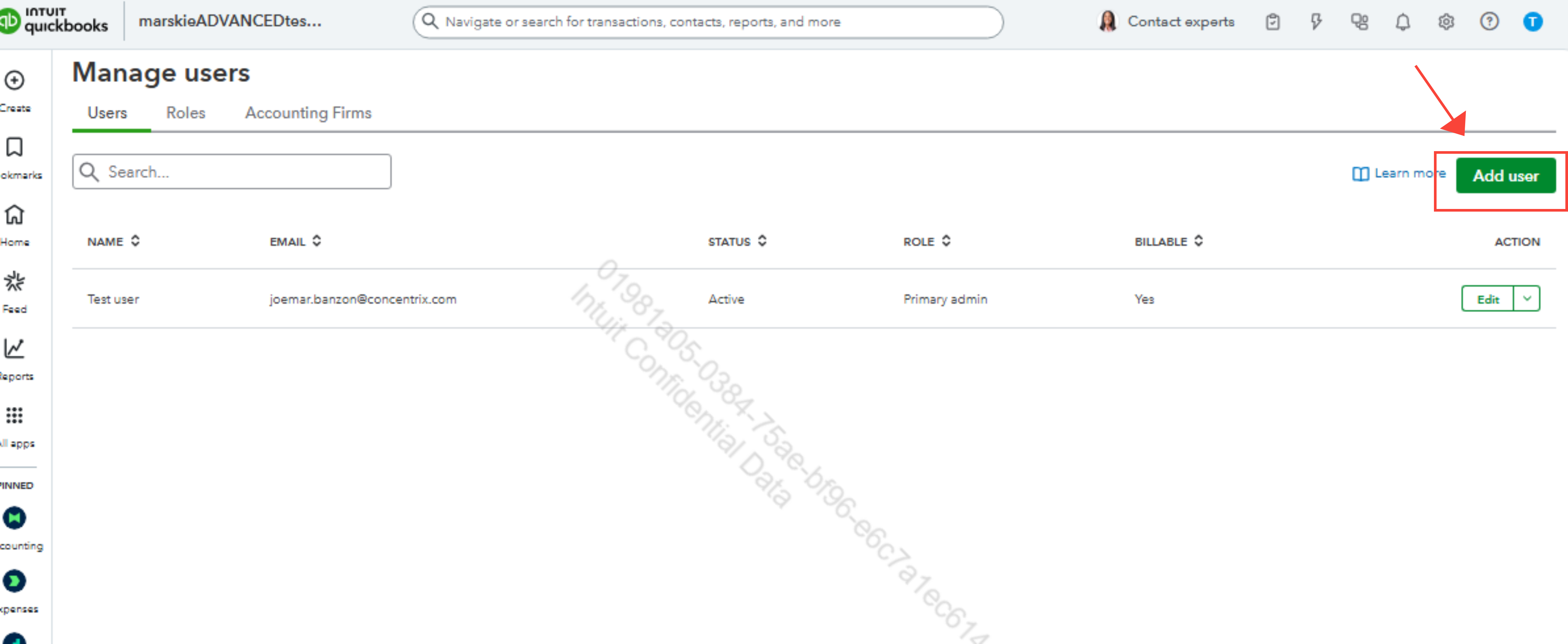
- Under Your Company, select Manage Users.
- Click on Add User to invite your client.
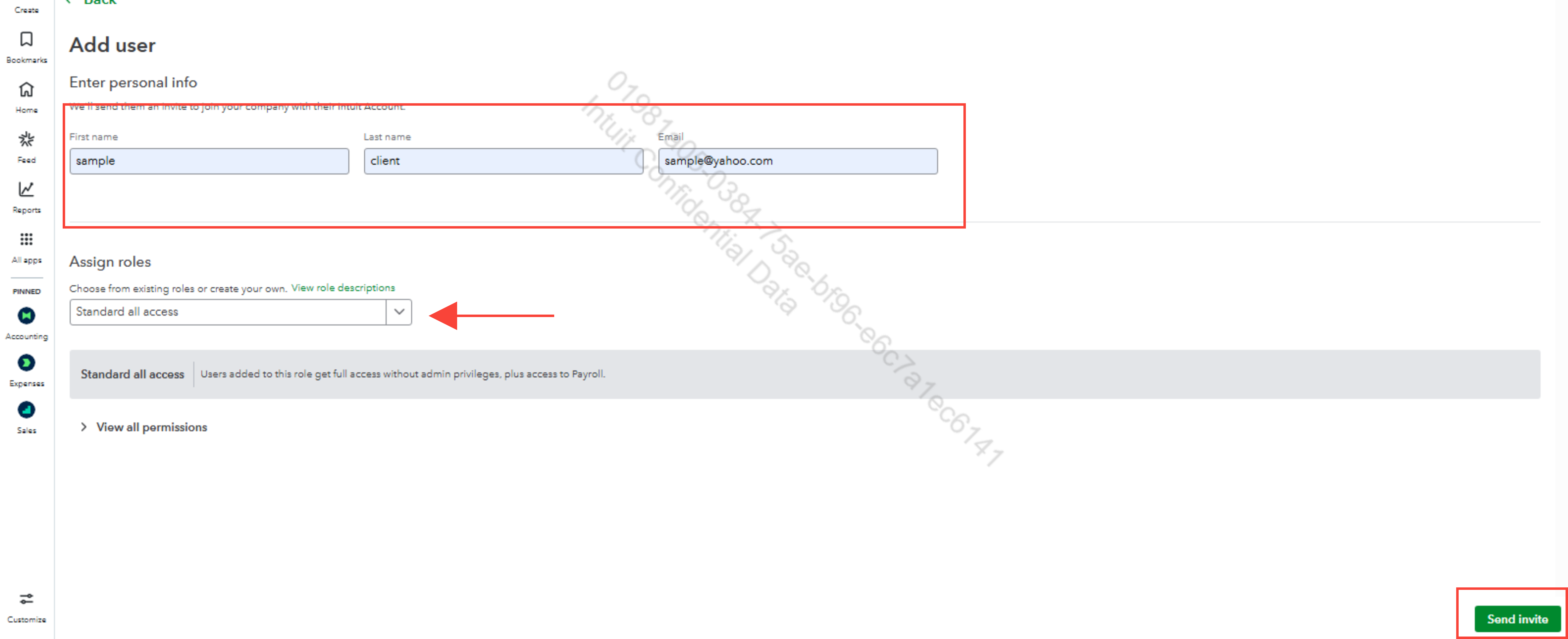
- Choose the role/type of access they need.
- Enter your client’s name and email address.
- Click Send invite to send the invitation.
Tell your client to open their email. Click the Accept Invitation link provided and follow the on-screen instructions to create their own unique Intuit account login. If they already have an Intuit account they can use that same login.
Please click on the link for more information: Add clients who already have QuickBooks.
If you have any further questions, don't hesitate to let us know, we're here to help.


