Your bank account may be set to USD, which is why the transactions are displayed in USD instead of CAD, @kalwatar.
If your connected bank account uses foreign currencies, you'll need to add those transactions using the appropriate currency. Here's how:
- Navigate to Transactions and then select Bank transactions.
- Open the For review tab, click on the transaction details, and choose Add.
- Input the foreign amount or exchange rate provided by your bank in the currency fields.
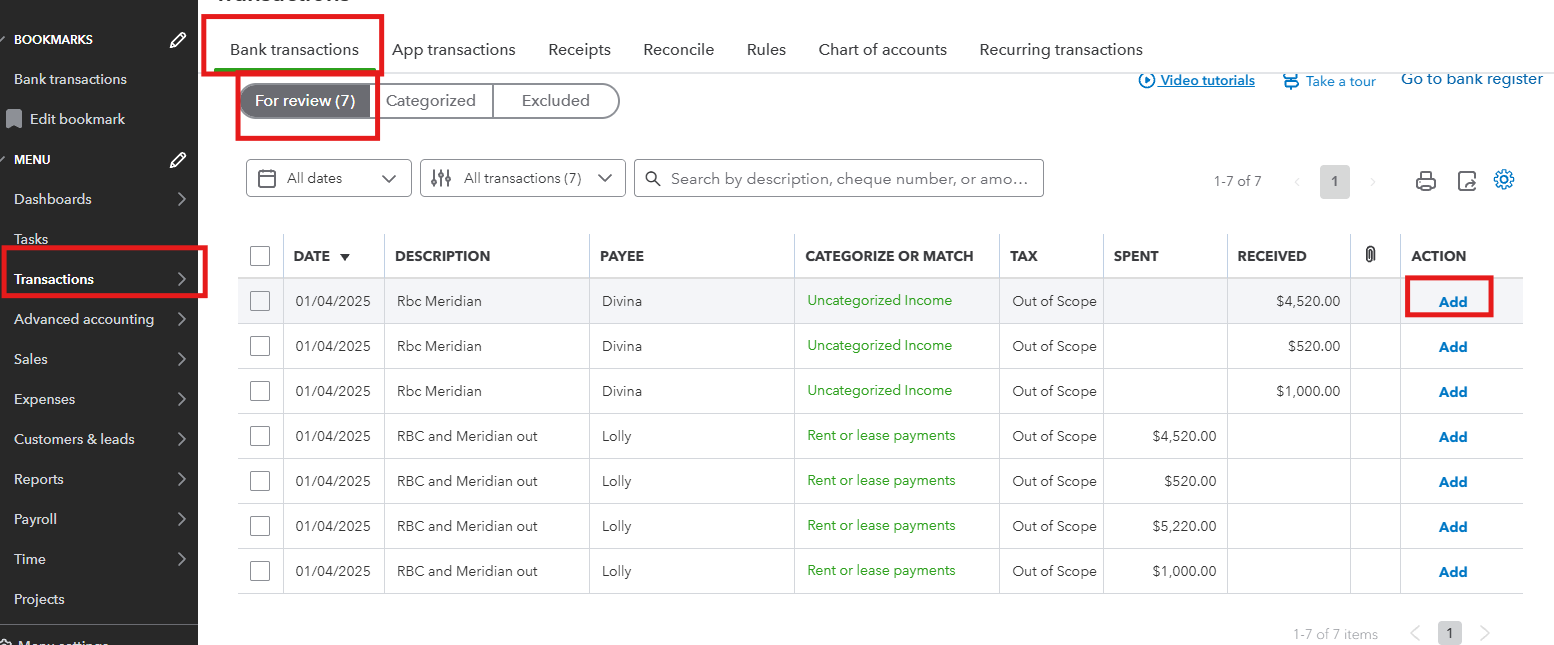
You can check this article to learn more about multicurrency: Set up and use Multicurrency in QBO.
Also, you can check this guide to help you match your bank and credit card statements in QBO: Reconcile an account in QBO.
If you have any other concerns about transactions or currency, please click Reply.


