Turn on suggestions
Auto-suggest helps you quickly narrow down your search results by suggesting possible matches as you type.
Showing results for
Hello,
I'm having issues with the PayPal integration. I'm able to see the transactions, but when I try to confirm a transaction, I get an error saying this:
We couldn't add your transaction.
sendout.expense - Error validating headers
Welcome to the Community, @sjuice, and thanks for reaching out.
Working with multiple currencies in QuickBooks Online lets you do business globally. It’s common for Canadian businesses to bill U.S. customers in USD. If the current PayPal connection is returning errors, a reliable workaround is to manually import your PayPal transactions as a CSV into QuickBooks Online and map them to an account designated for USD PayPal transactions.
Before importing, create the USD PayPal transactions account:
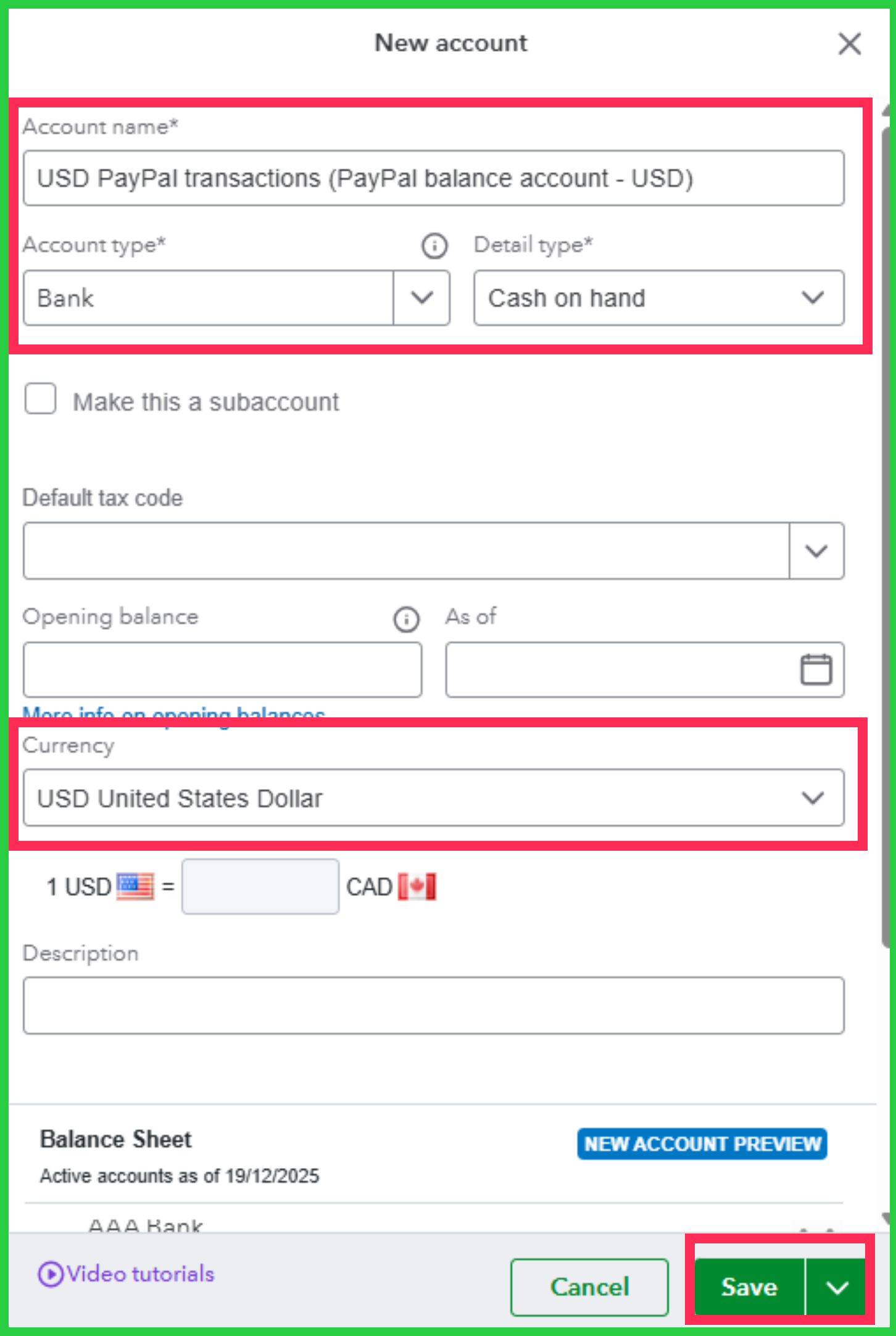
After the account is set up, manually upload your transactions:
Should you have any other questions, feel free to comment in the thread.
Thanks for the reply. I'll look into this, but is there no automated way to handle multi-currency transactions via the PayPal integration? I didn't mention it here, but I'm having the exact same issue with managing USD transactions from the Shopify integration.
Hi there, sjuice.
Thank you for following up with your question. I understand your preference for automating multi-currency transactions, and I'd be glad to provide further insight.
Currently, QuickBooks does not fully automate the handling of multi-currency transactions when integrated with PayPal or Shopify. You'll need to categorize and convert foreign currency transactions manually. The same manual procedures apply to Shopify transactions in USD. The automation of currency conversion and matching is limited, which means you must manually track exchange rates and reconcile transactions.
To manage the issue with PayPal's USD transactions more effectively, I recommend following the steps shared in my colleague's first response. A reliable workaround is to manually import PayPal transactions as a CSV file into QuickBooks Online, which ensures accurate mapping to your USD account. Additionally, creating a separate PayPal USD account and properly mapping it will help ensure that transactions are tracked correctly.
For more detailed information about Multicurrency in QuickBooks Online, check out this article: Set up and use Multicurrency in QuickBooks Online.
If you have further questions or need additional guidance, feel free to let us know.


You have clicked a link to a site outside of the QuickBooks or ProFile Communities. By clicking "Continue", you will leave the community and be taken to that site instead.
For more information visit our Security Center or to report suspicious websites you can contact us here


