Hi there, dnumerow. Let's get those columns lined up precisely, depending on what type of data you're bringing into your QuickBooks Online (QBO) account.
If you're uploading bank or credit card transactions, you can format your file with a 3-column layout that includes Date, Description, and Amount. Or, if you prefer more detail, you can opt for a 4-column format. This one includes Date, Description, Credit, and Debit columns.
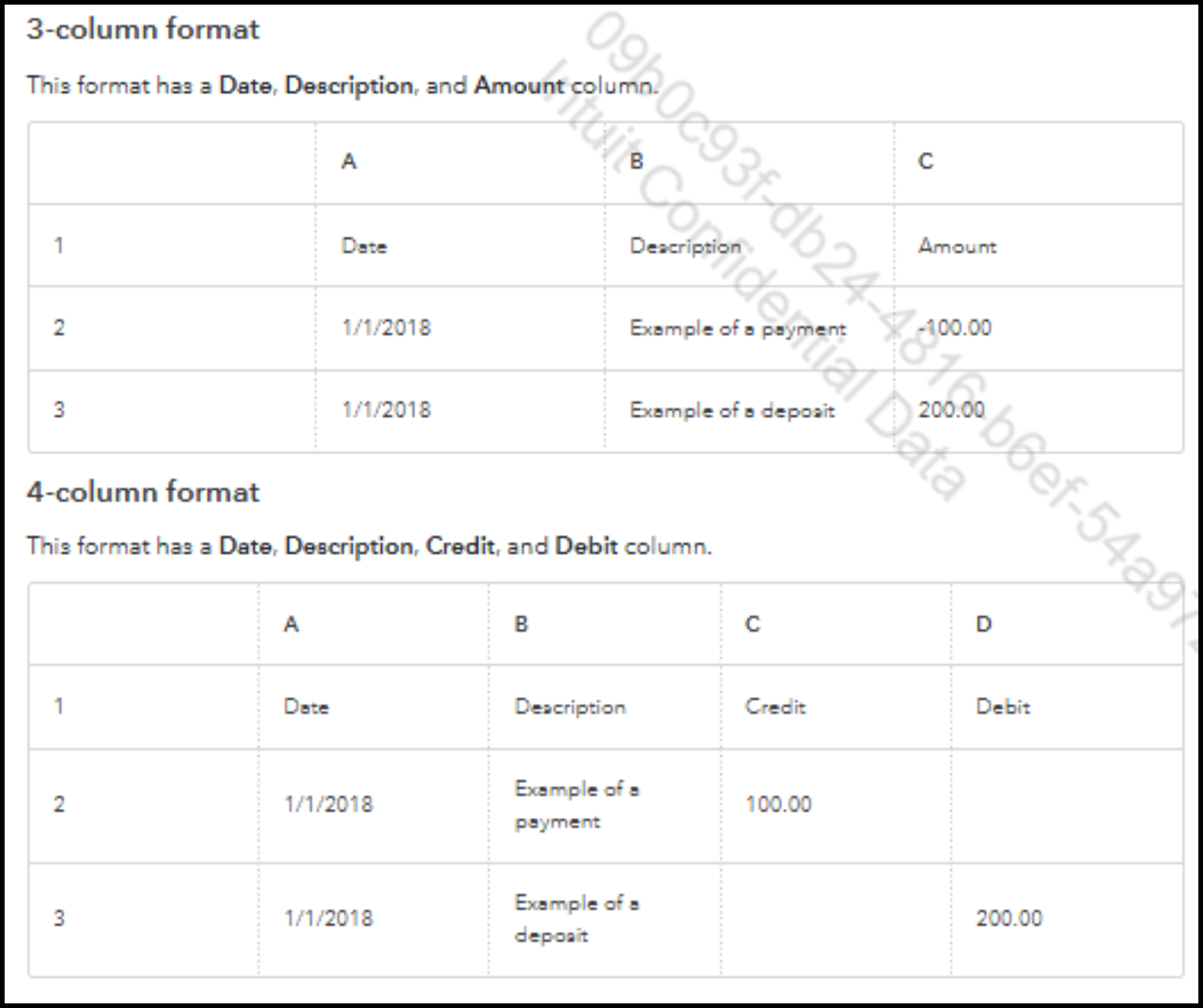
You can also access this article for a complete guide to this process: Format CSV files in Excel to get bank transactions into QuickBooks.
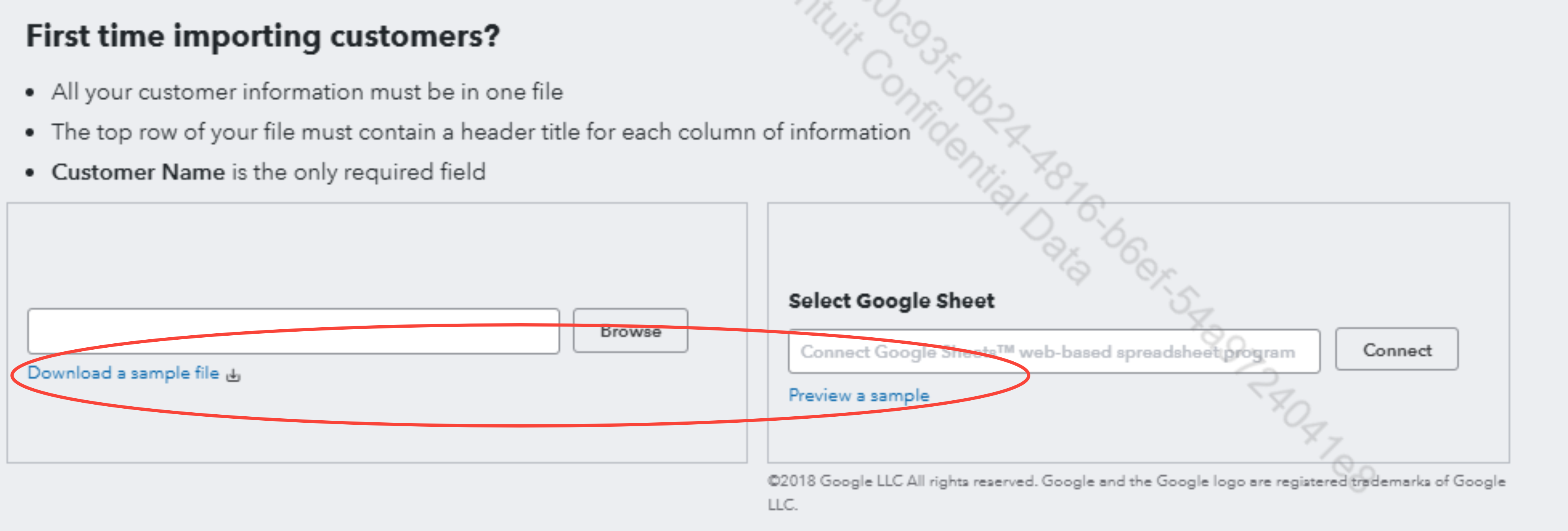
For importing Customers, Suppliers, or your Chart of Accounts, you can download or preview our sample files directly from the import screen for reference.
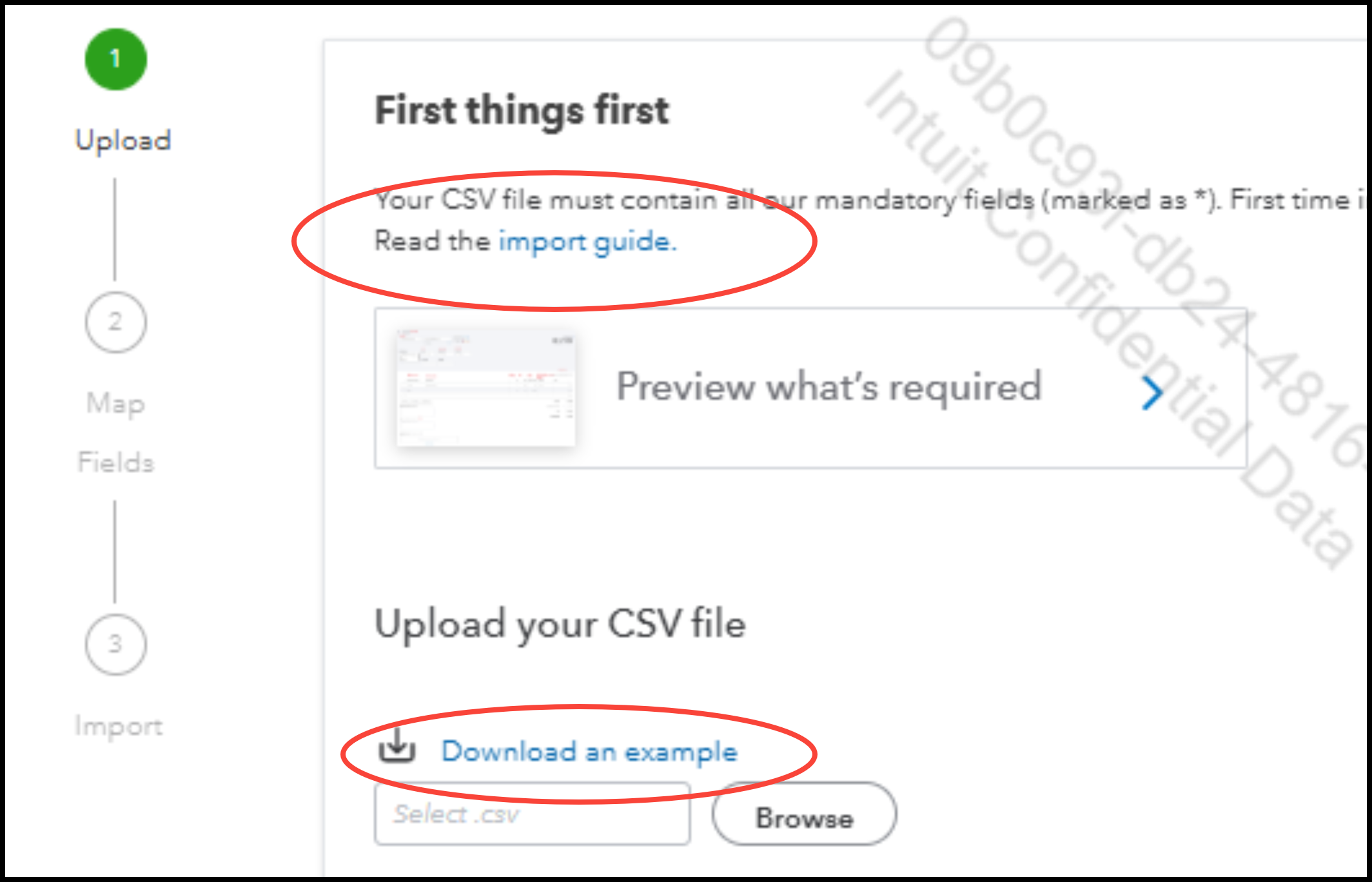
For Invoices, Credit Memos, Sales Receipts, Journal Entries, and Bills, read the import guide or download an example to see how to format the columns correctly for import.
If you encounter errors during the process or have follow-up questions in mind, check out this resource: Common questions about importing data to QuickBooks Online.
Click the Reply button below for further assistance.


