Turn on suggestions
Auto-suggest helps you quickly narrow down your search results by suggesting possible matches as you type.
Showing results for
I have a chequeing, a savings, and a credit card that I use for freelancing. Am i only able to import all the transactions to the account named "cash," or is there a way for me to add more accounts manually, so that I can import the transactions to the proper account?
Hello there, @chambersfxandbeauty. May I know which specific bank account you’re trying to connect to, or have you encountered a specific error message while trying to connect?
Currently, QuickBooks Self-Employed doesn’t have a built-in feature to manually create individual bank accounts. Instead, the system automatically creates a new account slot each time you successfully connect a bank. If you are entering data manually, those will appear as Cash transactions.
Here are a few common reasons why you might be unable to connect your bank:
What you can do is reach out to your bank and check for any maintenance updates or request to establish a connection with QuickBooks. If everything is good from your bank's side, ensure to select the correct bank name when connecting the account.
If you have any other concerns, please click Reply.
I have contacted my bank and they are not partnered with quickbooks.
So if I'm unable to import these transactions to separate accounts, should I import all of them under the cash account? I bought Quickbooks Self Employed specifically to help prepare for taxes. I also have a Quickbooks Online subscription. My hope was that QBSE would be simpler and a better fit for my needs, but if I can't differentiate which account the transactions belong to in QBSE, I'm wondering if I should just stick with Quickbooks online where I can do this.
Thanks for getting back, chambersfxandbeauty. Yes, manually imported transactions that are not linked to a connected account are automatically routed to the default Cash account.
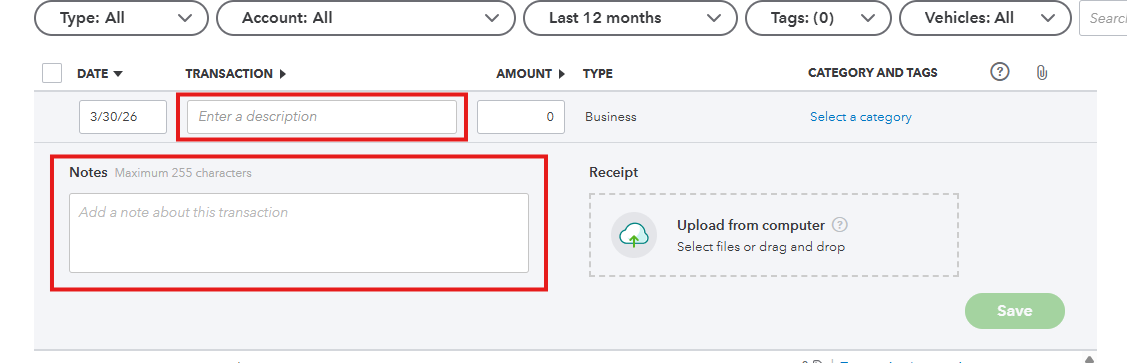
Alternatively, you can use the Description or Notes fields to help identify each transaction.
Meanwhile, you have the option to create accounts in the Chart of Accounts and assign imported transactions accordingly in QuickBooks Online.
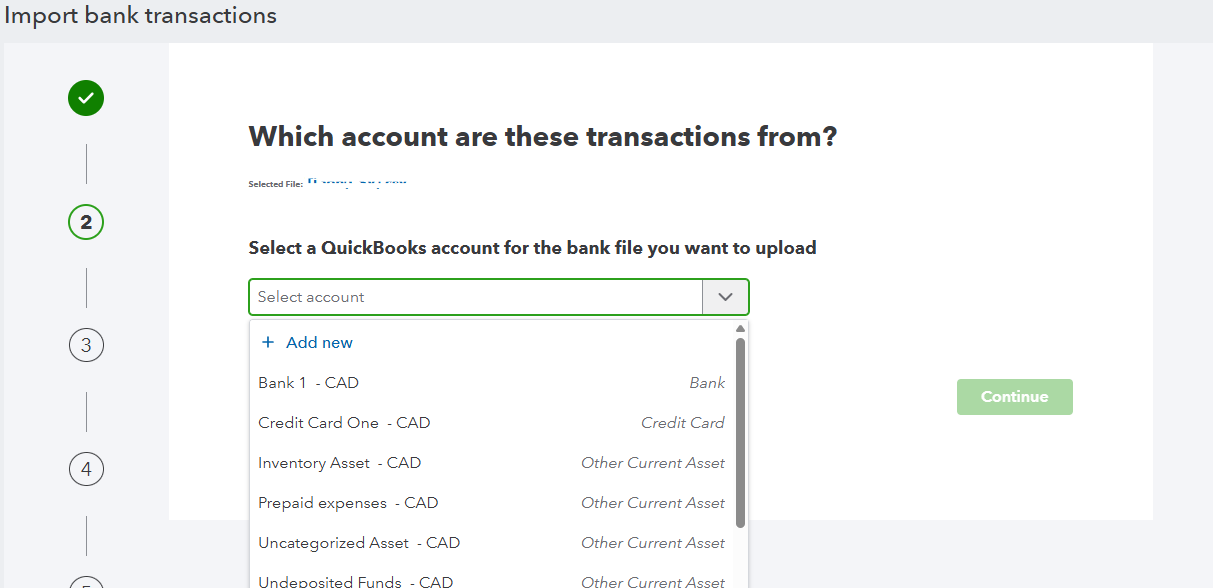
Since QuickBooks Self-Employed and QuickBooks Online have different features and limitations, you can choose the option that best suits your business.
Please let us know if you have any further questions. We’re happy to help.


You have clicked a link to a site outside of the QuickBooks or ProFile Communities. By clicking "Continue", you will leave the community and be taken to that site instead.
For more information visit our Security Center or to report suspicious websites you can contact us here


