Yes, you can fix this, @lvfeser.
This error occurs because QuickBooks Online (QBO) is designed to prevent multiple transactions of the same type from sharing the same number, which is beneficial for audit purposes.
To fix this, you have to change the number on the existing transaction in QBO to allow for the new sync. Here’s how to do it:
- Click on the Magnifying Glass icon (Search) at the top right.
- Enter the journal entry or document number that caused the error.
- Open the existing transaction that appears.
- In the Journal no. field, add a suffix. For example, if the number is 101, change it to 101-OLD.
- Click Save and close.
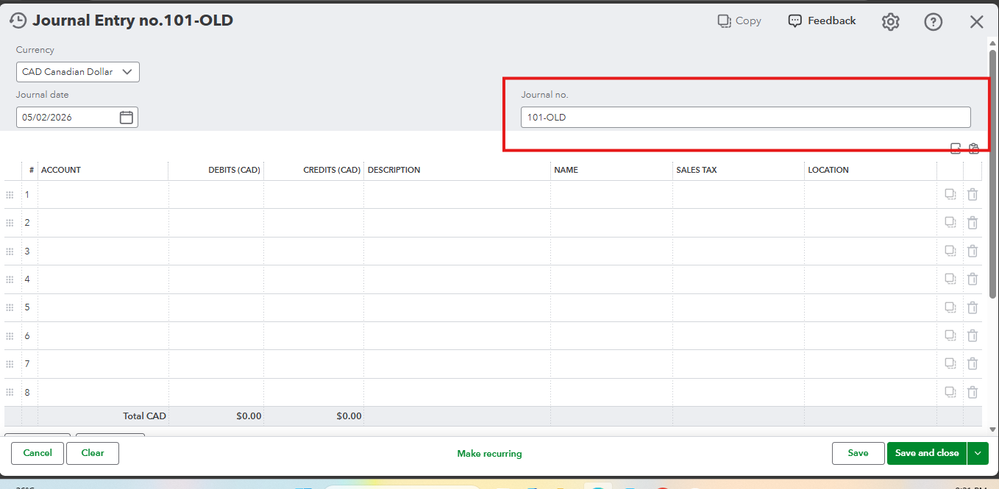
After that, return to the payroll or tax service you are syncing from and trigger the sync again. Since the original number is now available, the new journal entry should be processed smoothly.
If you have any further questions, feel free to ask in this thread.


