Yes, Joey. You can update the employee's share for the Canada Pension Plan (CPP) if you haven't run the payroll yet. The discussion below will walk you through the changing process for direct deposit paycheques.
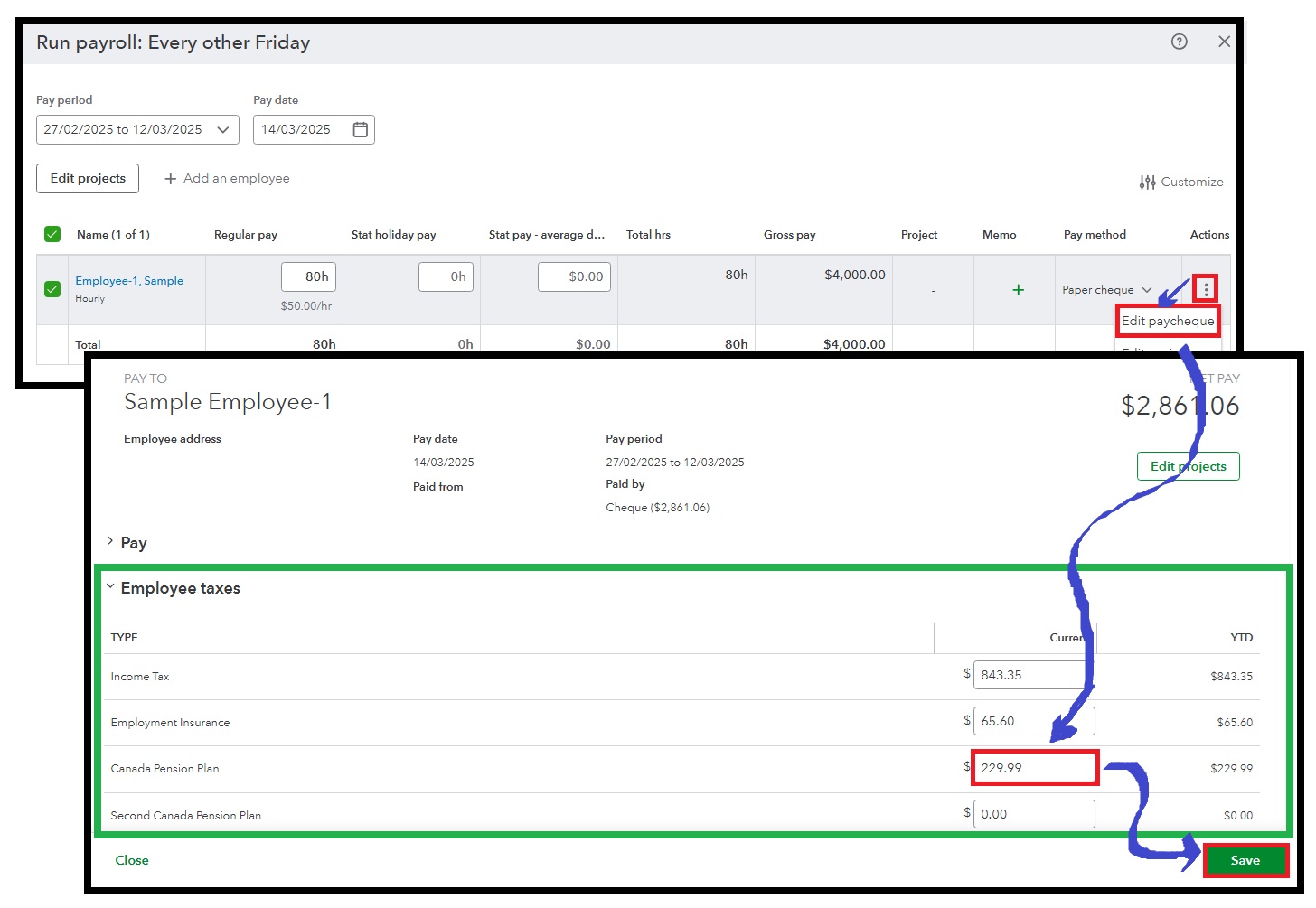
QuickBooks Online Payroll lets you update employee taxes during a pay run to ensure you withheld appropriate amounts on their paycheques. To adjust the CPP, you can proceed to these steps:
- Head to Payroll from the left pane.
- Pick Employees, then Run Payroll.
- Choose a pay schedule and click Continue.
- Select the employee you want to pay from the list.
- Click the three vertical dots under the Actions column, then choose Edit paycheque.
- Go to the Employee taxes section and make the necessary changes under the Canada Pension Plan.
- Review the amounts from other items, then hit Save.
After that, you can submit the payroll as you normally do with the guide of this article: Create and run payroll.
Once you've submitted your direct deposit payroll, the options to edit paycheques and update tax information are currently unavailable. In this case, I recommend contacting our payroll support team. They have the tools and expertise to assist you in making the required adjustments.
Moreover, you can benefit from using varied payroll reports to obtain vital insights about your business and staff. To include particular information, customize these data according to your needs.
We'll be right here and ready to assist anytime you require additional help creating and running payroll with QuickBooks Online Payroll. You can notify us in the Community by replying to this thread.


