Hello there, Admin.
If you void the paycheck before the 5:00 PM PT cutoff two banking days before the pay date, QuickBooks stops the deduction and no money leaves your account.
However, if you void it after that deadline, the money is already sent to the bank, so QuickBooks still deducts the funds for the employee and taxes even though your books show zero. Because voiding doesn't claw back money from an employee's bank account, you have to ask them to return it or request a reversal.
To see exactly where your money stands, follow these steps:
- Sign in and go to the Payroll menu then select Employees.
- Click the Paycheck list link found just below the Run payroll button.
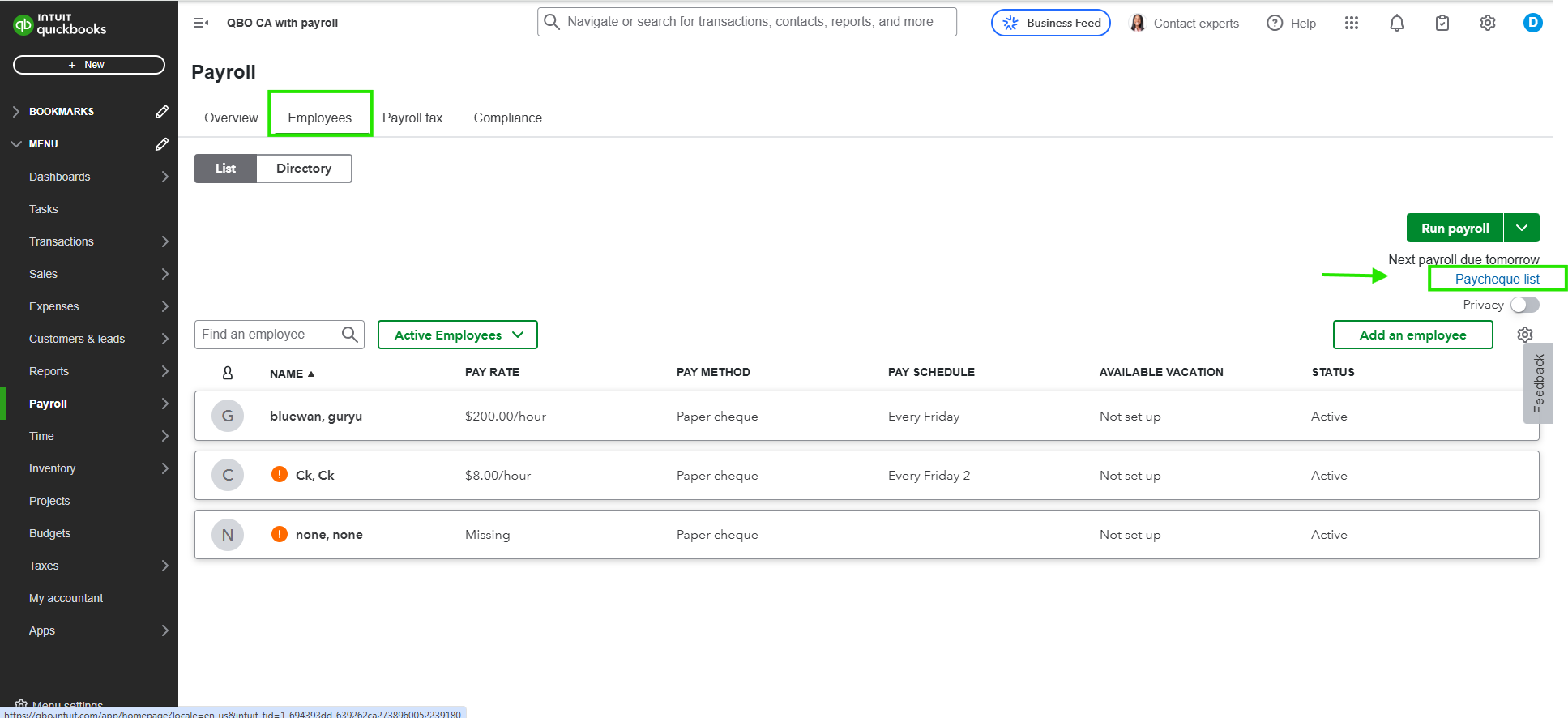
- Check the Status column; if it says Processed or Transmitted, the bank deduction is already happening regardless of the void.
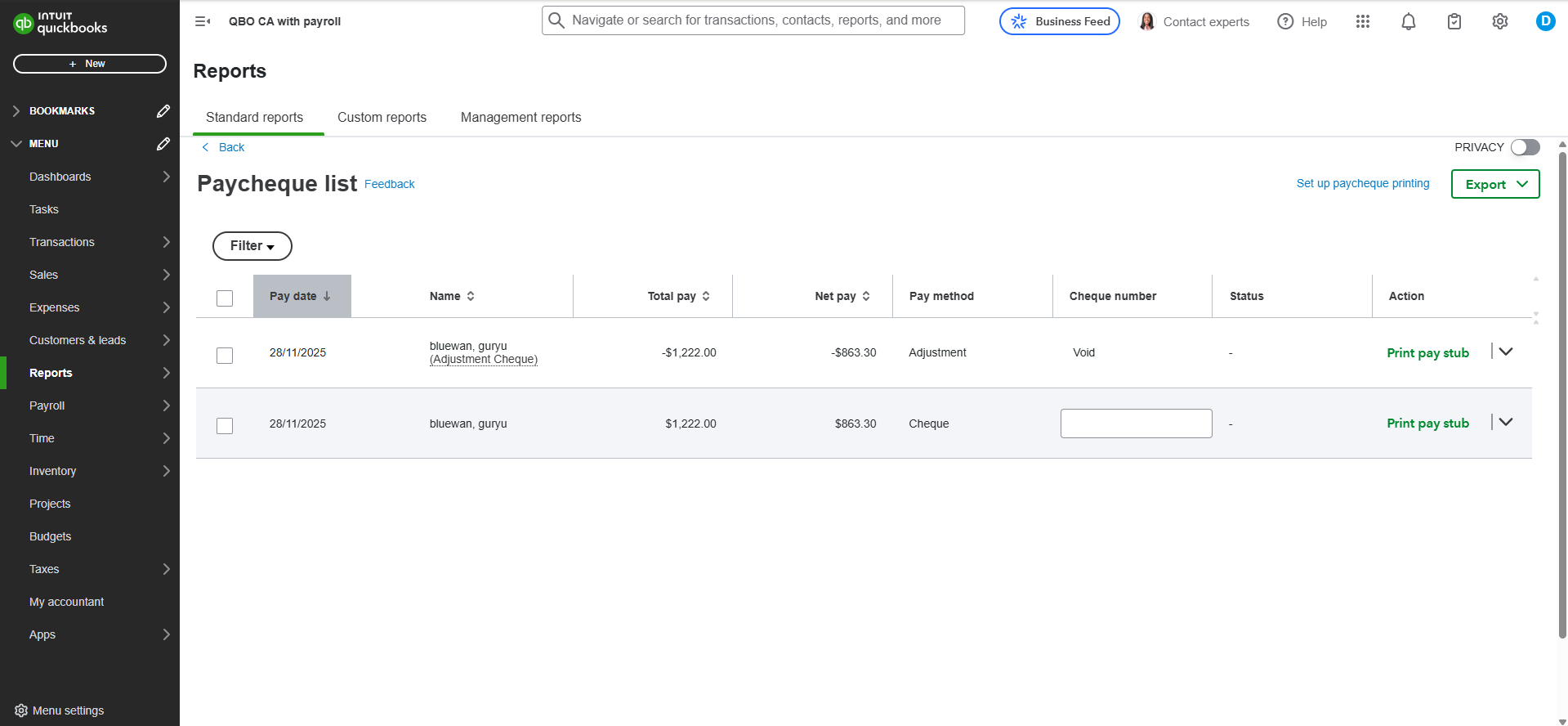
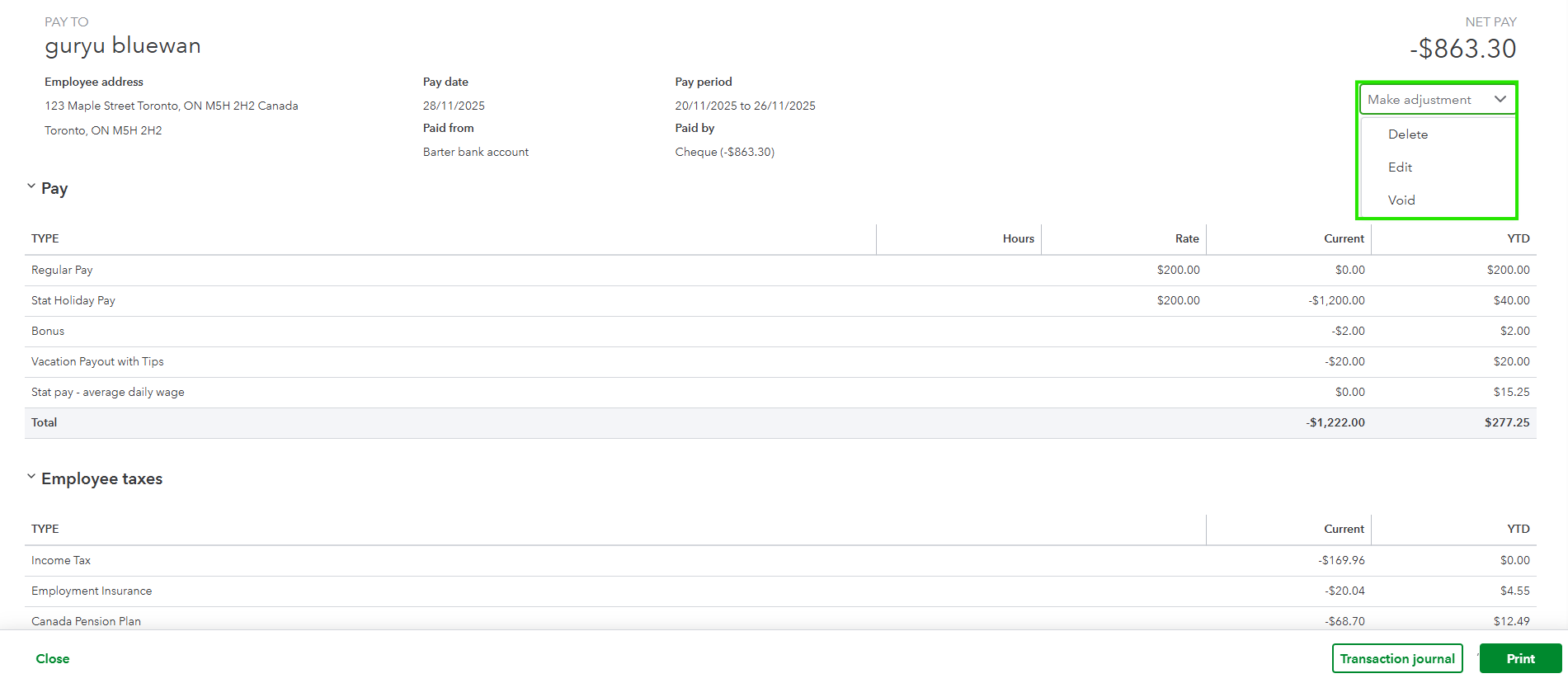
- If the status is still Pending, select the check and click Void to stop the bank deduction and update your records.
- Finally, go to the Taxes menu and select Payroll Tax to see any tax credits applied to your future liabilities if the funds were already collected.

If there's anything else we can assist you with, please don't hesitate to leave a comment.


