Turn on suggestions
Auto-suggest helps you quickly narrow down your search results by suggesting possible matches as you type.
Showing results for

I cannot be the only person with this issue.
We have clients that we visit weekly until they no longer need us. On the QBO end, *some* of these are projects, but many are not.
In Workforce, I set up repeating shifts, but the job will automatically disappear after 365 shifts and then it disappears off of the technician's schedule - so they stop going.
If I tap through each client on 'schedule', and drill down, I can see the 'start

Thank you for bringing this up. QuickBooks Time allows you to set up recurring shifts, but these are limited to 365 shifts or a year.
Since you've reached the limit, I recommend creating a new recurring schedule for your technician and selecting On under the End Repeat section. This ensures the schedule will expire after one year.
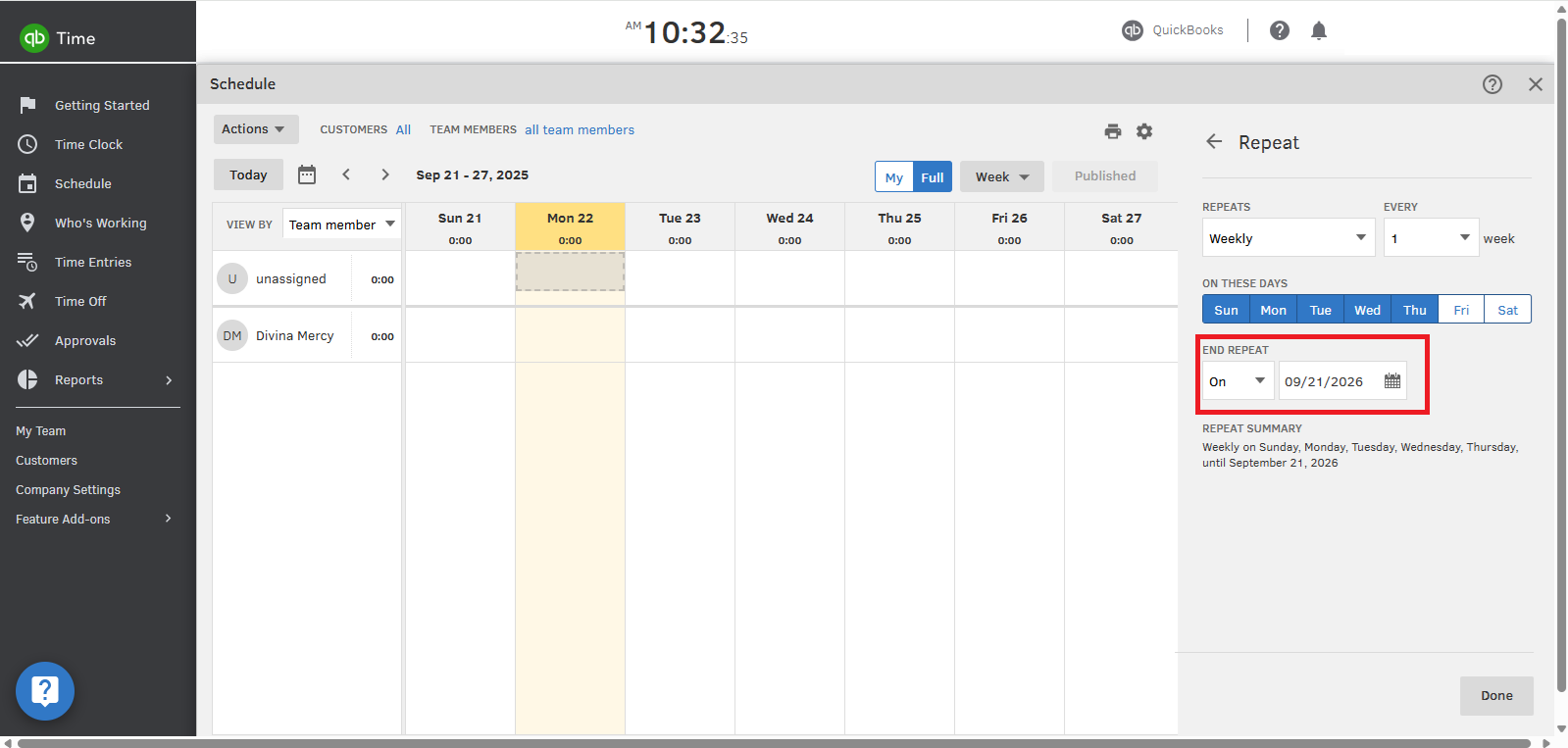
To manage ongoing weekly visits beyond a year, you can manually renew or recreate the recurring shifts annually to maintain the schedule.
If you have any other QuickBooks concerns, feel free to reply to this thread. We're here to help.
Oh, I see now that the forum clipped about half of my post when I ran into an error message while posting. Apologies. Next time I'll hit copy before hitting any buttons so I can re-paste when the error messages pop up.
If I tap through each client on 'schedule', and drill down, I can see the 'start date' of a specific job. But that's a *lot* of clicking and 'saving' or 'discarding' and not convenient. Is there a way to generate a report of when recurring jobs will expire? OR, a way to generate a report of recurring jobs and their *start date*? Ideally that would be something I can put into Excel, just in case formulas are needed to distinguish if a job has been on multiple schedules.
I probably only have about 30 jobs that are expiring, but more than 100 clients to look through.
Is there a way to see when repeating jobs were started, using some exportable report? I could work backwards from there. Ideally I'd like a list of expiring jobs, so I can clone the ones that have nearly expired.
Thanks for getting back to us and working through the error message, @Working on a Sunday2.
You can export a report listing your projects along with their start and end dates directly from the Projects page in QuickBooks Time. Here’s how:
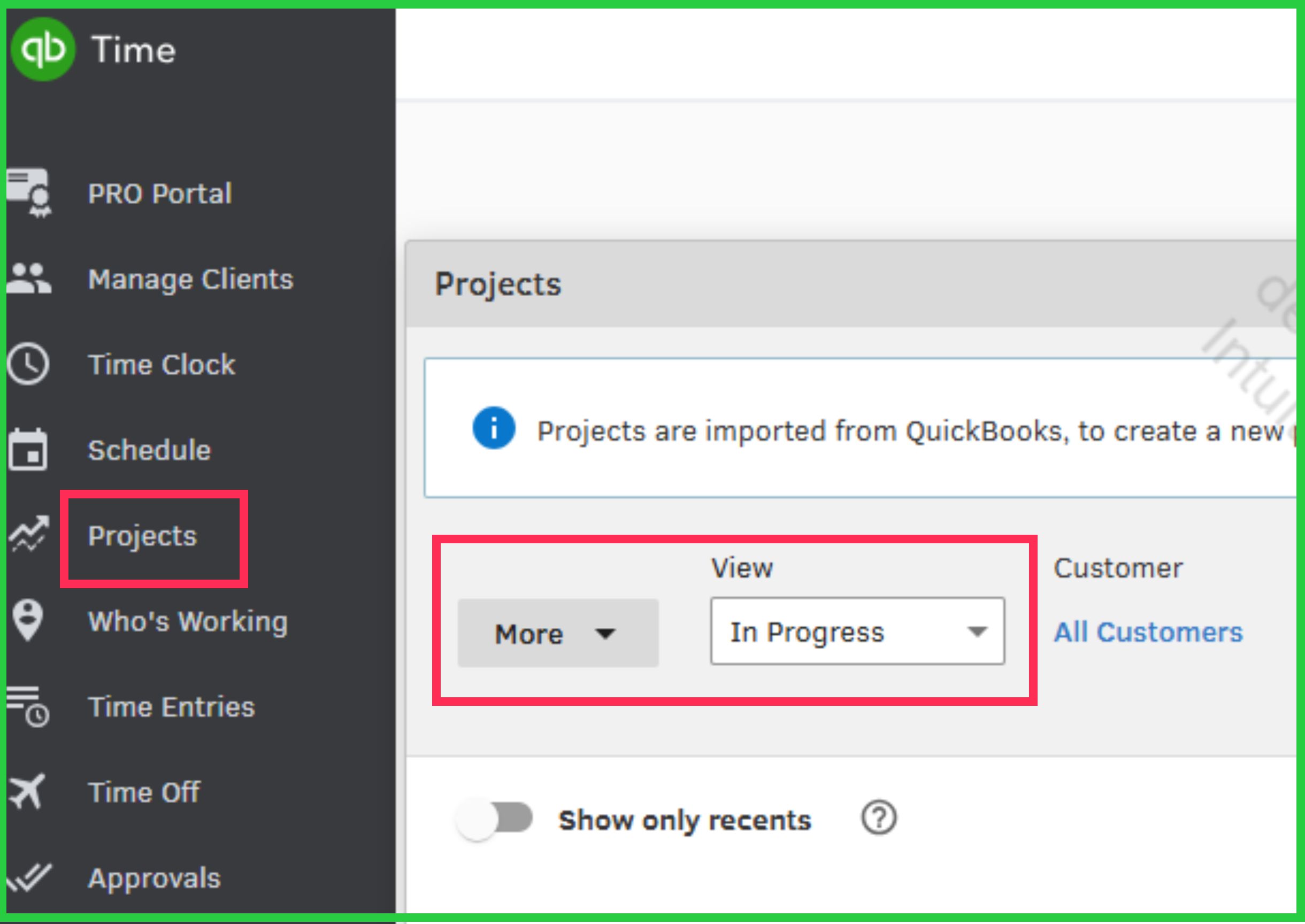
If you have further questions or need additional assistance, please don't hesitate to click the Reply button.
[I really wish the forum would give you the "you're not allowed to post" before I compile my response rather than deleting it after I've typed it all out ... I keep forgetting to copy my message]
This doesn't help me.
That report does not give start dates, and not all of my jobs are projects.
Seriously, I cannot be the only one.
A recurring job expires. It disappears off of the schedule. I want to know which jobs are going to expire or at least an exportable list of when they started so I can just back-track 365 shifts
Every time I need to do the handful of clicks required to check any specific recurring job, I run the risk of the software itself glitching out or getting hung up or whatever.
I understand how important it is to have an efficient way to track recurring job start dates and identify expiring jobs, @Working on a Sunday2. However, QuickBooks Time doesn’t currently offer a direct feature to view or track this. I recommend submitting your feedback request to our Product Development Team. Here’s how:
Also, to address the browser issues, you can log out and log back in to your account, as this mostly resolve any irregular performance. If the issue continues, you can switch to a supported browser, such as Google Chrome or Mozilla Firefox, to access your QuickBooks Time account. It's also important to ensure you have a stable internet connection.
Please notify us if you need additional assistance. We’ll be here to assist you.


You have clicked a link to a site outside of the QuickBooks or ProFile Communities. By clicking "Continue", you will leave the community and be taken to that site instead.
For more information visit our Security Center or to report suspicious websites you can contact us here


