Hello, I can definitely help you set that up.
Here is the step-by-step process to get that configured:
- Go to All apps on the left navigation menu.
- Choose Payroll, then select Employees.
- Click on the name of the employee you want to edit.
- Scroll down to the Additional pay type section.
- Tap Add + then Add new pay type, and name it Statutory Holiday Worked.
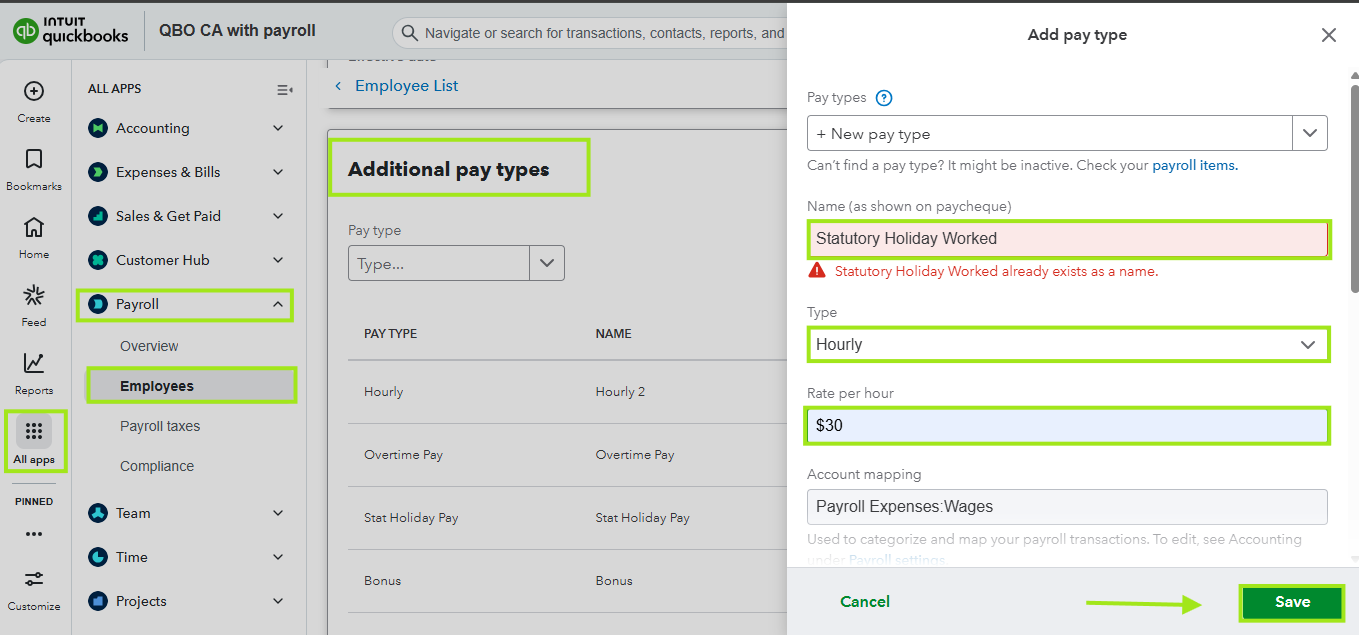
- In the Rate box immediately to the right, manually enter 1.5 times the amount. For example, if the base is $20.00, type $30.00.
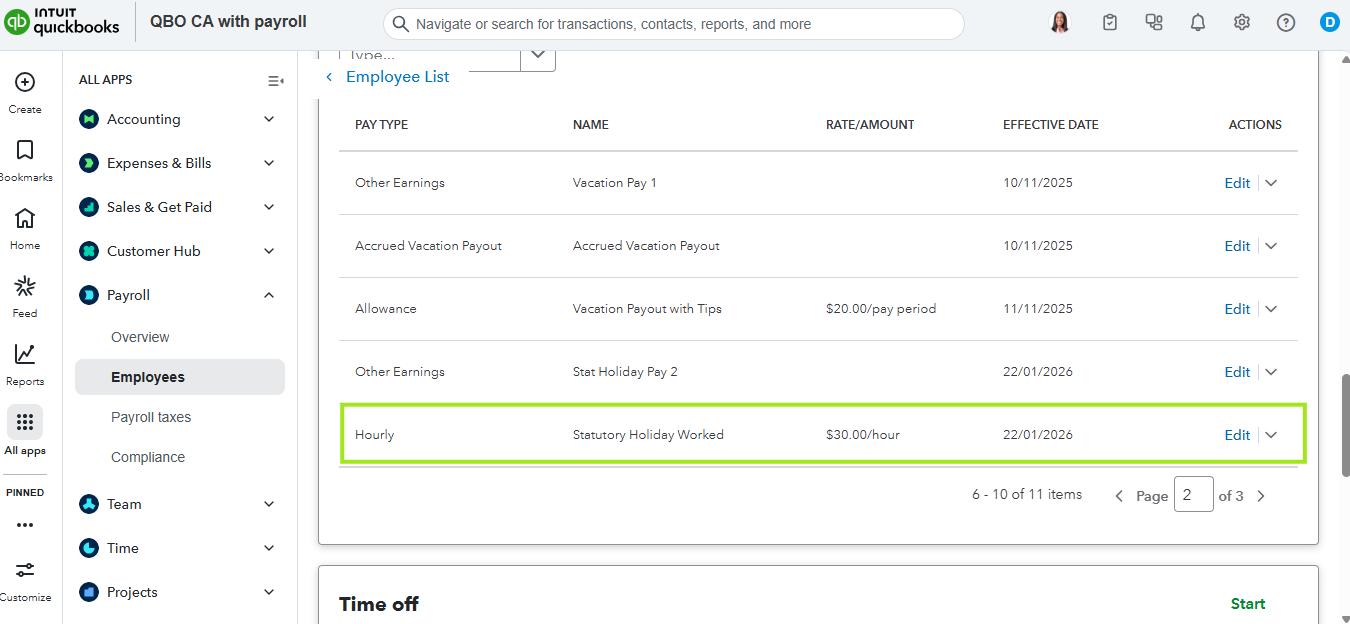
- Click Save. Once done.
Let us know if there's anything you need. We're always here to help.


