Hello, Office331. Since the employee is exempt from Employment Insurance (EI), we need to update their payroll setup to prevent future discrepancies in their paychecks.
Here's how:
- Open your QuickBooks.
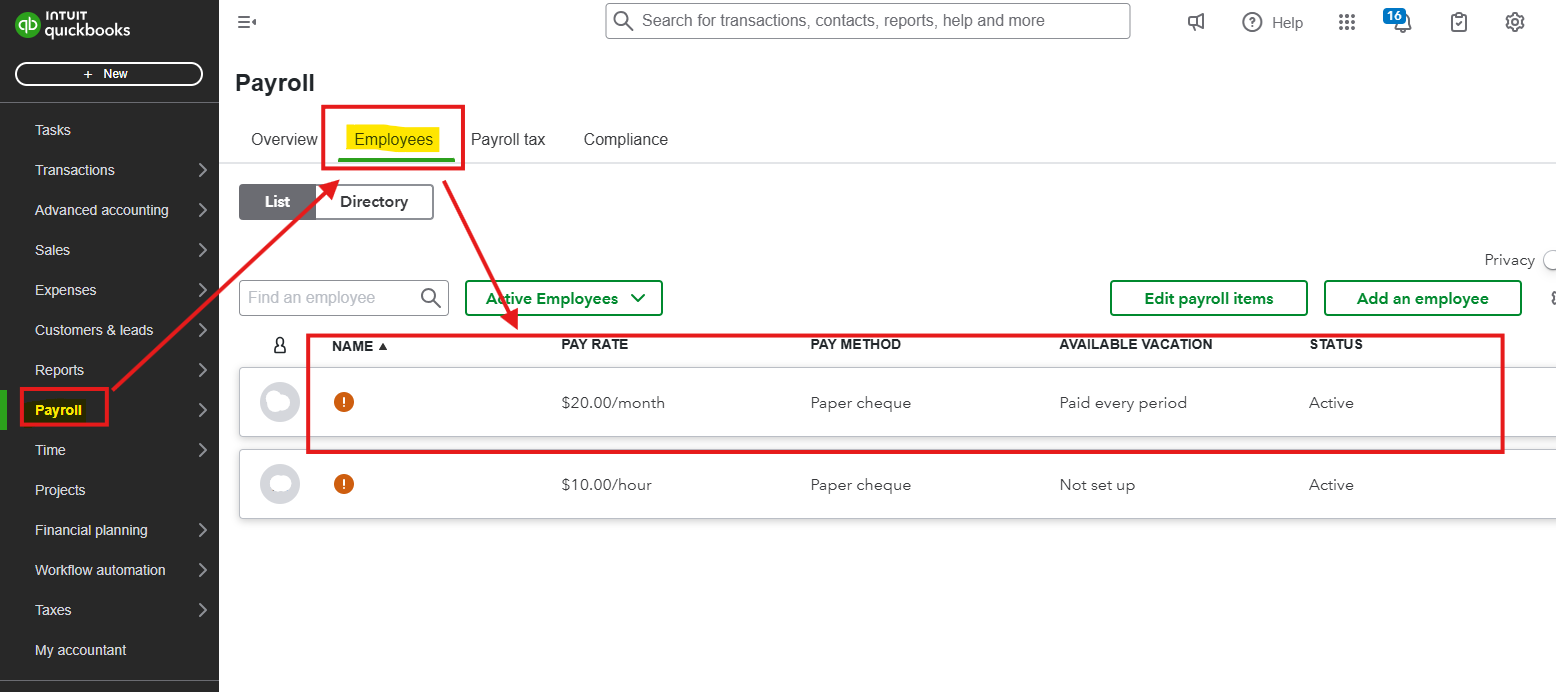
- Go to Payroll, then select the Employee.
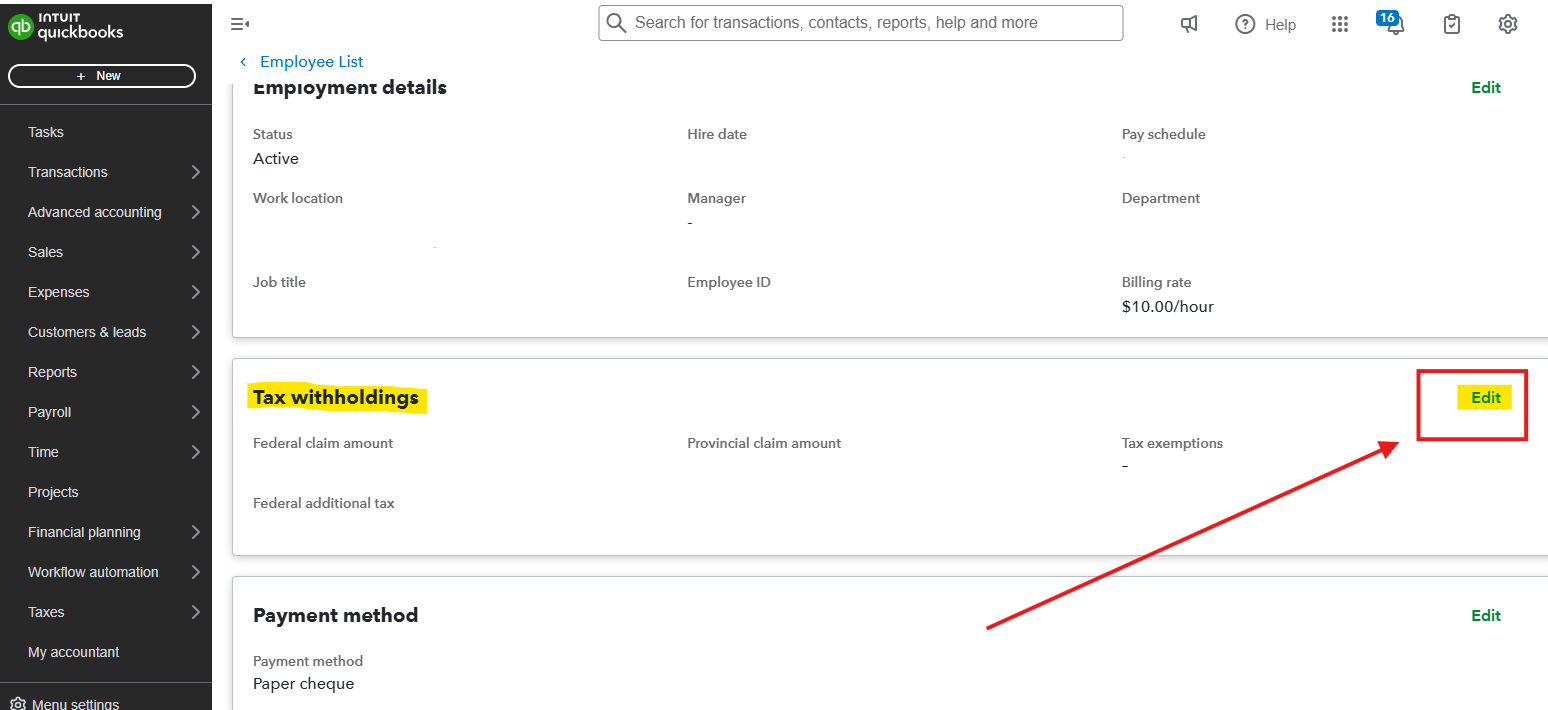
- Under Profile, select the Edit option in the Tax withholdings.
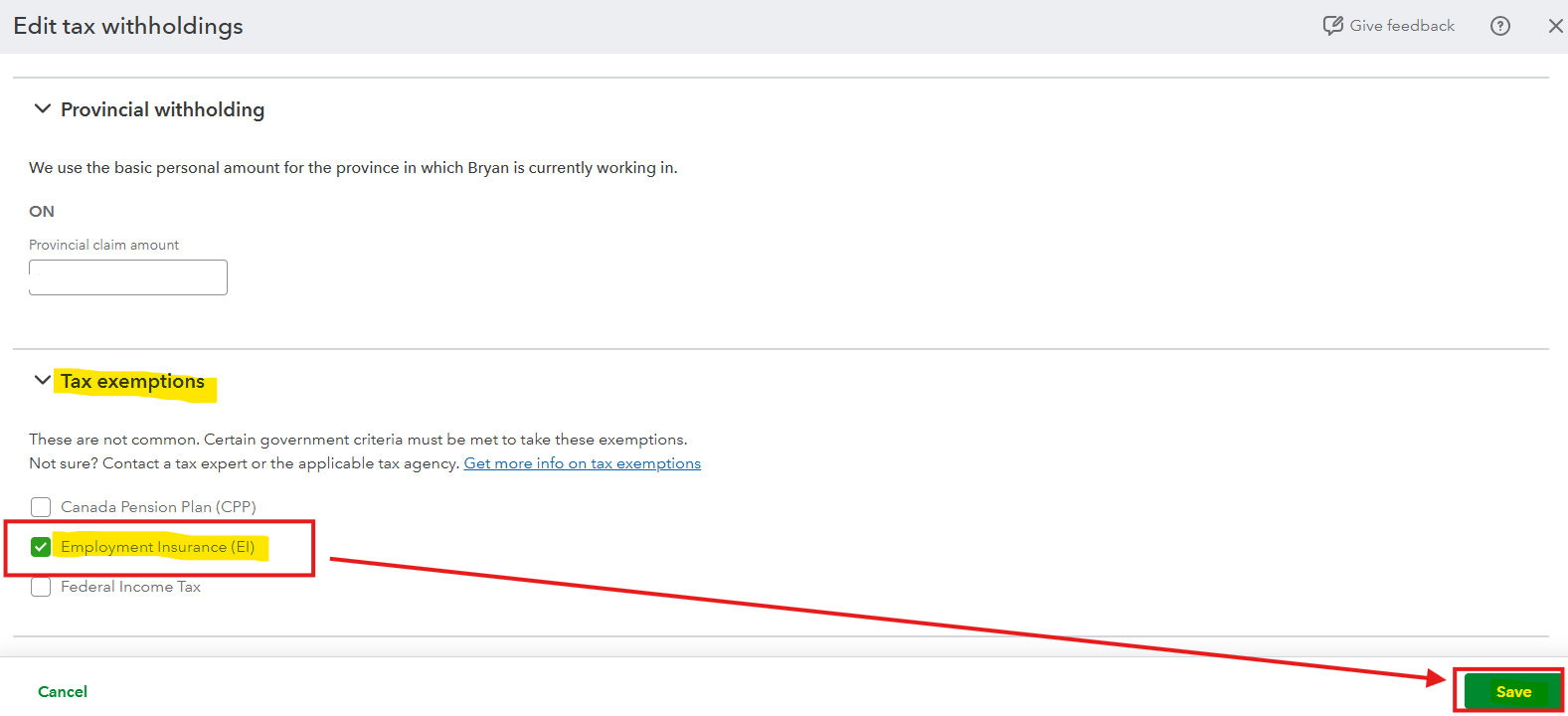
- Under Tax exemptions, put a check mark on the Employment Insurance.
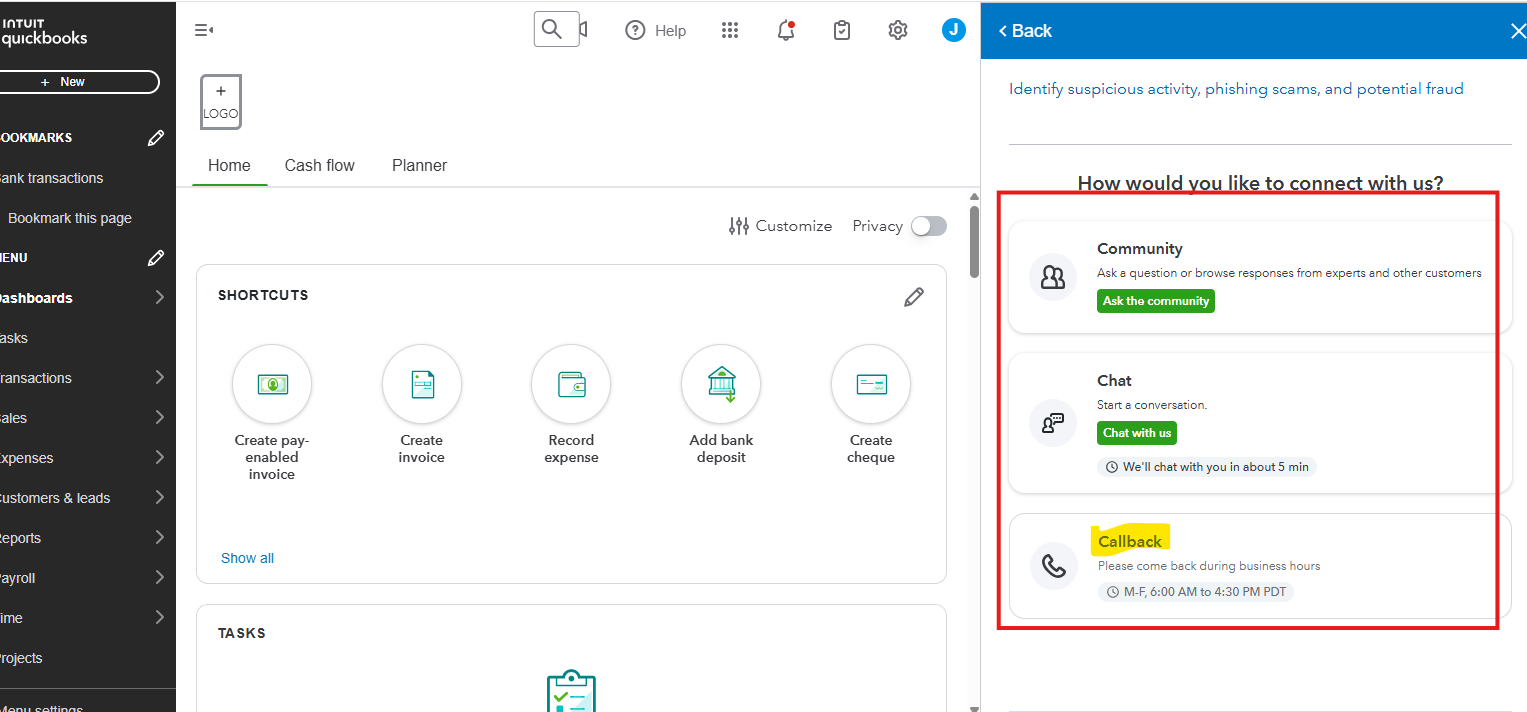
For now, to correct the payroll error for the last four pay periods, I recommend contacting our Live Support team to do payroll corrections in QuickBooks. Here's how to reach them:
- Open your QuickBooks.
- Click the Help icon in the upper-right corner of your screen.
- In the Search bar, type Contact Us.
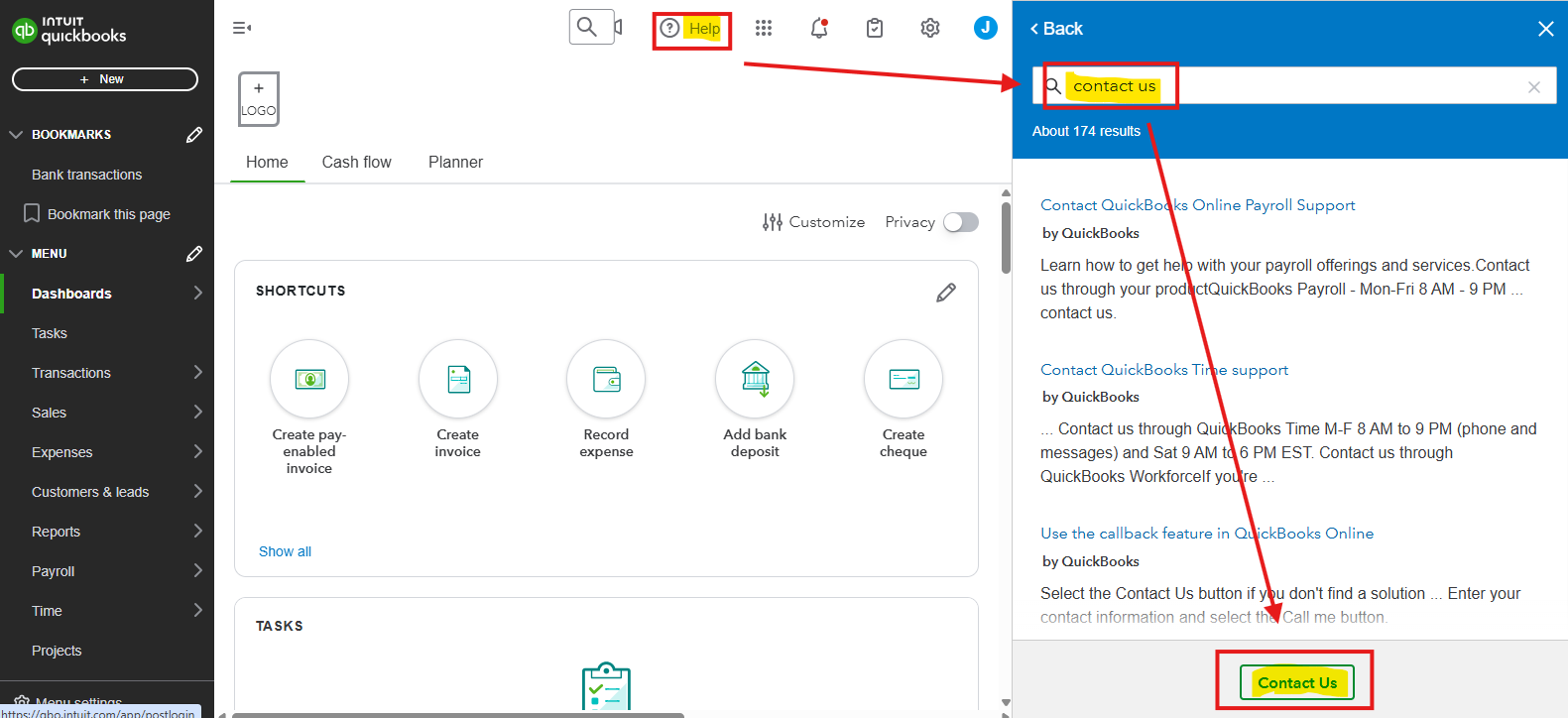
- Click Contact Us below.
- Choose the Callback option.
Also, I added this article on how to record reimbursement in QuickBooks Online Payroll to maintain accurate financial records for your company: Reimburse an employee in QuickBooks Online Payroll.
You can also check this material for different support hours based on the subscriptions you have: Get help with QuickBooks products and services.
Let us know in the comments if you have any other questions about QuickBooks.


