Hi Smiles66, we'll need to update the employee's status to ensure future deductions are correct and then adjust past paycheque to include the missing CPP employee and employer portions.
For Future Paycheques, we must ensure the CPP exemptions are removed from your employee's tax setup. Here's how:
- Go to the Payroll tab and choose Employees.
- Select the employee whose CPP exemption you need to update.
- Locate the Tax withholdings section and click Edit.
- In the Tax exemptions section, uncheck CPP.
- Click Save to confirm the changes.
To correct previous paycheques and include the missing CPP deduction, there are two methods you can choose from.
The first option is editing previous paycheques. This option is available if the paycheques were manual/paper checks or if the direct deposits have not yet been processed.
You can follow these steps:
- Navigate to Payroll and click on Employees.
- Select the employee whose paycheque needs adjustment.
- Click the Paycheque list tab and select the desired paycheque.
- Use the Make adjustment dropdown and choose Edit.
- Note: If the check was a direct deposit that has already cleared, you might see a Void option instead. In such cases, kindly contact QuickBooks Payroll Support to request a Payroll Correction on the back end.
- Scroll down to the Employee taxes and Employer taxes sections and enter the CPP amount.
- Click Save.
The second option is adding a catch-up amount. If you're unable to edit past paycheque, you can add the amount to the upcoming payroll.
Here's how:
- Go to Payroll and select Employees.
- Click Run Payroll to initiate your next payroll run.
- Ensure you select the correct Pay period.
- From the affected employee, click the three dots in the Action column and choose Edit Paycheque.
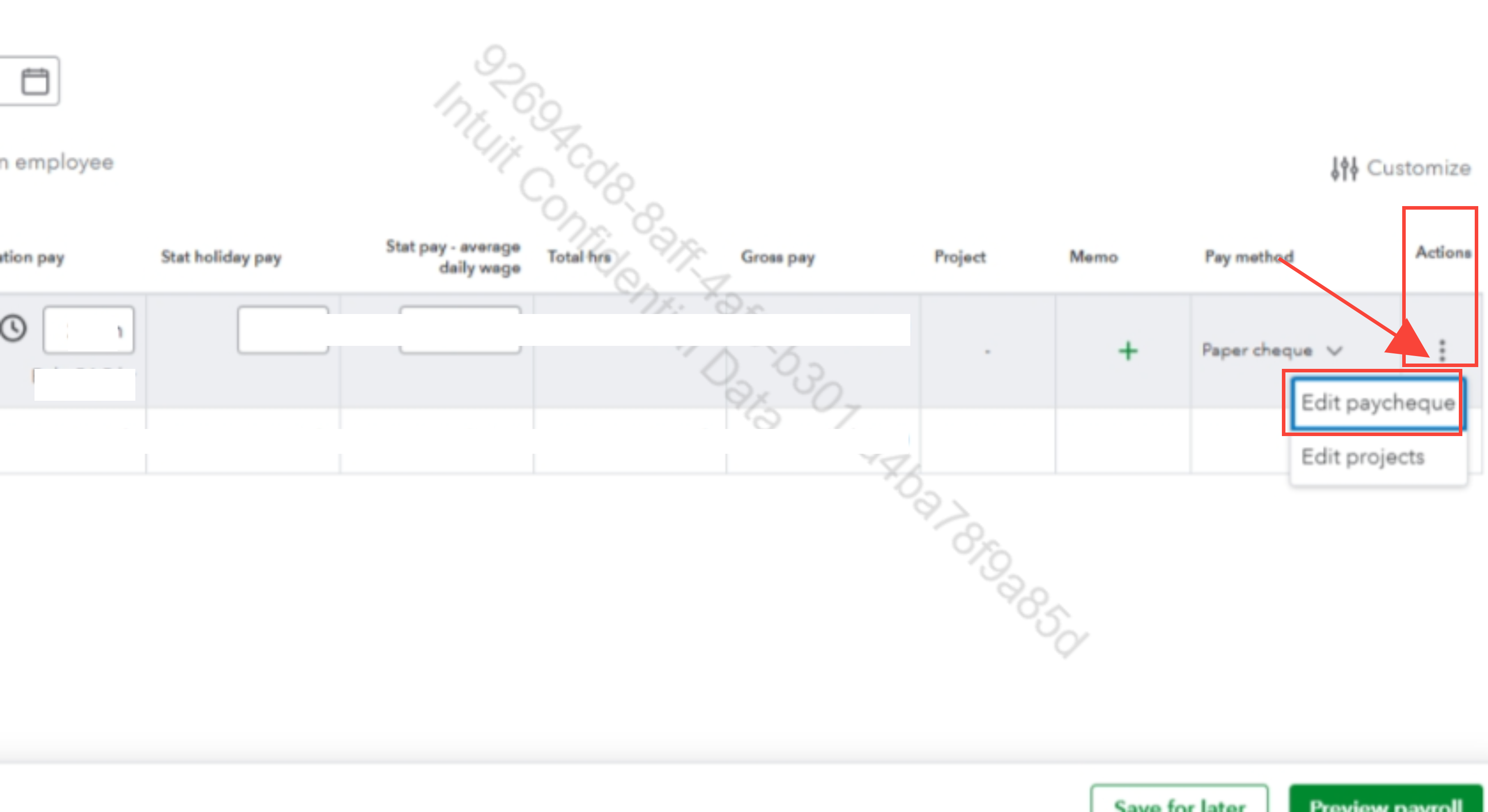
- Scroll down to the Employee taxes and Employer taxes sections, then override the CPP deduction amount to include the catch-up portion for this period.
- Click Save.
You may consider seeking help from an accountant for accurate adjustments and reconciliation of your payroll records.
Please let us know if you require further assistance.


