It’s a pleasure to help you with this, @Hosseinarefi.
To pay out vacation in QuickBooks Online, you first need to ensure the employee has a vacation policy assigned. Once that is set, you can include the payout in a regular payroll run or issue it as a separate check. Here's how:
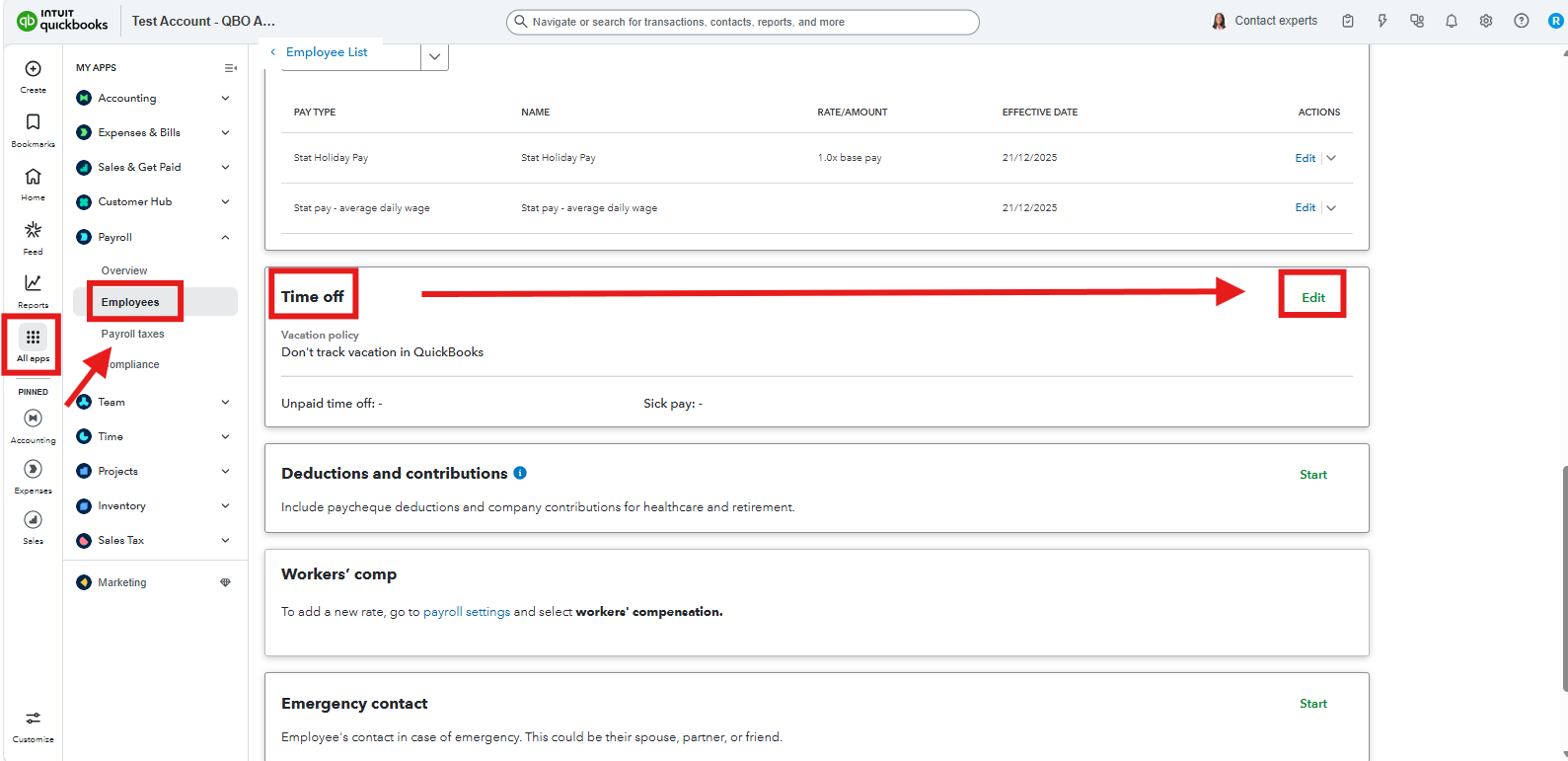
- Go to Payroll, then Employees, and select the employee.
- In Time Off section, click Edit.
- Set up the payout settings as needed and click Save.
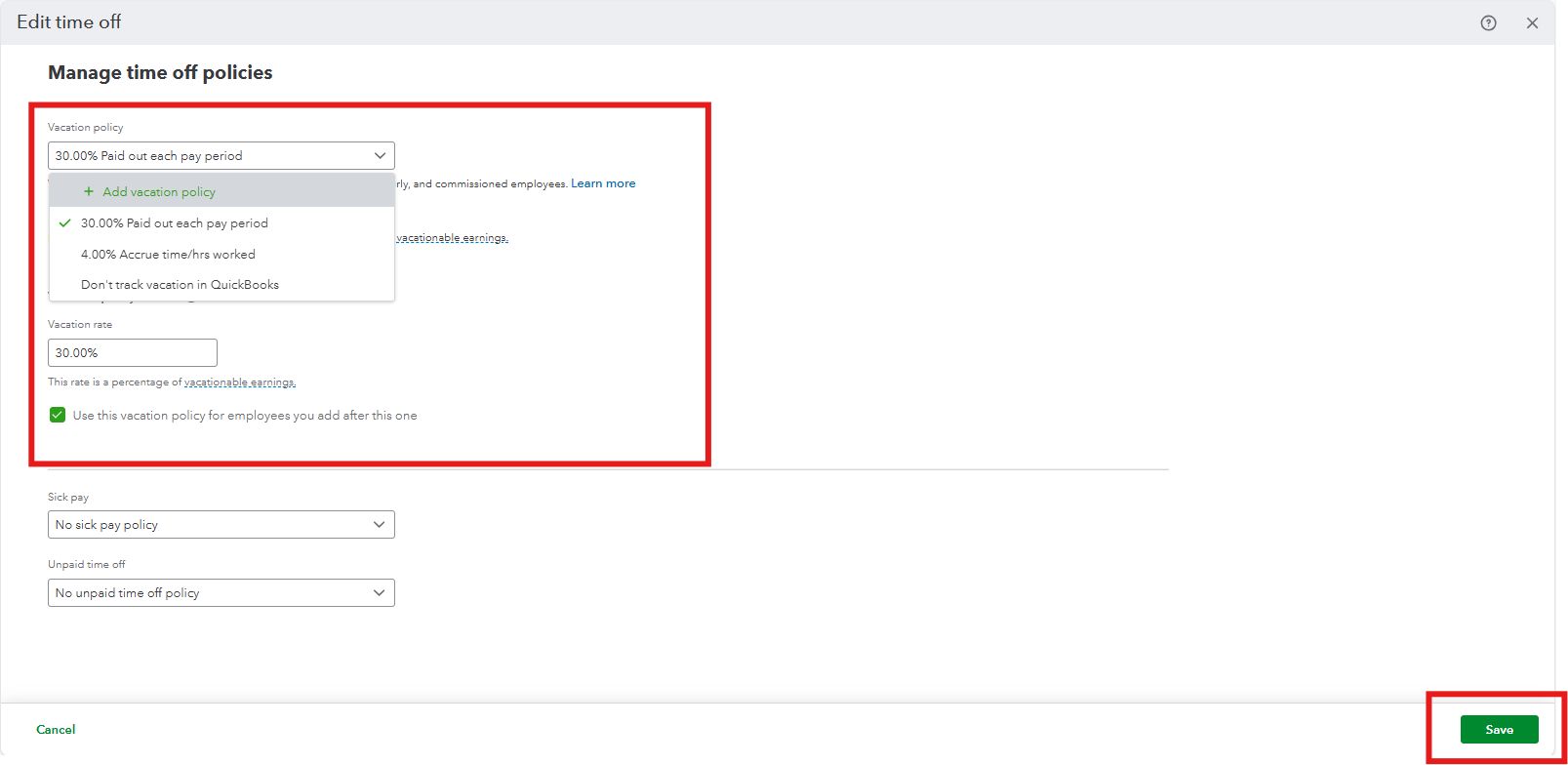
Once done, add the payout to a standard pay run:
- Go to Payroll and select the Employees tab.
- Click Run payroll.
- Select the employee you want to pay.
- In the Vacation Pay column, enter the number of hours you wish to pay out. Note that if you don't see this column, click the Customize icon on the page and check the box for Vacation Pay.
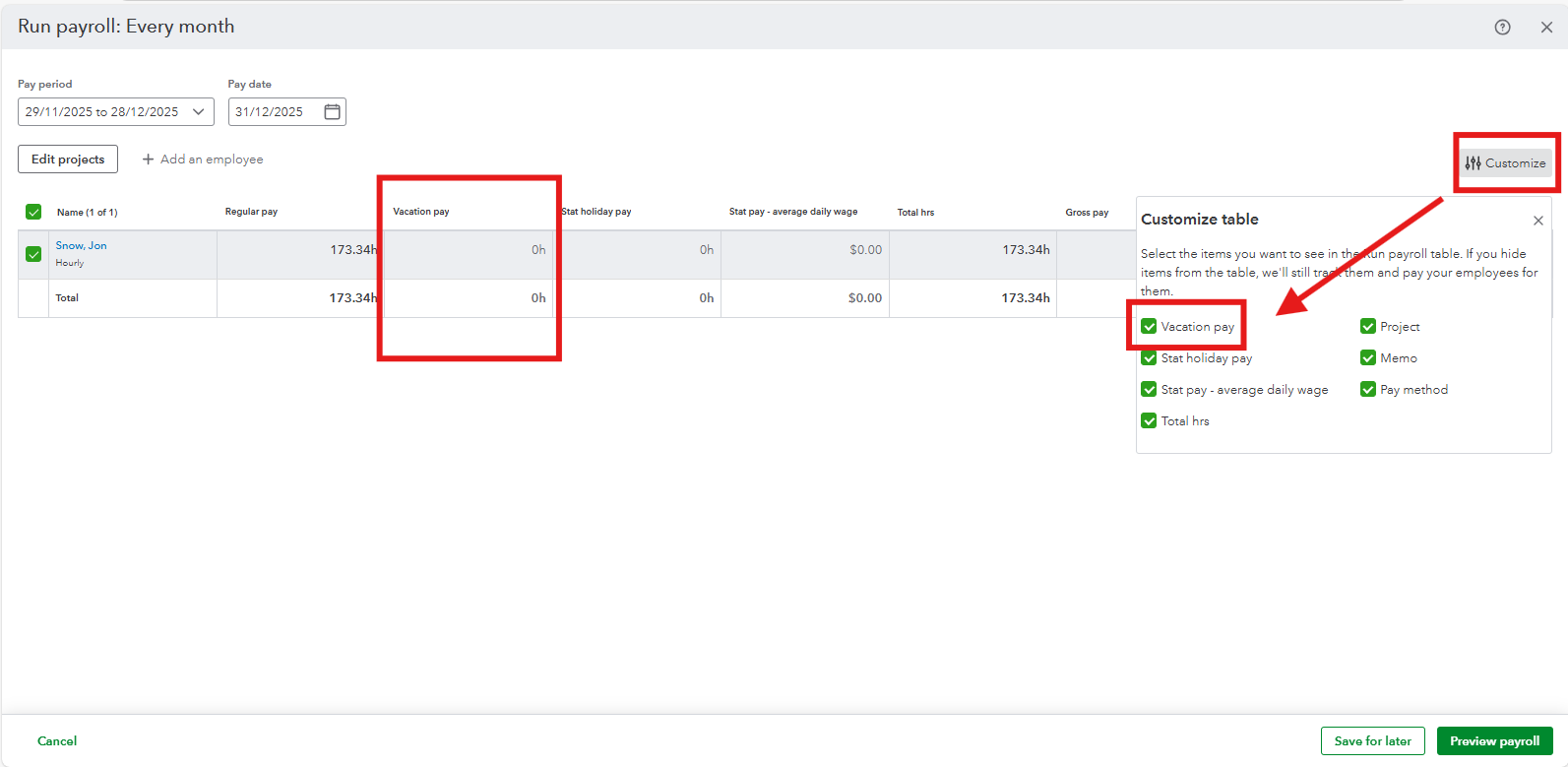
- QuickBooks will automatically calculate the amount based on their current hourly rate.
- Select Preview payroll and then Submit payroll.
However, if you need to issue a vacation payout as its own separate check, follow these steps:
- Run your regular payroll first, leaving the vacation column blank.
- Start a second payroll run for the same period.
- Click Create another check and select the employee.
- Enter the amount in the Vacation Pay column and leave the other pay columns empty.
- Click Preview Payroll, then Submit.
I'll keep an eye on this thread if you have any other questions or queries. We're available 24/7 to further assist you.


