Hello there, Kurt. I would be glad to help you out and share some insights on setting up payroll for Aboriginal (First Nations) employees working on a reserve in Canada.
To set up payroll in QuickBooks Online for Aboriginal (First Nations) employees working on a reserve in Canada, you need to follow specific steps to ensure proper tax exemptions are applied, particularly for Canada Pension Plan (CPP) and income tax.
First, add the employee to QuickBooks:
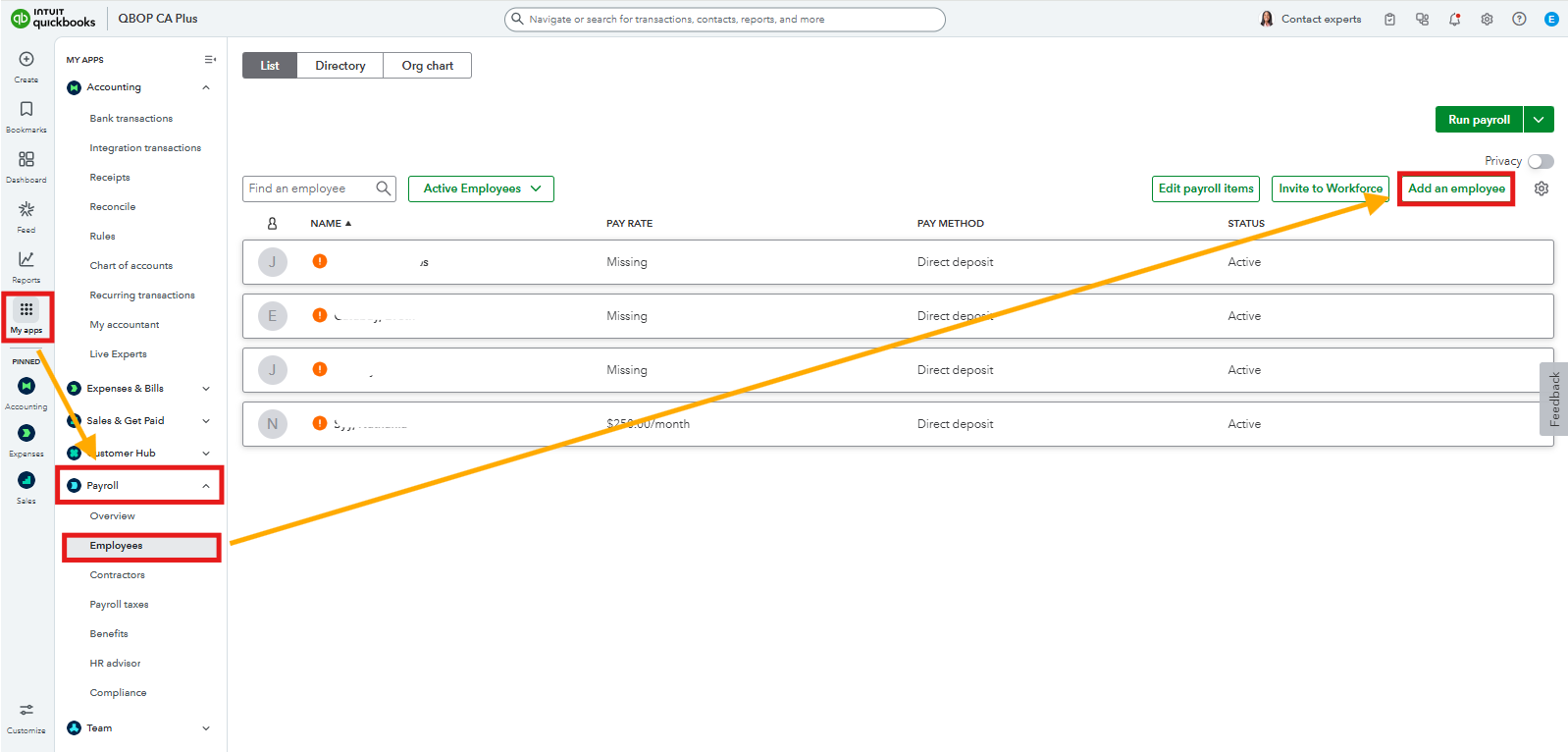
- Go to the My apps menu.
- Under the Payroll tab, select Employees.
- Click Add an Employee.
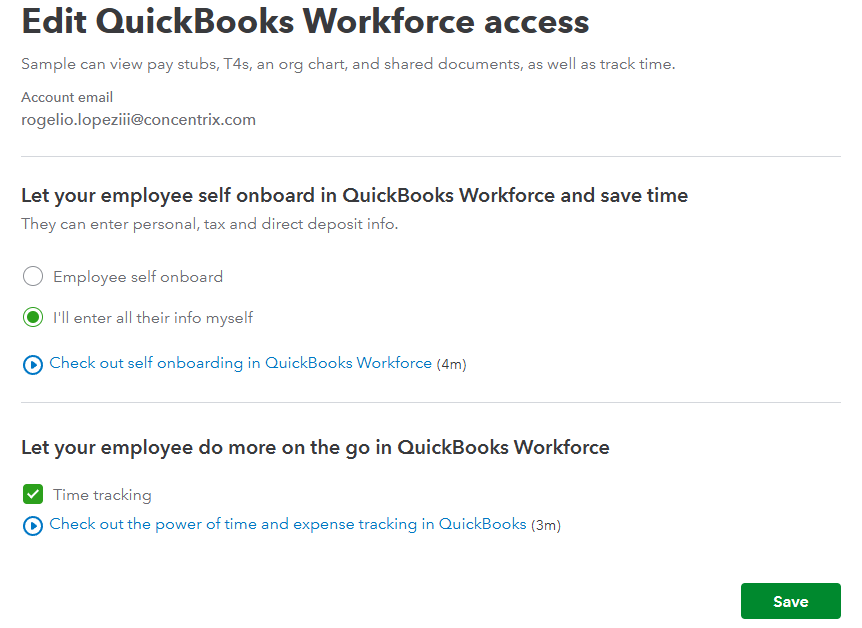
During setup, you can click the 'Employee self-onboard' option, allowing them to fill out their TD1 form themselves. However, if you prefer to enter the information yourself, choose the "I'll enter all their info myself" option when adding the employee.
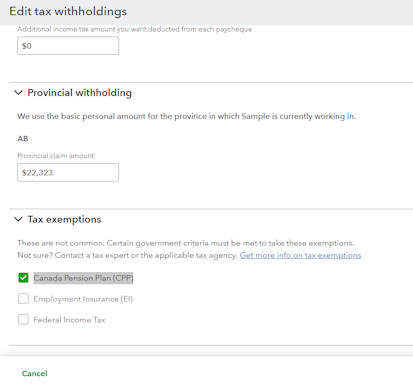
Once done, go to the employee's profile, scroll down to Tax Withholding, and click Edit. Then, find the Canada Pension Plan (CPP) section and tick the box for exemption.
To determine if the employee is eligible for an income tax exemption under Section 87 of the Indian Act, refer to the TD1-IN form (Determination of Exemption of an Indian's Employment Income), which you can download from the CRA website: CRA TD1-IN Form.
If they qualify, mark the appropriate exemptions for federal and provincial income tax deductions in QuickBooks as well.
According to CRA rules, employment income earned by a Status Indian is exempt from income tax and CPP if certain conditions are met:
- At least 90% of the duties are performed on a reserve.
- The employer is located on a reserve.
- The employment is for a non-commercial activity benefiting Indigenous communities.
For more information, check this article: CRA Guidelines on Exempt Employment Income.
Note: Even if the income is exempt, it must still be reported on a T4 slip. Ensure to use the correct T4 boxes for exempt income, such as Box 71 or Box 88.
To ensure you comply with CRA regulations, it would be best to consider reaching out to a qualified accountant or payroll specialist. They can provide personalized guidance and help avoid any uncertainty.
If you require any additional assistance, please don't hesitate to contact us. We're here to support you every step of the way.


