Hi ginotpetrocco1, thank you for reaching out to the Community.
You can Void the cheque and recreate a new Paycheque with the correct Pay method.
There are several reasons why the Paycheque process may unexpectedly switch from Direct Deposit (DD) to a paper cheque:
- Changes made by either the employer or employee at their bank could result in the payment method reverting to a check.
- During the first payroll run, the system may default to issuing paper cheque even if DD is already selected. In such cases, verifying the Pay method manually before submitting is necessary.
- The employee's profile might lack crucial information, such as the routing or account number, or the account may not be marked as active in the system.
To reverse the cheque, you can Void it to invalidate from the payroll system and the transaction is treated as if the cheque was never issued.
Here’s how:
- Go to Payroll and select Employees.
- Choose the specific employee associated with the processed Paycheque.
- Navigate to the Paycheque list tab.
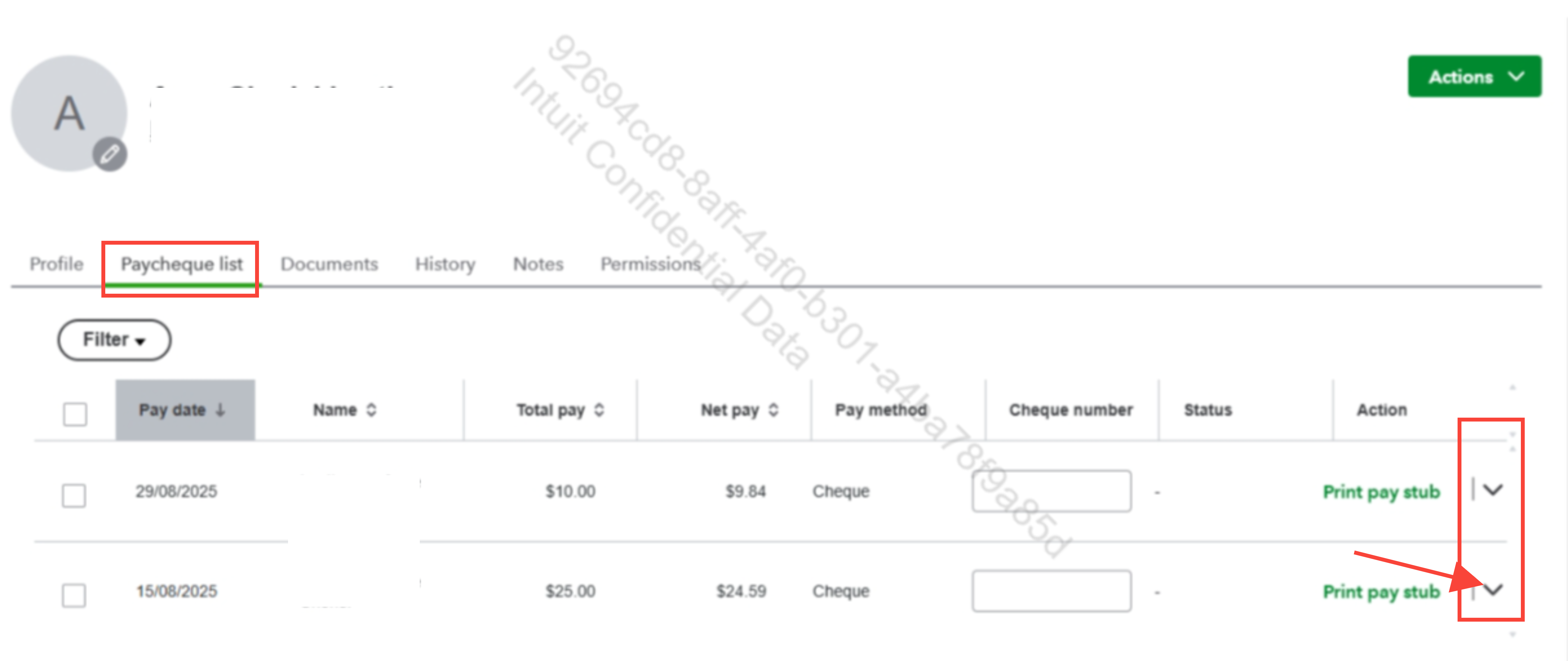
- Click the dropdown menu on the right side of the processed Cheque and select Void.
- Confirm by hitting the Void Paycheque button.
After voiding the cheque, you can recreate a new Paycheque with the correct Pay method.
Here's how:
- Go to Payroll and select Employees.
- Click the Run payroll button in the top right corner of the page.
- Select the employees and ensure the Pay method is set to DD.
- Click Preview Payroll.
- Hit the Submit payroll button.
If you have additional questions or need further assistance, feel free to let us know.


