You can modify the payday email reminder settings directly from your QuickBooks Online account, Sherri33.
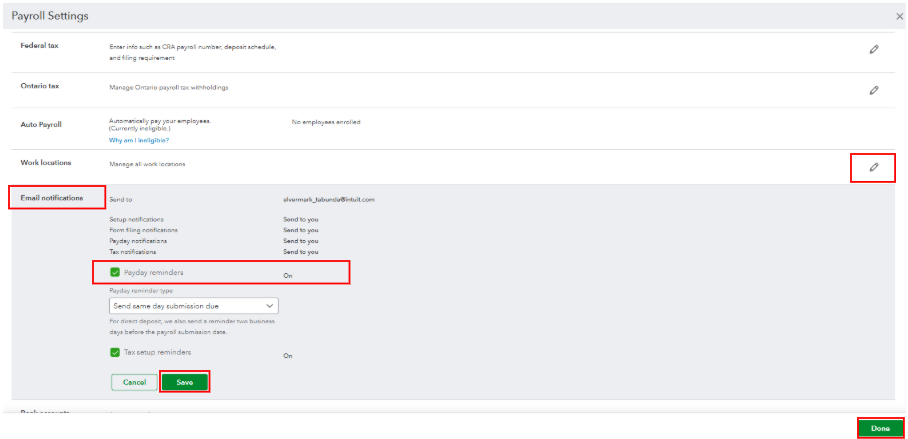
Since changes to specific payroll settings aren’t available in QuickBooks Workforce, you’ll have to uncheck this option from the main hub (your QuickBooks Online account). To do this:
- Navigate to the Gear icon and select Payroll Settings.
- In the Email notification section, click Edit.
- Then, uncheck the Payday reminders option.
- Once done, select Save and Done.
You can always leave a reply below for any additional queries.


