Hello there, @louiseblokpools.
When employees enter their hours, the system may require them to select a customer. If a job is already assigned to the employee, you can unassign it to remove the requirement. If this isn't needed for you, follow the steps below to remove it.
Here’s how:
- Go to All Apps and select Time, then choose Assignments.
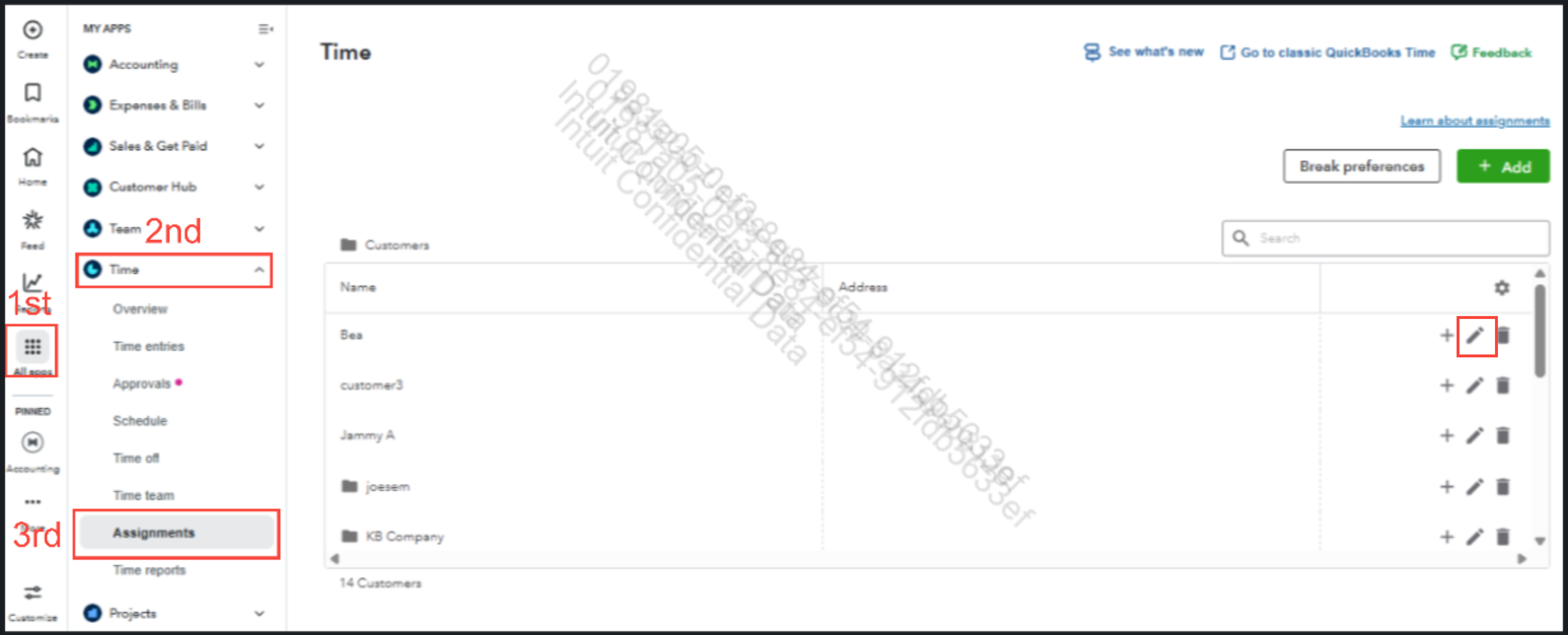
- Locate the customer or job you want to edit.
- To assign a customer/job:
- Select Assign to all team members, or click Edit to choose specific team members.
To unassign a customer/job:
- Uncheck Assign to all team members, or click Edit to remove specific team members.
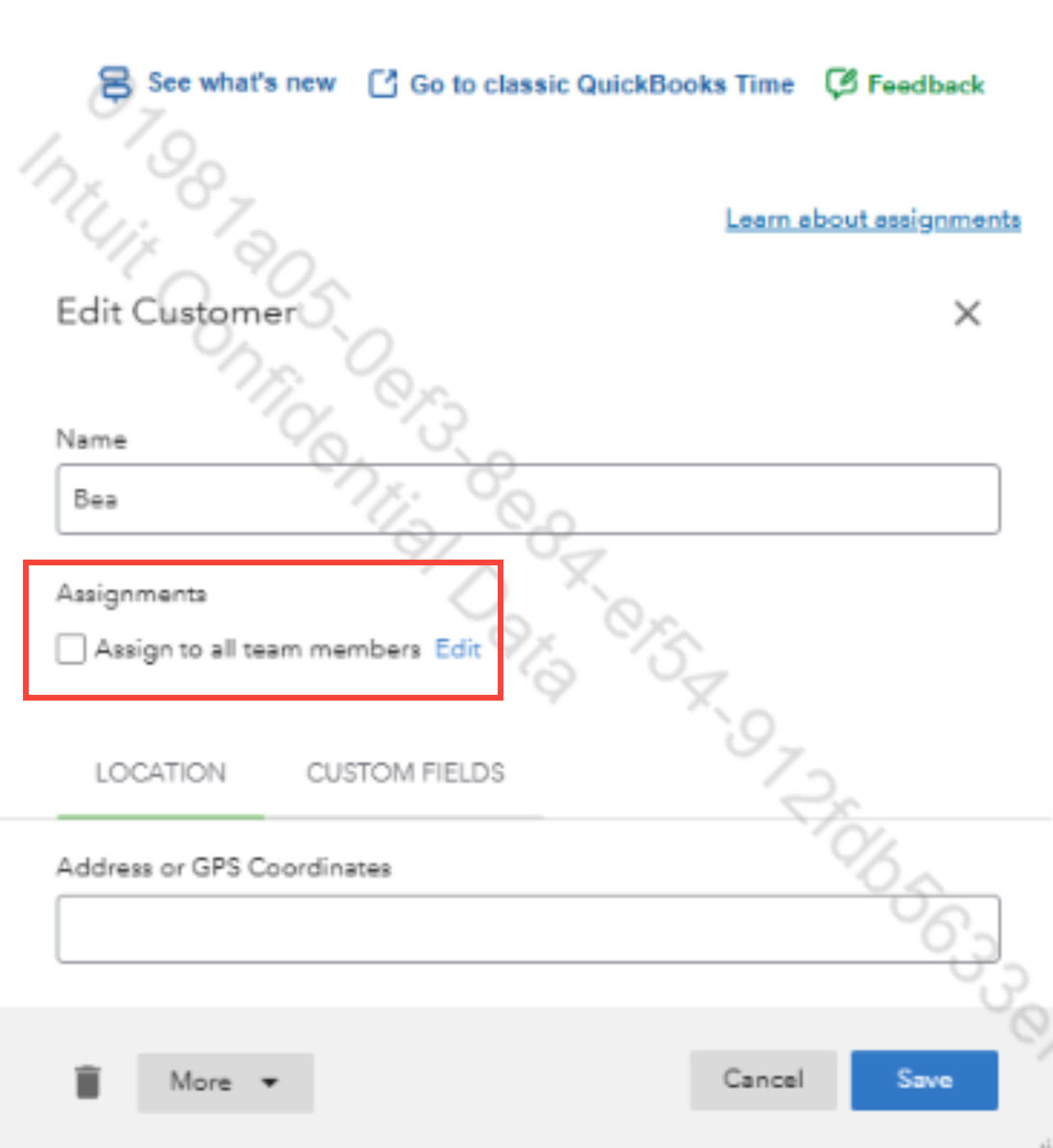
4. Hit Save.
Additionally, here’s an article that provides detailed information on how to create and manage jobs or customers in QuickBooks Online.
If you have any further questions or need assistance with QuickBooks, feel free to click the Reply button.


