Yes, there are a few ways to check if an expense has a receipt attached in QBO without clicking into the transaction, Tokahing.
On the Expenses tab, you’ll need to tick the Attachments column on the Gear icon, and the attached receipts will appear as a number 1 icon, making it easy to identify. Here’s how:
- Navigate to the Expenses menu and select the Gear icon under the New transaction.
- Tick the Attachments column.

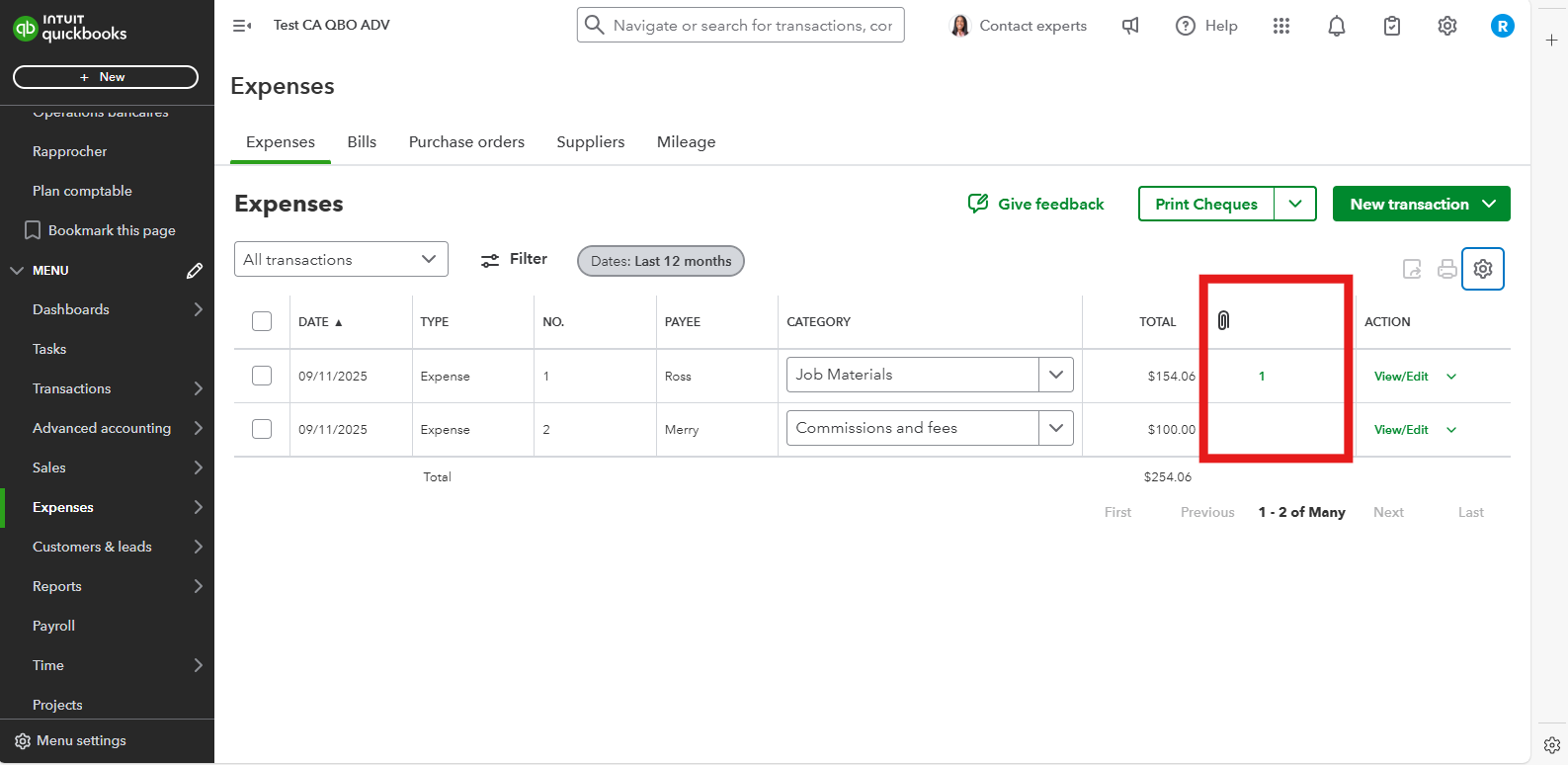
Alternatively, you can follow a similar process directly within the Account history for a specific bank or credit card account:
- Go to Gear icon and select the Chart of accounts.
- Choose which account and click Account history.
- In your Bank Account History tab, click the Gear icon above the Balance column.
- Ensure the Attachments column is ticked.

If you have any other questions or need assistance with QuickBooks, please click the Reply button.


