Glad to have you here, goodhope.
To record payments to sub-contractors as a direct expense in QuickBooks Online, you must use the Expense or Check feature. This allows you to categorize the cost accurately against your income.
The most important thing to know is that for the payment to act as a direct expense, you must assign it to an account with the Cost of Goods Sold (COGS) detail type. This ensures the amount is subtracted from your Gross Income on financial reports.
Here's how to post sub-contractor as direct expenses:
- Go to + Create and select Expense.
- Choose your Sub-contractor as the Payee.
- Select the Category (e.g., Sub-contractor Labor).
- Enter the Amount.
- Click Save and close.
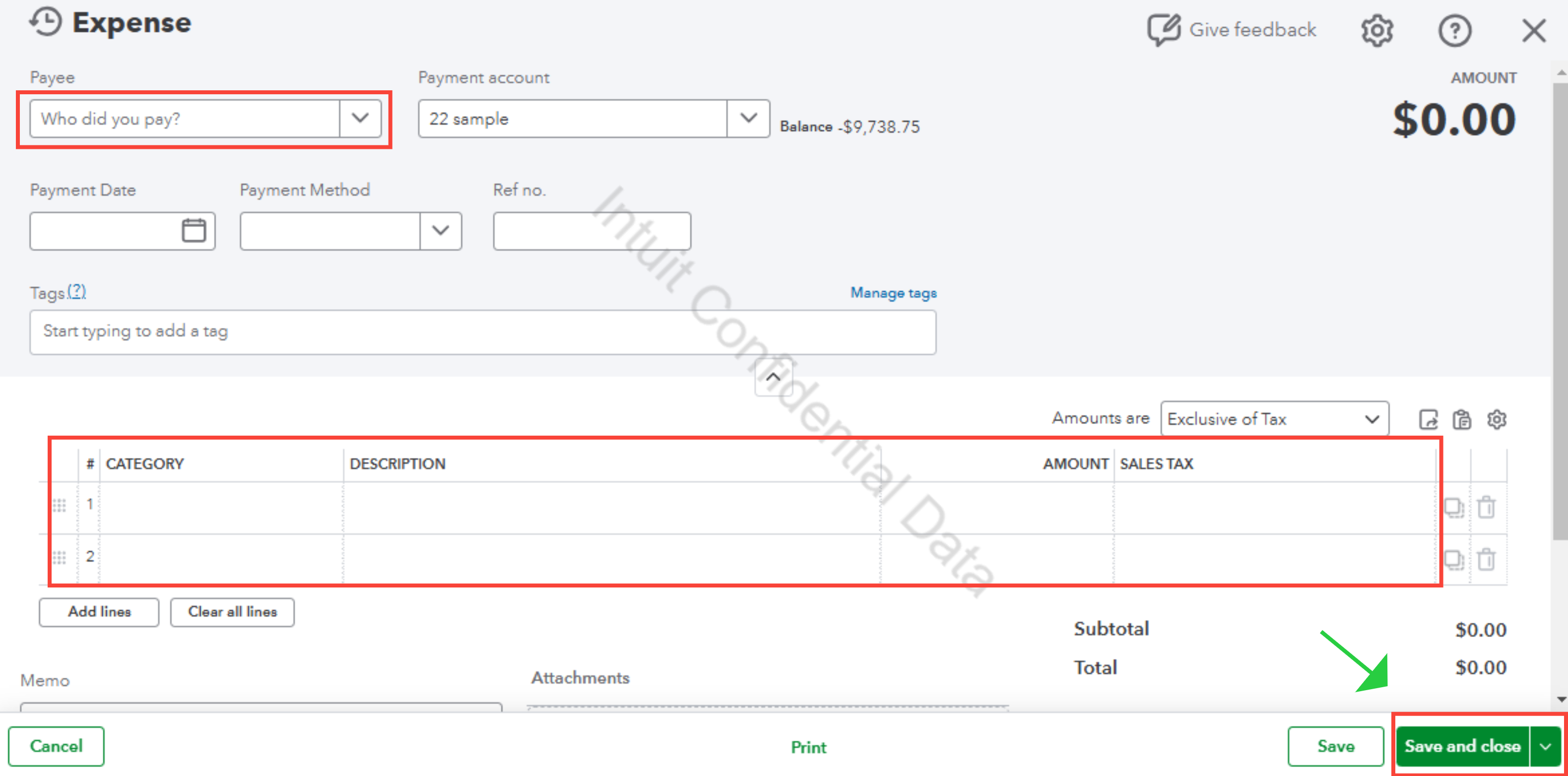
Once done, QuickBooks reflects this as a direct cost of doing business. This provides you with an accurate Gross Profit figure by offsetting your income immediately by the amount paid to your sub-contractors.
If you have any additional questions, please don’t hesitate to reach out. We're always here to assist you.


