Turn on suggestions
Auto-suggest helps you quickly narrow down your search results by suggesting possible matches as you type.
Showing results for
Hello all!
I normally pay a few paycheques by etransfer. There is a backlog of these cheques as it happens, that have gone unpaid. There was $1,000.00 paid towards the oldest one I have (6+ weeks back), but that has left an outstanding balance still to be paid. I'm not sure how to account for that in the bank reconciliation because it's going to show a $1,000.00 payment and the paycheque is more than that. Any help would be greatly appreciated!
Thank you
Hi there. Since it was only partially paid, the paycheque is still showing as unpaid because QuickBooks payroll creates a paycheque for the full amount. To resolve this, you can create an Expense Transaction as a partial payment.
Here's how:
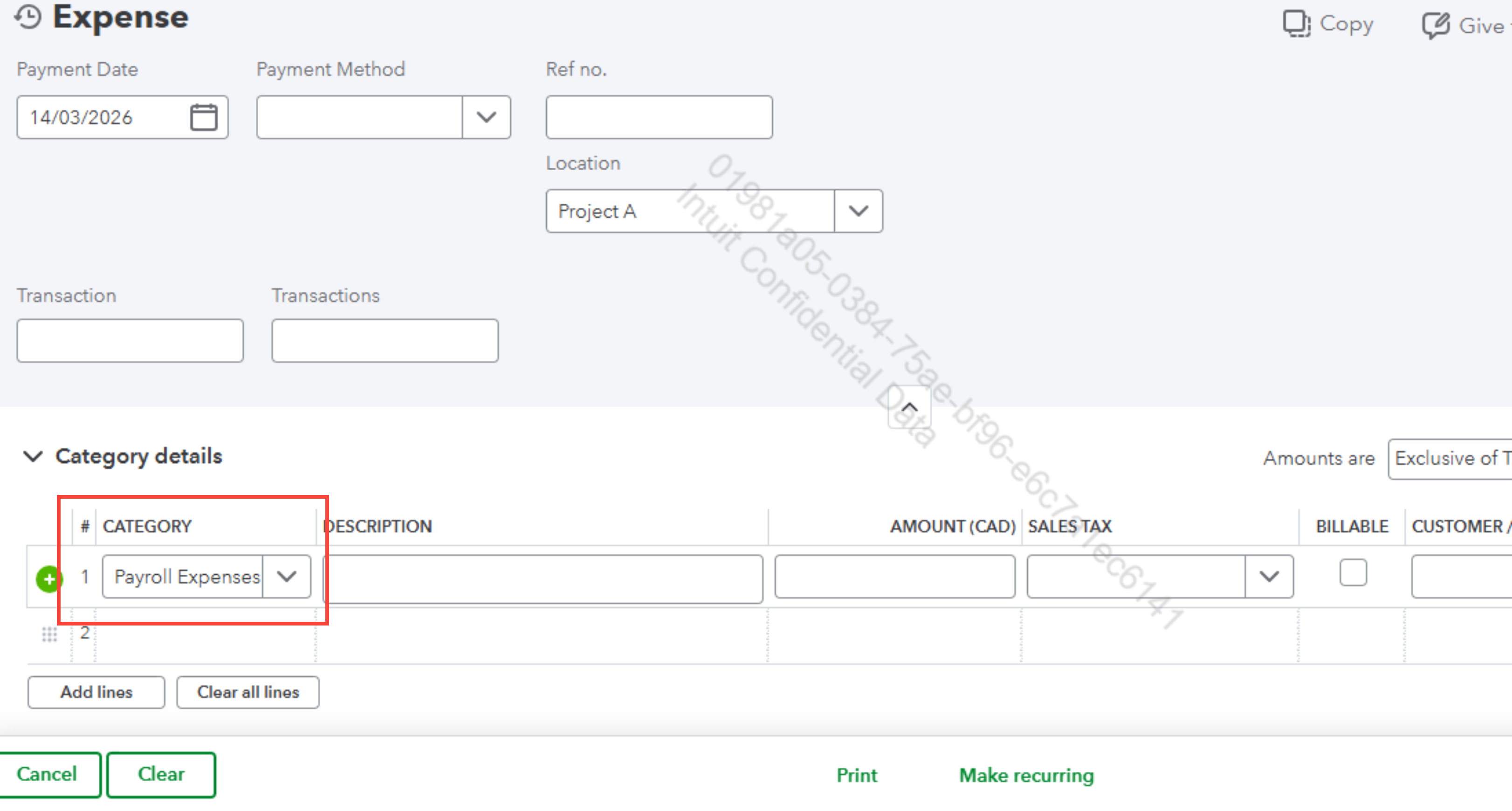
4. Leave a memo referencing the paycheque.
5. Hit Save and close.
During reconciliation, match the $1,000 bank payment to this transaction.
Also, I recommend reaching out to an accountant to avoid ruining your book balance.
If you have any additional questions, please don’t hesitate to reach out. We're always here to assist you.
Thank you so much for your help!
I have Quickbooks Desktop Pro rather than online. I don't quite understand the instructions.
Hello there. I hear you. Could you clarify how that transaction was recorded? Was it run through the Payroll system, or was it written as a regular cheque? Also, was that payment sent directly to the employee, or was it a transfer between your own accounts?
Looking forward to your reply.
Good morning!
It was run through the payroll system it just wasn't a physical cheque, it's paid as an etransfer instead. $1,000.00 of it was sent to the employee as an etransfer towards the full amount.
Thank you
Hi, good morning. Since QuickBooks Desktop payroll generates a paycheque as a single complete transaction for the net pay, it isn't possible to clear an e-transfer on the recorded paycheque with a larger amount.
However, you can edit your older paycheque by voiding/deleting it, then recreating it. The reason for this approach is that the actual paid amount on the paycheque date is greater than what was actually paid to the employee.
Before performing the recommendation, I recommend contacting an accounting professional since we're dealing with old transactions that might be closed. Doing this will help prevent any future discrepancies in your books. If you're not in contact with one, I encourage you to search on our website using this link: Find an Accountant.
Feel free to return here if you have additional questions.
Good morning Bryan.
If I understand correctly, I would void the original cheque (let's say it's $1,500) and create a new cheque for $1,000 for the same pay period (so I have something to apply the etransfer payment to), and another one for the balance of $500 - also for the same pay period?
Thanks for your reply!
Hi there, Confused26. Yes, you can proceed with that method. It's best to consult your accountant before finalizing these changes to ensure your payroll records remain compliant.
You would void the original cheque and create a new one for the amount already paid. Then, by the time you are ready to pay the employee for the remaining balance, you would create a second paycheque for that amount.
When splitting one pay period into two separate cheques, you must ensure the tax withholdings remain accurate. You can refer to your payroll reports to ensure the combined totals of the two new cheques match the original calculation.
If you have further questions or concerns, please add a comment below.
Thank you!
I will do this.
I love this Community


You have clicked a link to a site outside of the QuickBooks or ProFile Communities. By clicking "Continue", you will leave the community and be taken to that site instead.
For more information visit our Security Center or to report suspicious websites you can contact us here


