Hi there, Bajwaveerpal. Welcome to the QuickBooks Community.
You can change your user ID by signing in to your Intuit Account or product, where you can edit your account credentials.
Here's how:
- Open your QuickBooks Online account.
- Navigate to your profile icon next to Settings or the Gear icon.
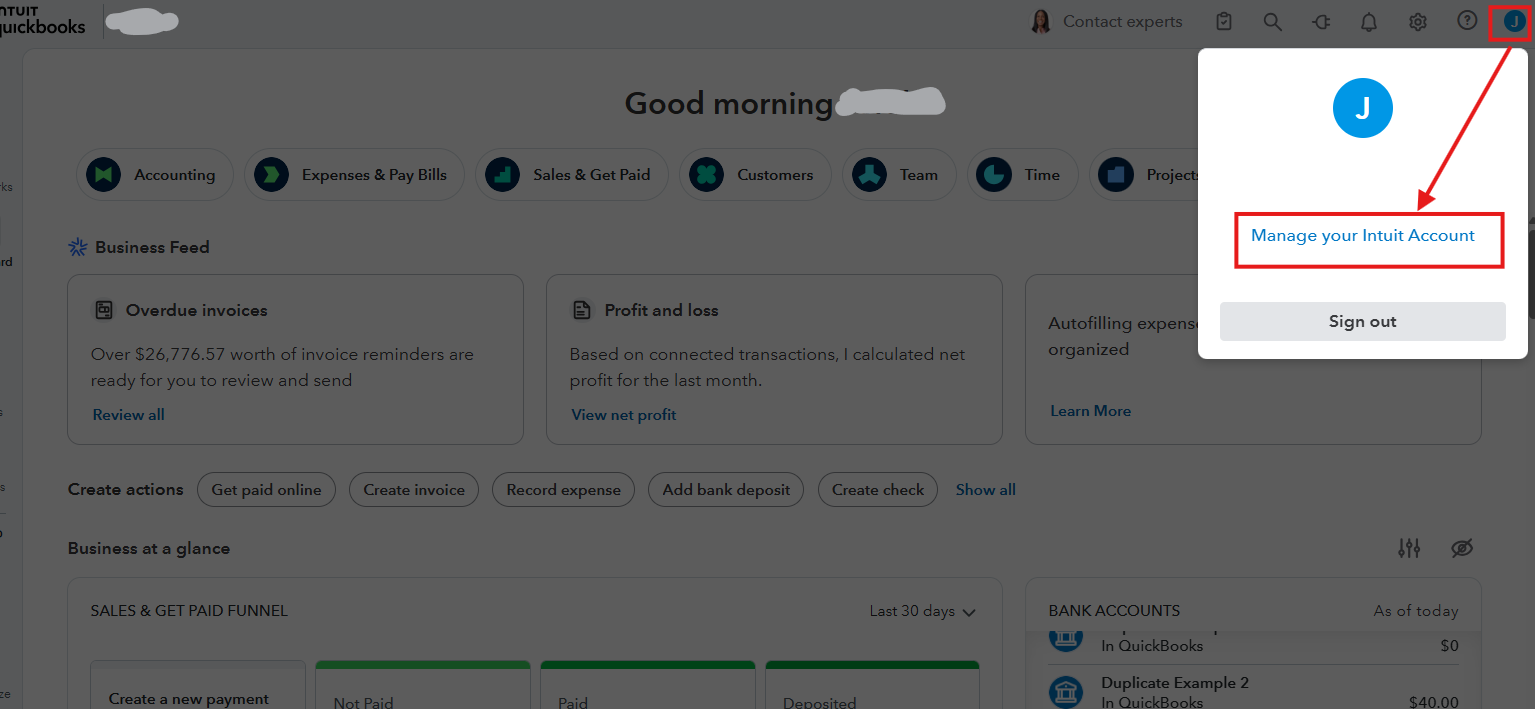
- Select Manage your Intuit Account.
- Go to Sign in & security.
- Click your User ID to make changes.
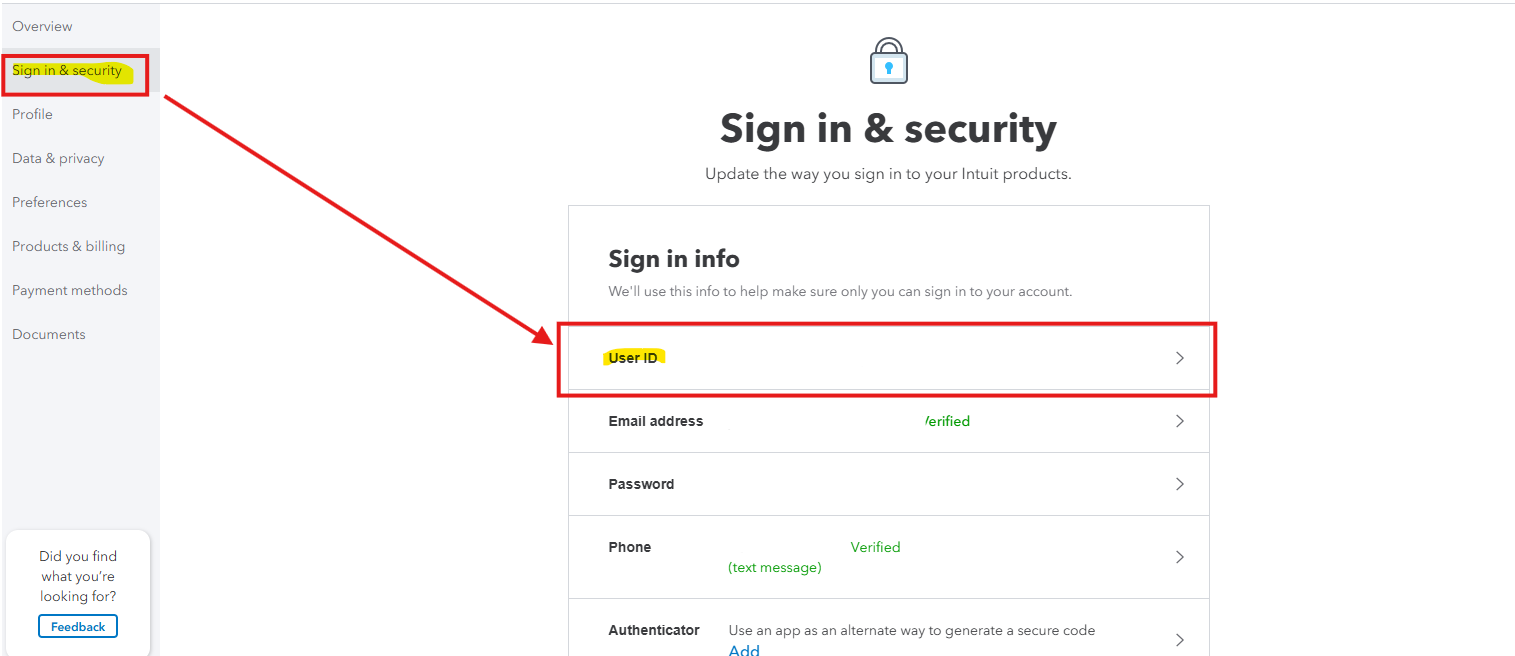
- Once done, hit Save.
You can also refer to this material for more information: Update or change your user ID, password, email address, or phone number.
If you have any other questions or concerns about QuickBooks, feel encouraged to let us know in the comments.


