Hi @BookGate, thanks for stopping by the Community. Let me show you how to change the date format in QuickBooks.
You can change the document date format in QuickBooks by going to the Advanced tab in Account and settings. Here's how:
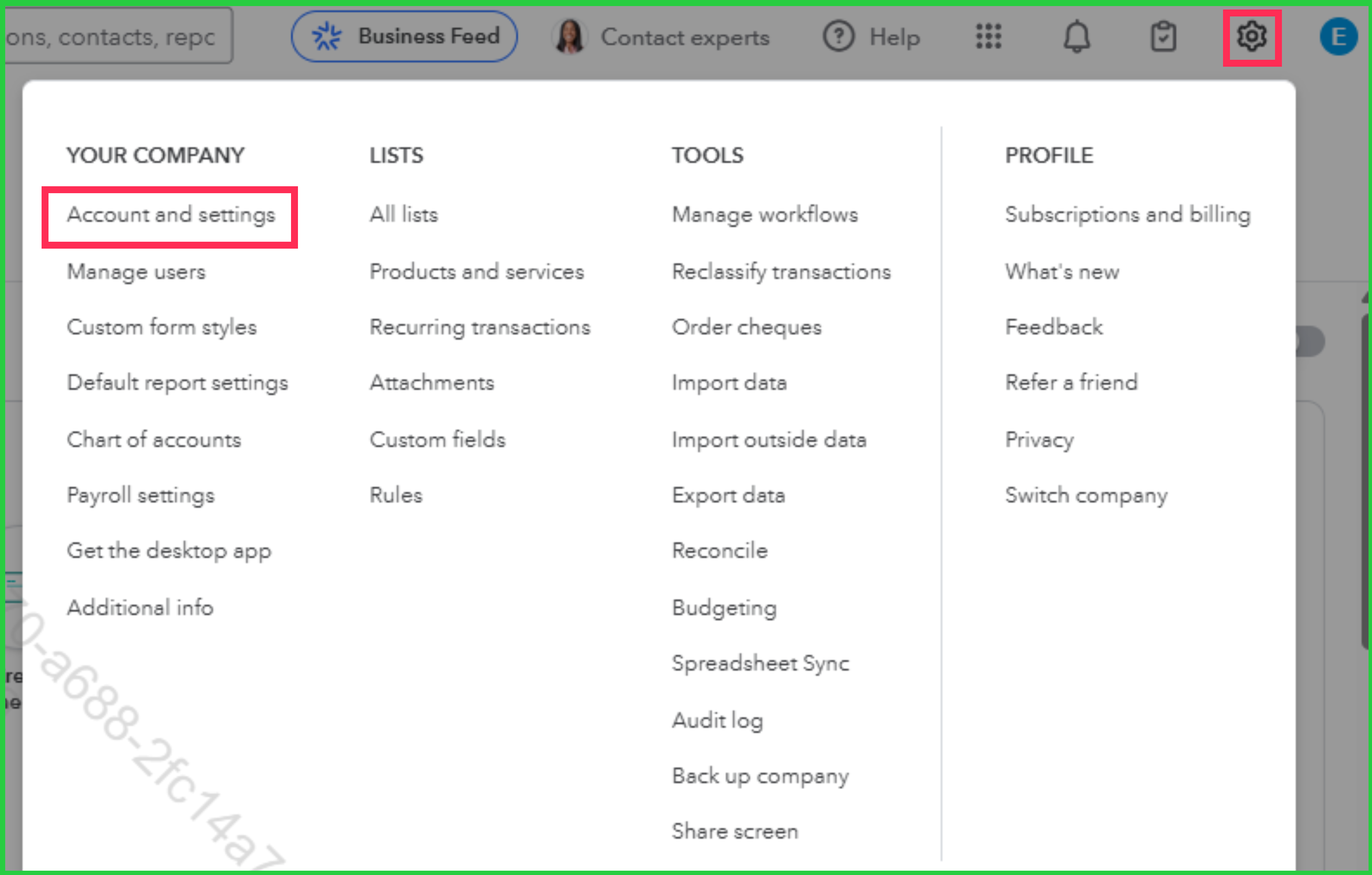
- Go to the Gear icon, then select Account and settings.
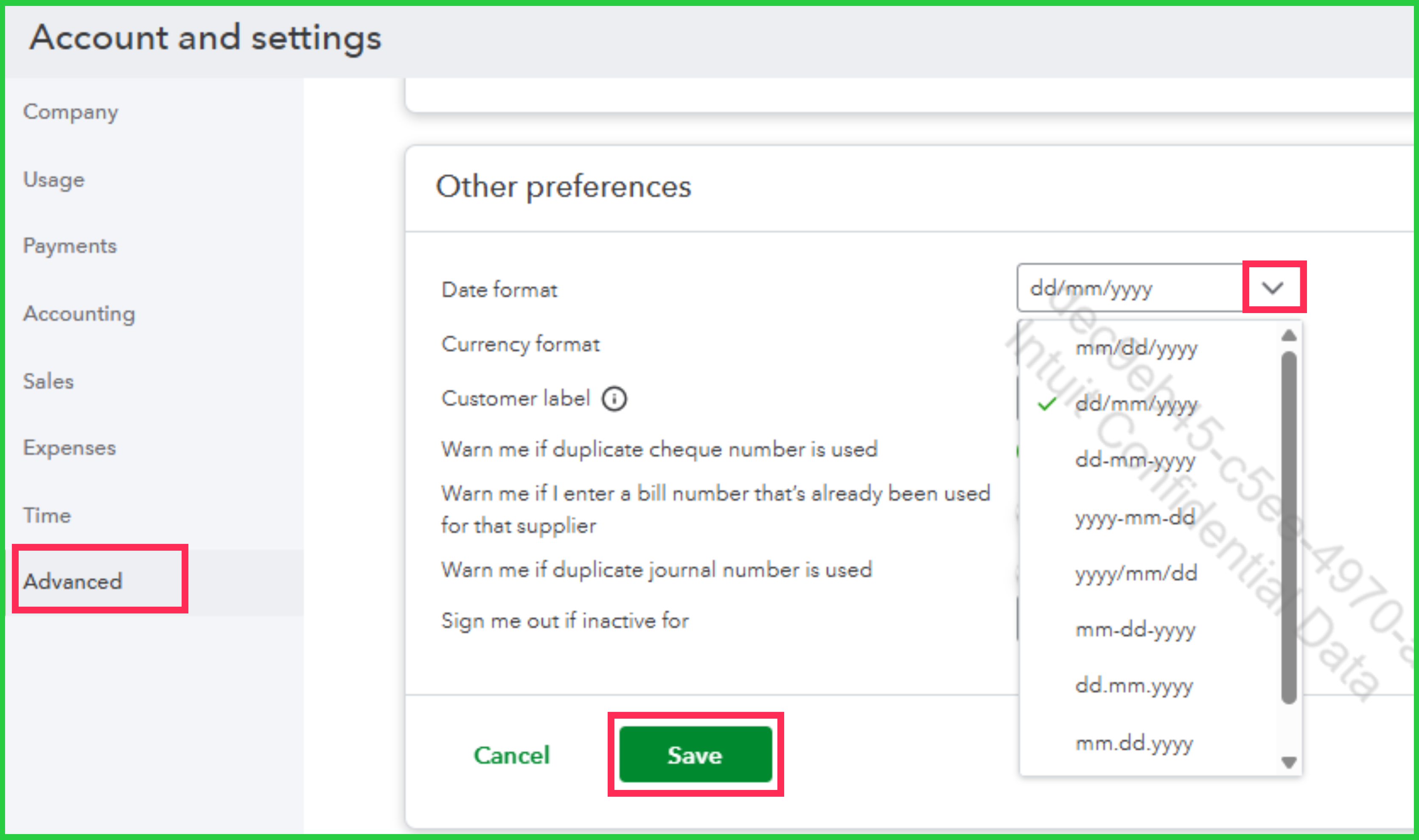
- Choose the Advanced tab, then click on Other preferences section.
- Select your preferred date format from the Date format drop-down menu.
- Click Save.
Once done, QuickBooks will automatically apply the date format you set to documents (e.g., invoices, estimates, and sales receipts). You can use the Print option on any form to preview the date format.
Should you have other questions, feel free to let us know.


