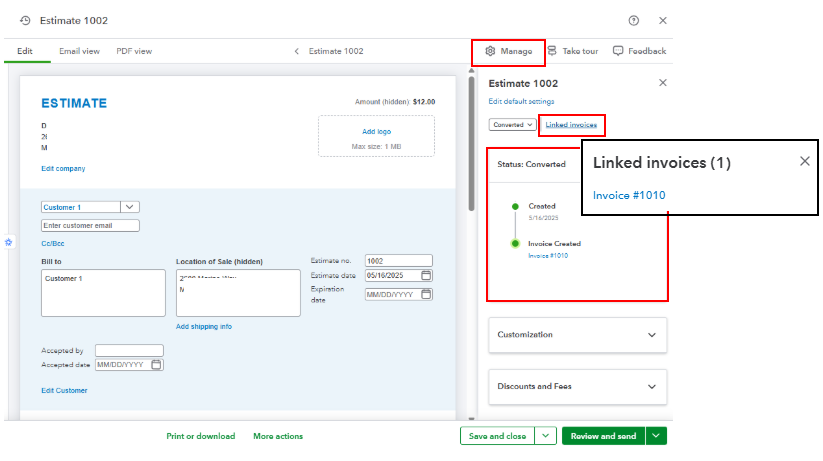
You'll have to navigate to the Manage icon and see the Linked invoices section to display the attached invoice from your estimates, Sharon.
You can also verify the status of your estimate and check which invoice entry is linked to it. To do these:
- In your QuickBooks Online account, open the estimate you created.
- Under the Manage icon, click the highlighted Linked Invoices to show the associated invoice.
- Also, select the Status dropdown to verify the invoice linked.
- Once done, click Save and Close.
Moreover, here's a reference to help you track customer-paid invoices in your account: Record invoice payments in QuickBooks Online.
Reach out to us in the comments below if you require further assistance managing customer sales transactions. Have a good one.


