Hello there, Robert!
Ensuring your bank deposits align perfectly with your tax filings is a vital part of keeping your books accurate, especially when dealing with separate GST and QST amounts.
To help us determine the best way to organize these entries, could you please clarify if the refund has already been recorded in your QuickBooks register, or are the two deposits currently only showing in your Bank Transactions feed?
Depending on the current state of your books, here are the steps you can follow:
If the transactions are only showing in your bank feed, you can record them directly from there to ensure they reflect in your books correctly:
- Navigate to Bank transactions under the Accounting menu.
- On the For review tab, locate the first deposit (GST) and, in the Categorize section, select your Sales Tax Payable account. Click Add.
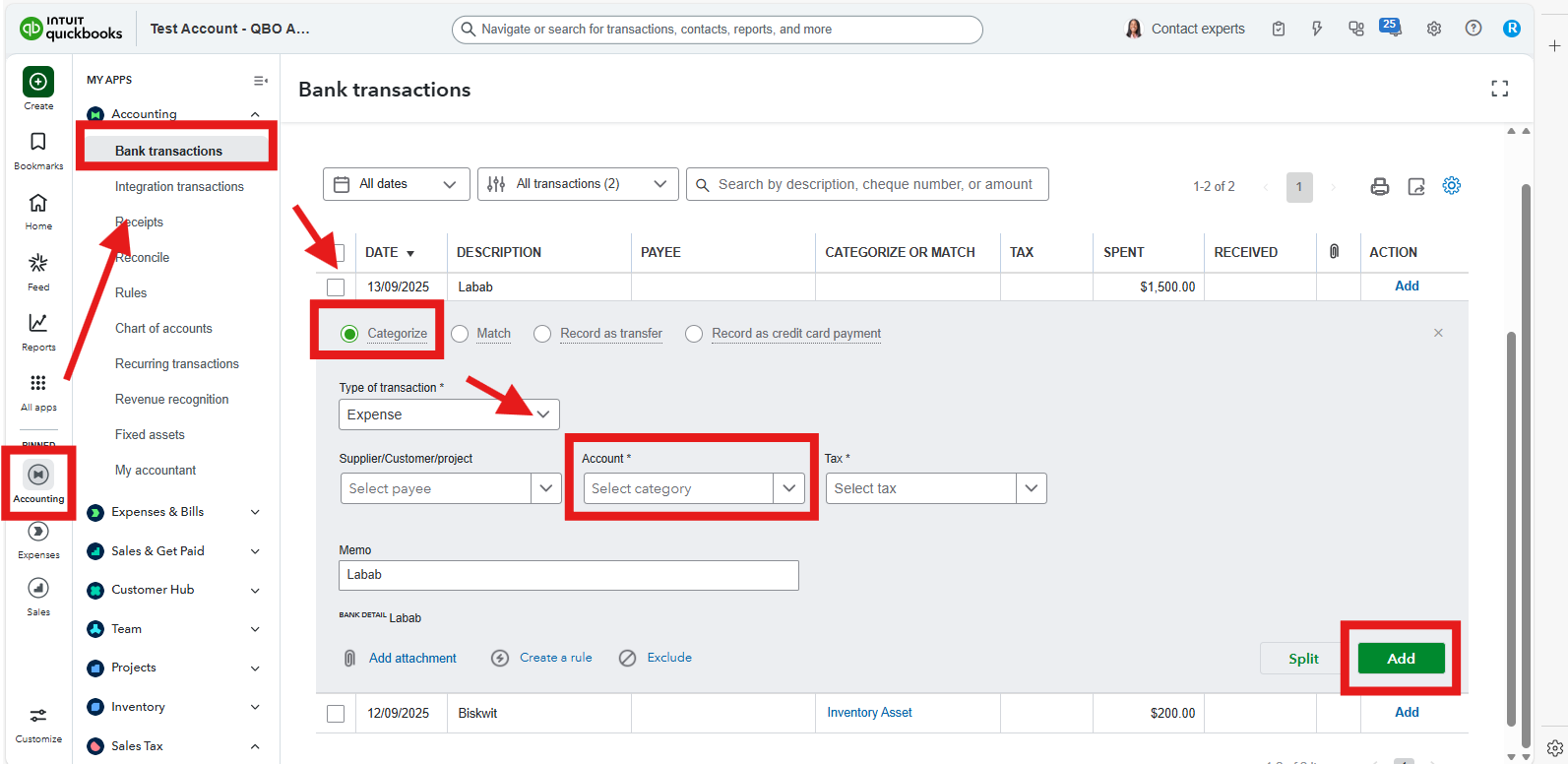
- Repeat this process for the second deposit (QST).
- This records both amounts into your register separately, allowing you to reconcile them individually to match your bank statement.
If the refund is already recorded in your register as a single total, the two separate bank lines will not find a Match because the amounts don't align. In this case, you can simply select the two separate deposits in your Bank transactions tab and click Exclude. This removes the duplicates from your bank feed since the total refund amount is already accounted for in your QuickBooks register. 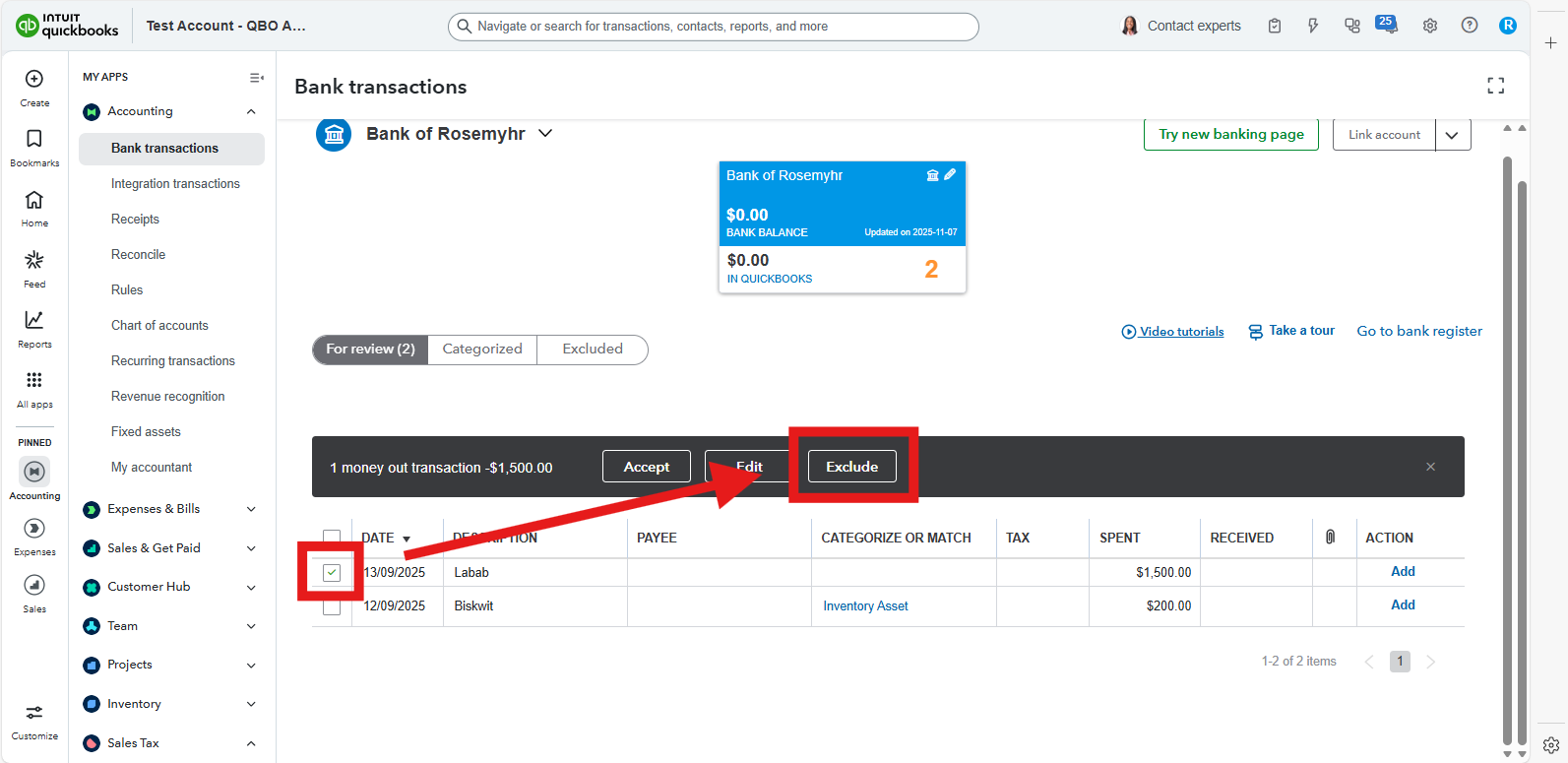
If you have any additional questions or need assistance as you navigate QuickBooks, don’t hesitate to reach out.


