Hi there, glencaljan. Let me help you recover your deleted invoice.
While QuickBooks does not allow a direct restoration of deleted transactions, the details of the deleted invoice are recorded in the Audit log. You can use this information to recreate the deleted invoice. It provides a comprehensive record of added, deleted, and modified entries.
Here's how:
1. Access the Audit log through the Gear icon.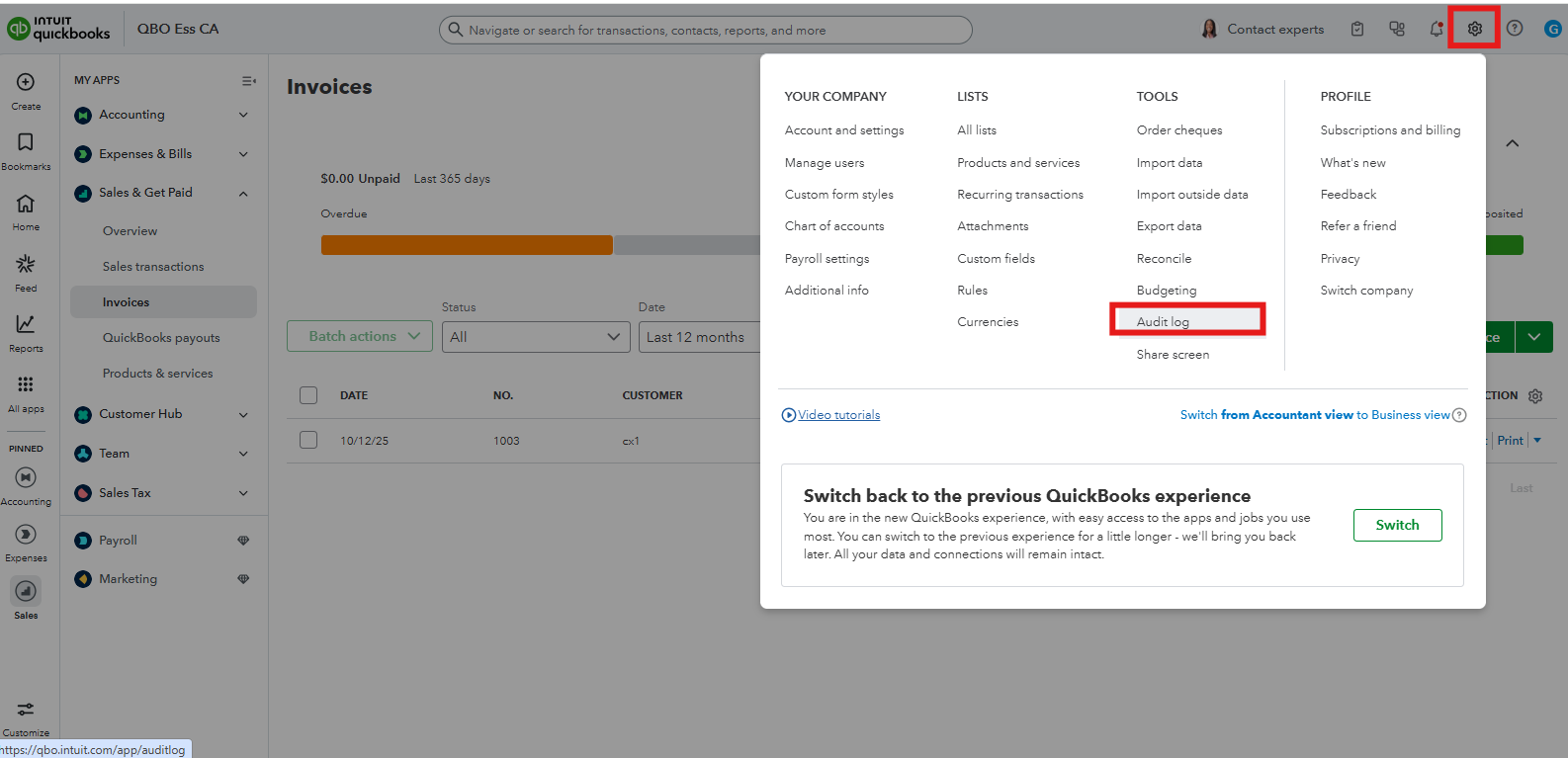
3. In the Events dropdown, choose Deleted/Voided transactions to filter.
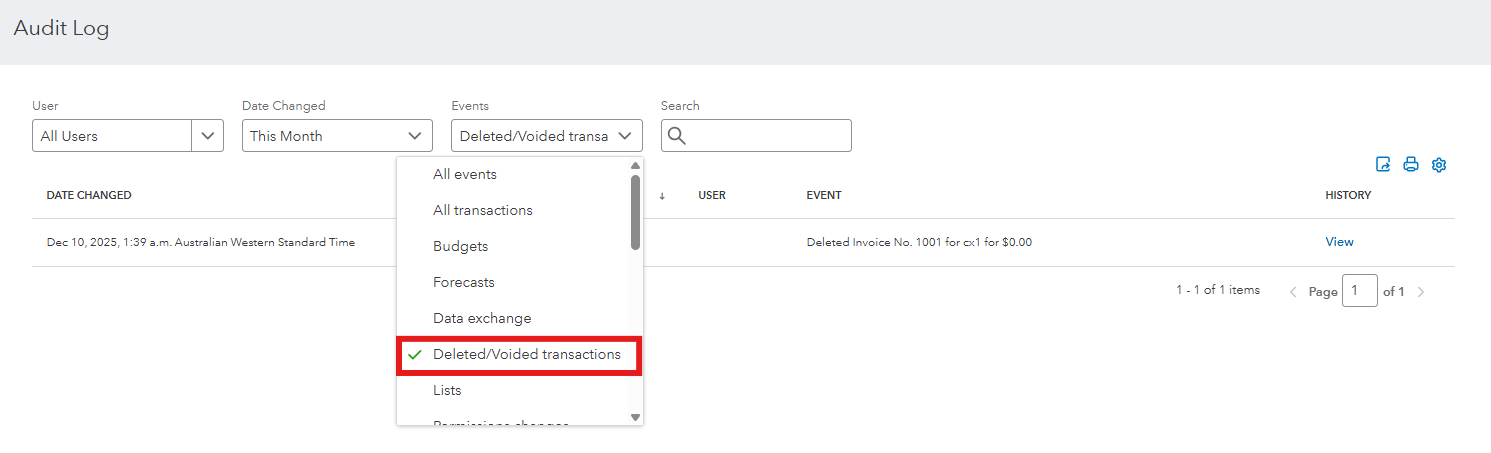
4. Click View to find the details of the specific invoice.
5. Recreate the invoice using the details from the audit log.
If you deleted a paid invoice, the process remains the same for recreating the invoice. However, after recreating it, you'll need to reapply the payment using the Receive Payment feature to ensure the payment is properly linked to the new invoice.
You can visit this article for detailed information: Use the audit log to re-enter deleted transactions in QuickBooks Online.
Feel free to post here in the Community if you have other questions or concerns.


