It’s wonderful to see you embracing our software more and aiming to use classes to track your business segments better, Albert. I’ll guide you through options since assigning multiple classes per line isn’t possible.
Assigning multiple classes to a single line item is unsupported in QuickBooks Desktop (QBDT). However, you can split an expense into multiple lines to handle your diesel purchase, each assigned to a different class with the appropriate amount.
Here’s how:
- Enter a Bill or Check for the total diesel purchase charged to your diesel expense or asset account.
- Split the transaction into multiple lines within the same bill or check, assigning each line the appropriate class and amount:
- $500 assigned to the Livestock class
- $300 assigned to the Piggery class
- $200 assigned to the Crops class
This way, each portion of the total purchase is tracked separately by class. Allowing you to generate reports showing expenses by class for each area of your farm. Furthermore, you can create subclasses under the main class for more detailed tracking.
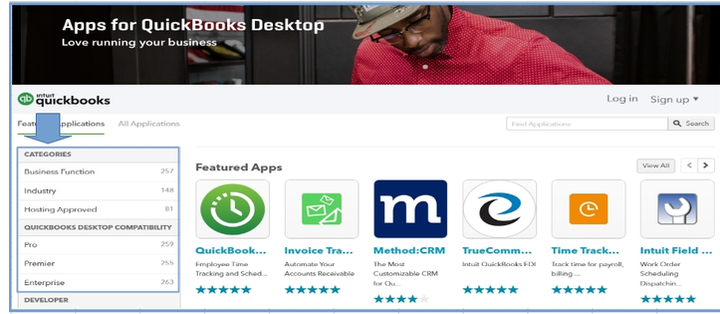
If you need to reclassify multiple transactions, I suggest checking the QuickBooks App Store under Categories for third-party tools for managing and batch editing classes.
I’ve also included a screenshot for your reference to help visualize this.
Furthermore, I encourage you to provide feedback using the Send Feedback Online option in the Help menu of your QBDT. Your input is valuable in helping improve our software to meet user needs.
Moreover, I’d like to share this valuable article that will guide you through the various reports available in QuickBooks Desktop and show you how to customize them for a more effective and insightful tracking experience: Create and manage reports.
We value your participation in our Community and appreciate your willingness to seek guidance. Remember, this forum is here for you to leverage collective knowledge and experiences with our program. Please revisit this thread with any questions or updates. We're excited to hear about your progress and eager to assist you.


