Yes, we can bulk adjust your inventory items to zero and mark them as inactive all at once, MrgnHldrsn. This step is essential when downgrading your subscription.
To set the Quantity on Hand to zero:
- Go to the Products & Services page and click the Filter button.
- Apply the following filters:
• Status: Active
• Type: Inventory
• Category: All
• Stock Status: Any
- Click Apply and check the box before the inventory names.

- Select Adjust quantity, then enter zero under the NEW QTY column.
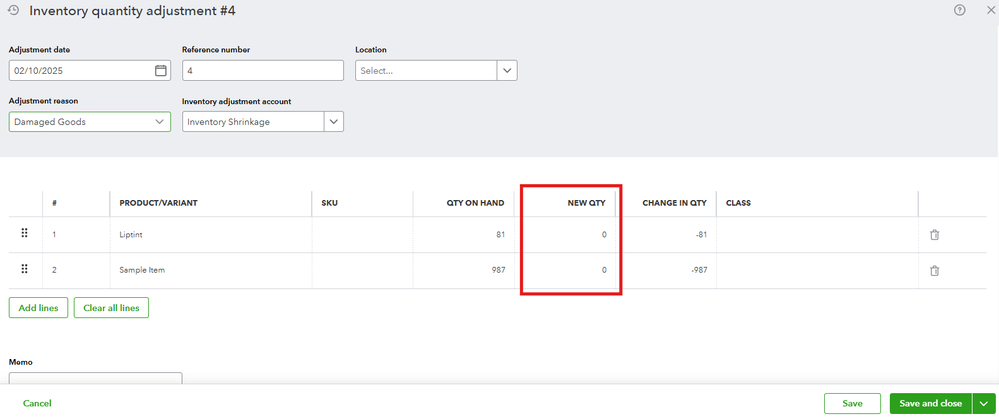
- Add the required details, such as the Adjustment date, Adjustment reason, and Inventory adjustment account.
- Click Save and close.
To make the inventory items inactive:
- On the Products & Services page, ensure the filter is set to Inventory.
- Check the box before the inventory names.
- Select Make inactive and confirm the action when prompted.

Once completed, you can proceed with downgrading your subscription. For further guidance, refer to this link: Upgrade or downgrade your product's edition.
Feel free to reach out if you have any other questions.


