Hi there, manager41.
Yes, it is possible to change the default selection in QuickBooks to ensure that bills are entered as "inclusive of tax" by default.
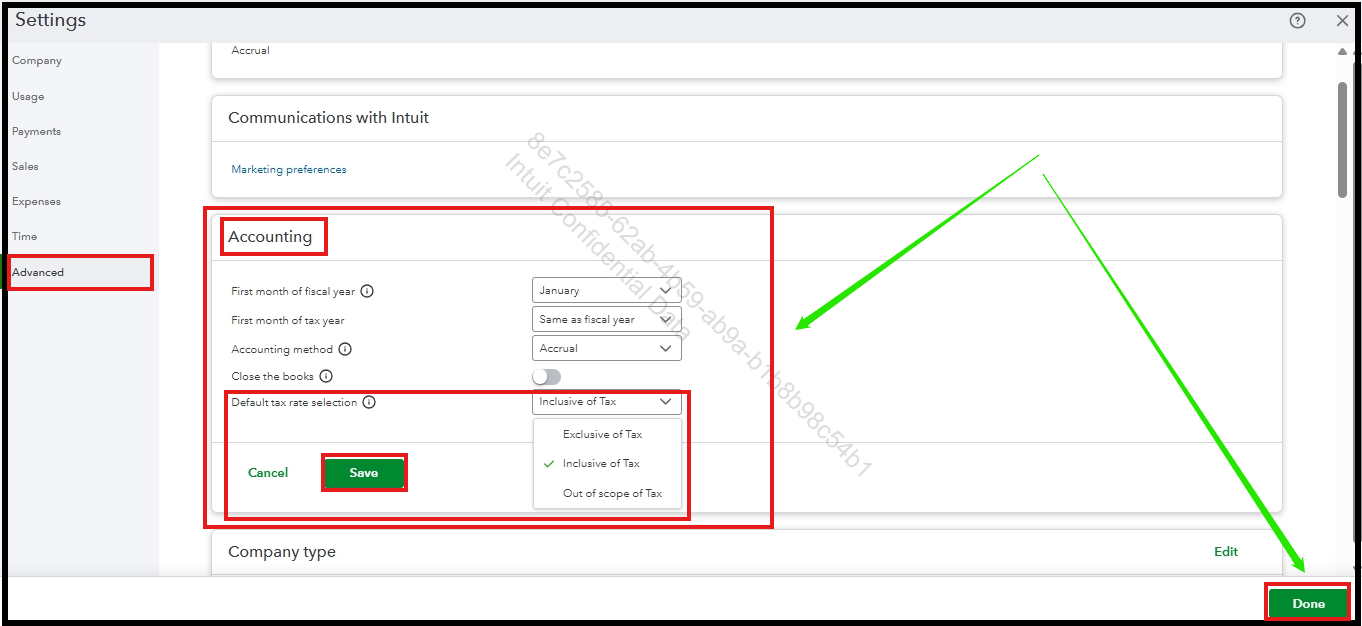
To adjust your tax settings, follow these steps:
1. Click on the Gear icon and select Account and settings.
2. Navigate to the Advanced tab in the left-hand menu and locate the Accounting section.
3. Look for the option labeled Default tax selection.
4. Change the dropdown menu to Inclusive of tax.
5. Click Save to apply the changes, then select Done to finish.
Note that this is a global setting. Once changed, new invoices, sales receipts, and bills will also default to the selection you've made.
If you have additional questions or concerns, you can add a comment below.


