Hello there, Meghan.
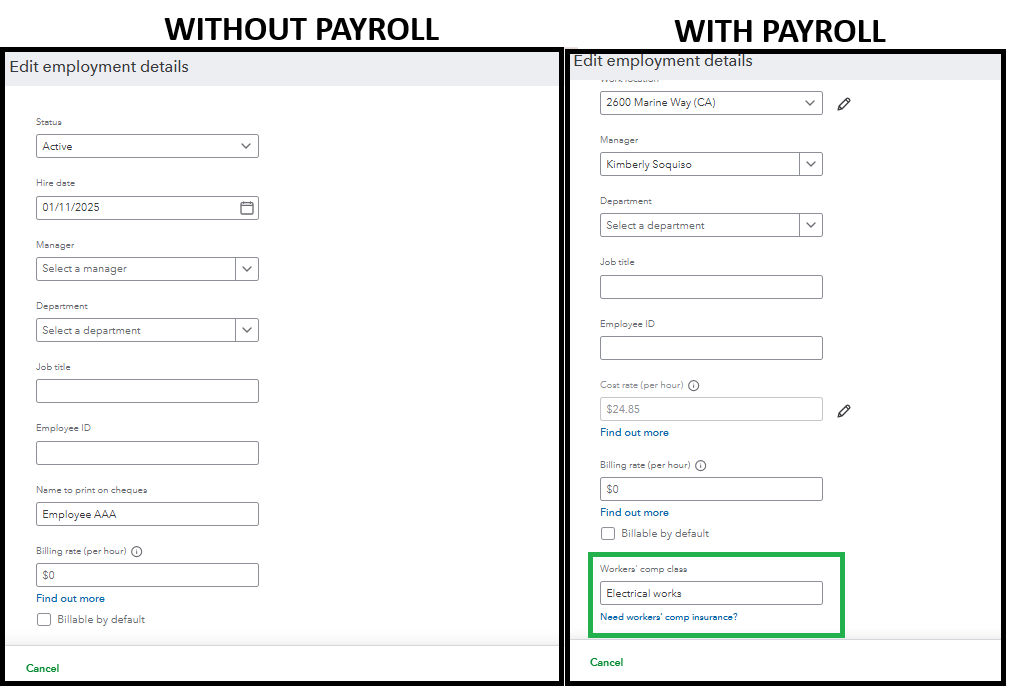
Please know that the workers' compensation class is available only with QuickBooks Online Payroll.
You can consider subscribing to QBO Payroll to access this feature.
Take a moment to see how Employment details differ in QuickBooks Online and QuickBooks Online Payroll.
But if you're already using QBO Payroll, note that an overloaded browser can lead to issues, such as options not appearing.
To troubleshoot, refresh your browser to reload your QBO or use a private or incognito window. It is to avoid storing data and resolve temporary issues.
Alternatively, switching to another up-to-date and supported browser can also enhance functionality.
Feel free to reply or post a new question if you need further assistance. We're here to assist.


