Turn on suggestions
Auto-suggest helps you quickly narrow down your search results by suggesting possible matches as you type.
Showing results for
Any trip captured in the mileage section of quickbook online shows potential deduction of 0. It's unclear why.
Hello there, @billing116.
QuickBooks requires trips to be categorized to determine their eligibility for deduction. If the trips are not marked as Business, they may default to Personal and won't show a deductible value.
If the trips are correctly categorized as Business but still show $0 potential deduction, it could be due to syncing issues or glitches in QuickBooks, causing mileage data to display incorrectly or produce inaccurate deduction values.
To resolve this, follow these basic troubleshooting steps:
1. Restart your browser.
2. Log in to your account in a private browser. You can use these keyboard shortcuts to launch a new private window:
You can also use another supported browser for the best experience when using QuickBooks.
Here's another helpful guide that I encourage you to check out as it shows you how to fix mileage tracking issues in the QuickBooks Online mobile app.
Feel free to reach out if you have additional questions or concerns. We're here to assist!
Thanks for the Help! Sadly I've tried on 3 different browser + my phone and all are showing the same issue 0 potential deduction. Everything else is working fine
Hi there, Billing116. I appreciate the effort you've put into troubleshooting the issues with the professional trip showing as 0.
I recommend contacting our QuickBooks Support team. Our team can investigate further and identify the potential cause of the issue.
Here's how:
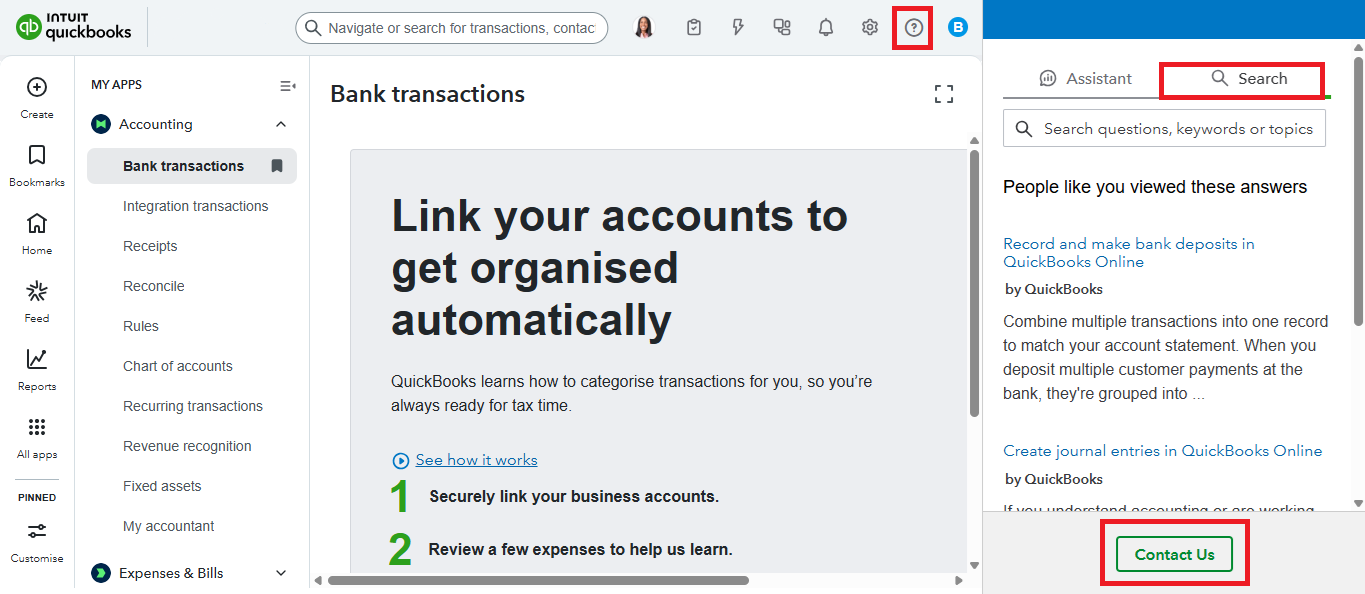
If you have more concerns related to QuickBooks, don't hesitate to reply in this thread. We're here to help you.


You have clicked a link to a site outside of the QuickBooks or ProFile Communities. By clicking "Continue", you will leave the community and be taken to that site instead.
For more information visit our Security Center or to report suspicious websites you can contact us here


