To change your fiscal year-end date, you'll need to adjust the first month of your fiscal year, @SAPNA-Malhotra.
The fiscal year-end is based on the first month of the fiscal year you choose. For example, if you select January, your fiscal year runs from January to December.
Here's how to change your fiscal year-end date:
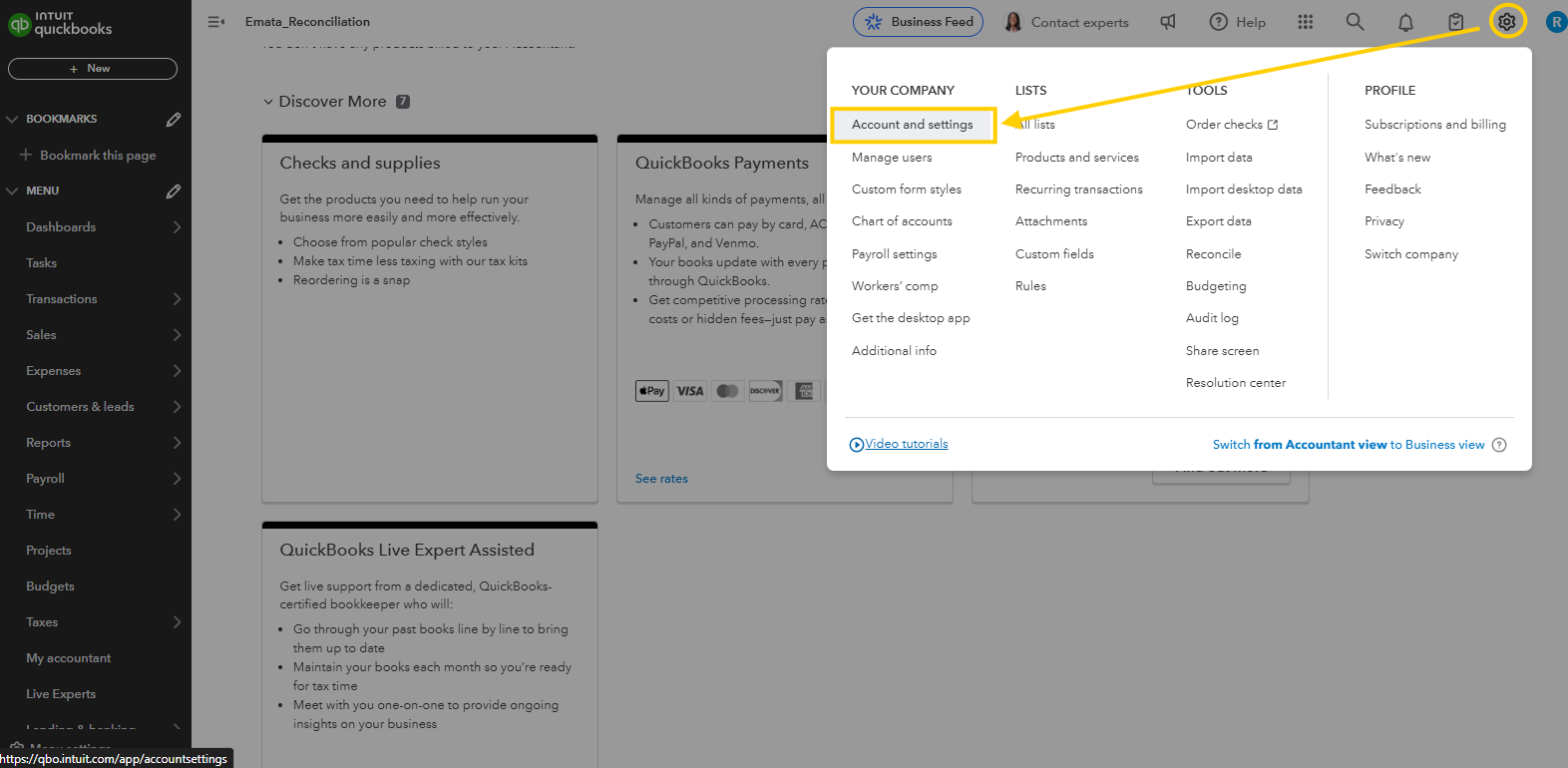
- Click the Gear icon in the top right corner.
- Select Account and settings.
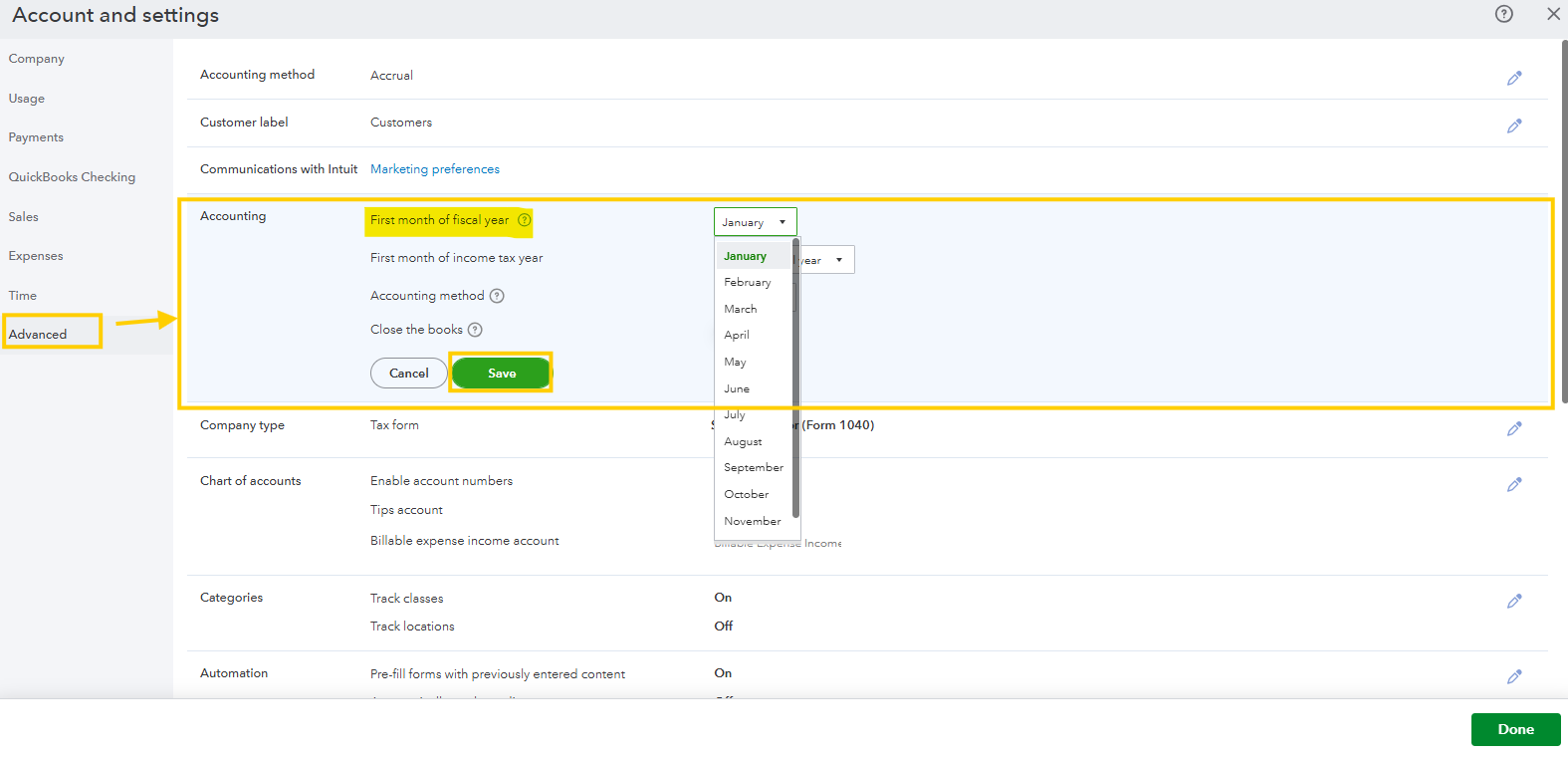
- Go to the Advanced tab.
- Click Accounting.
- Update the First month of the fiscal year to reflect your correct fiscal year start.
- Once done, click Save.
Note: You must be a master admin to make this change.
If you have follow-up questions, feel free to leave a comment.


