Hello there, Bisola.
The services you imported are currently active in QuickBooks Online, which is why they are appearing in the Products and Services report and in the dropdown menu when you're creating a sales invoice. I'll walk you through the steps to remove them from the report.
While you can’t remove items directly from the report, you can make them inactive so they stop showing up in your lists and transactions.
- Go to the Gear Icon () in the upper-right corner.
- Under Lists, select Products and Services.
- Find the services you want to remove.
- Click the dropdown arrow next to Edit for the specific service and select Make inactive under the Action column.
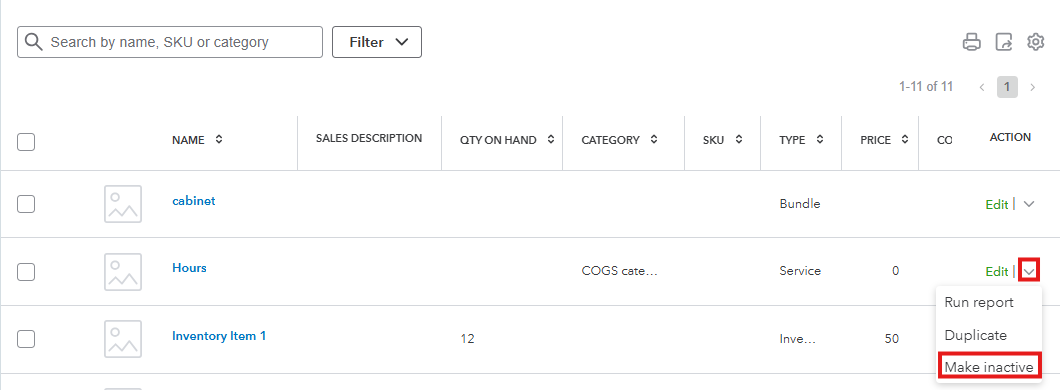
- Choose Make Inactive from the prompt to confirm.
If you have any other questions or need further assistance managing your products and services, feel free to reach out by leaving a comment below.


