Hello, Mattgdrum. Welcome to Community!
To set your tax rate in Alberta to 5% with your account integrated to Dext (and syncing to QuickBooks), follow these steps:
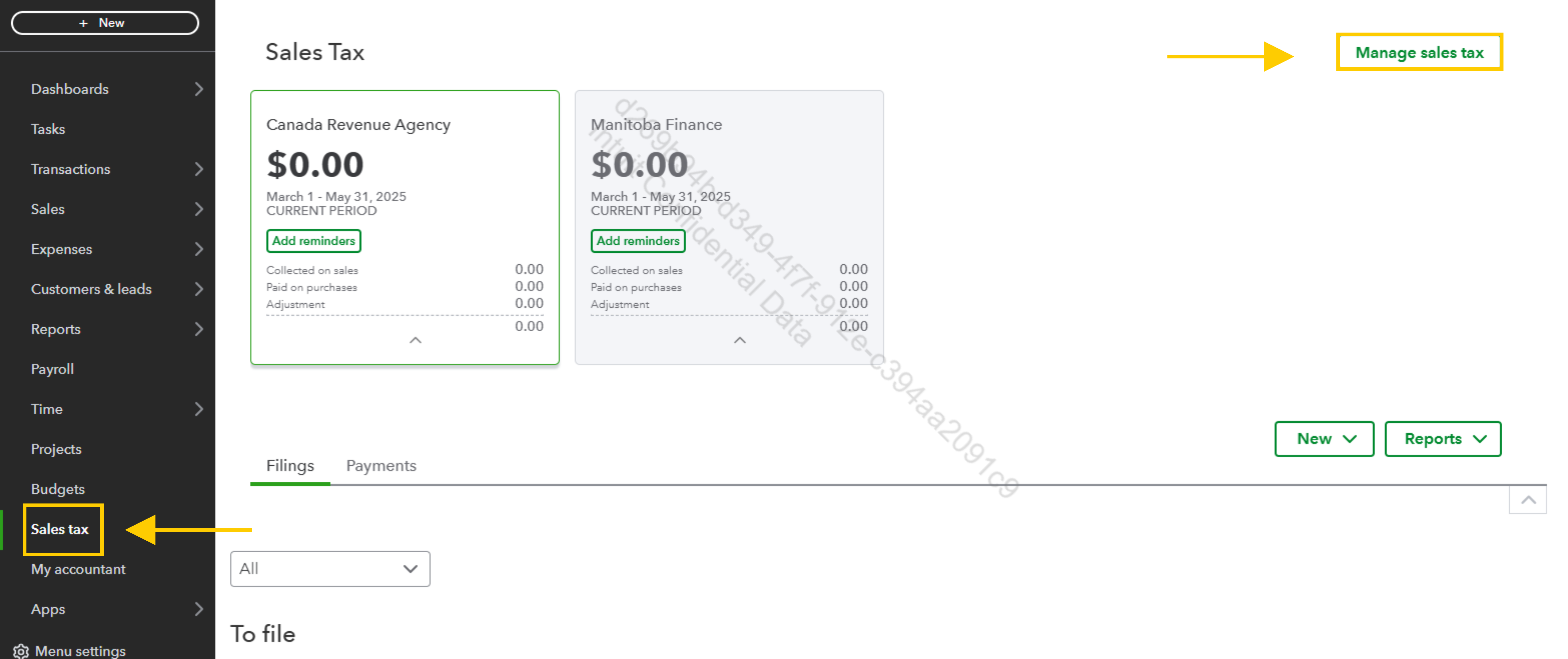
- First, go to the Sales Tax section from the left-hand menu. Then click "Manage sales tax".
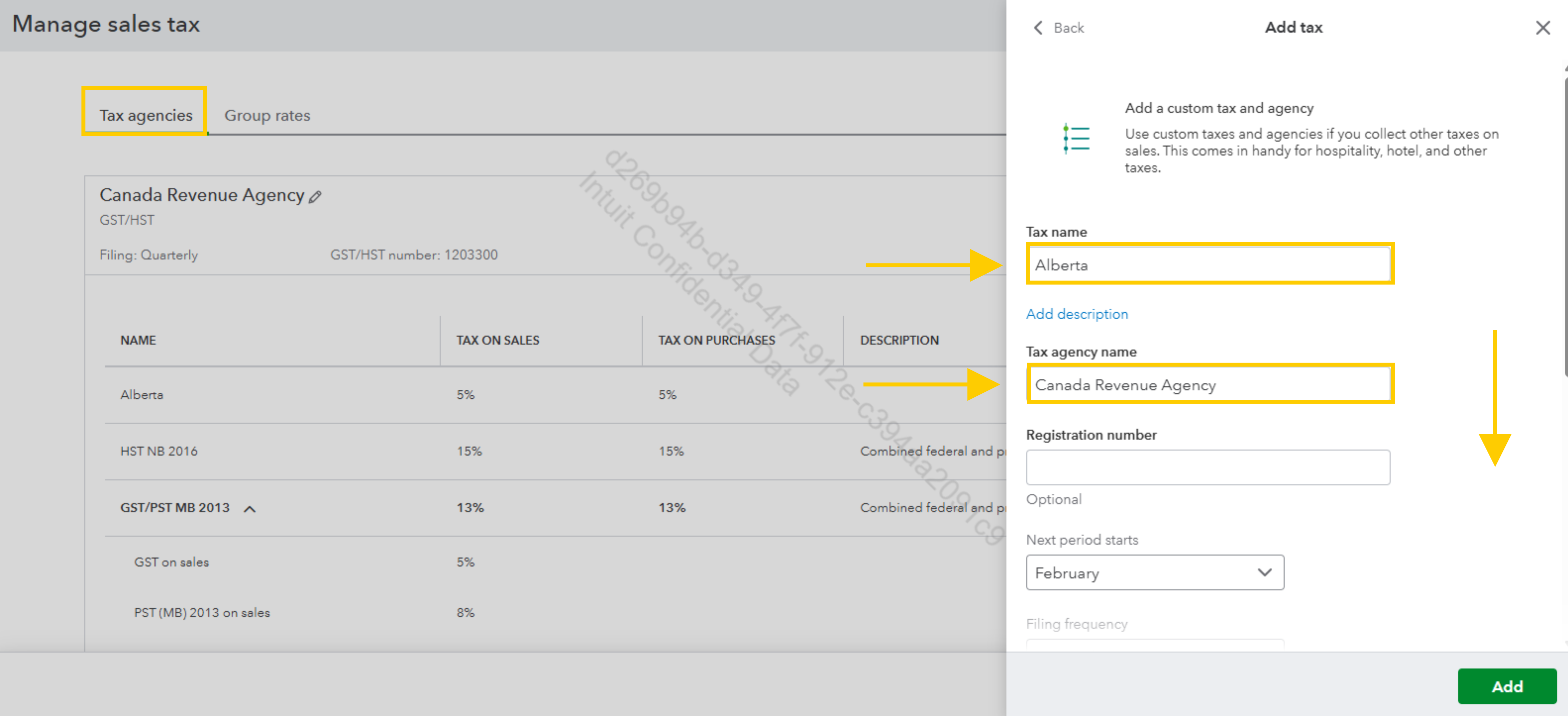
- Select "Add Tax" and choose "Canada Revenue Agency" as the tax agency.
- Next, since Alberta only has the 5% GST and no PST or HST, create a new tax called "Alberta GST" and set the rate to 5%.
- After that, log in to your Dext account and access the integrations settings.
Map the Alberta GST tax within Dext to the 5% GST tax you set up in QuickBooks.
Finally, create a sample transaction in Dext and verify that the 5% GST applies correctly in QuickBooks after syncing.
If you encounter any issues, review your tax settings in the Dext integration and make any necessary adjustments.
If you have questions, let us know.


