Hi there, Isa. Currently, QuickBooks Online (QBO) does not have a built-in feature to insert a signature into the receipt templates.
To ensure you meet all CRA requirements, I recommend using a third-party app. Many apps designed for Canadian non-profits integrate directly with QBO to automate compliant receipts and signatures for you.
Here is how you can find a compatible application:
- Navigate to the My integrations menu and select Find integrations.
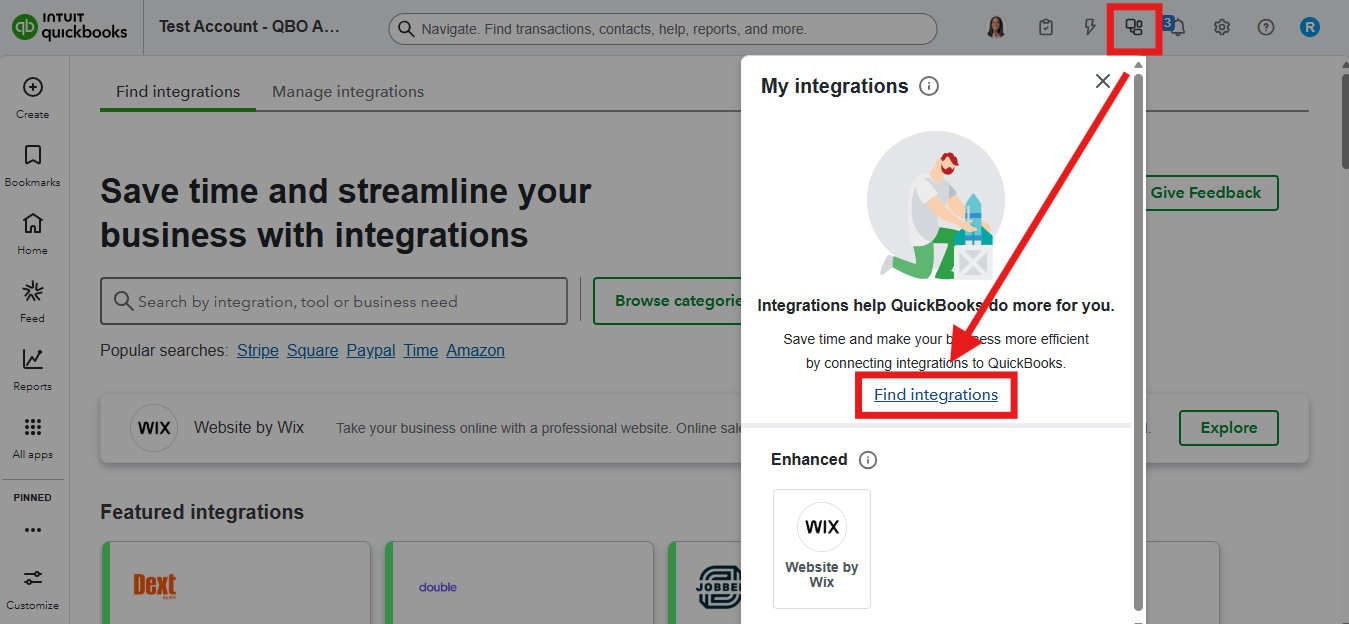
- In the search bar, enter keywords such as Signature or CRA.
- Browse the options and choose the application that best fits your needs.
- Click Get integration now to proceed with the integration.
If you have any follow-up questions, feel free to ask in the comments.


