Hello there, @Beachwood. I'll share two possible scenarios that can relate to your concern, along with guidance on how to resolve them.
Beforehand, do you only see the Show existing option when attempting to add a document? To help us better see your end, can you please share a screenshot of your screen?
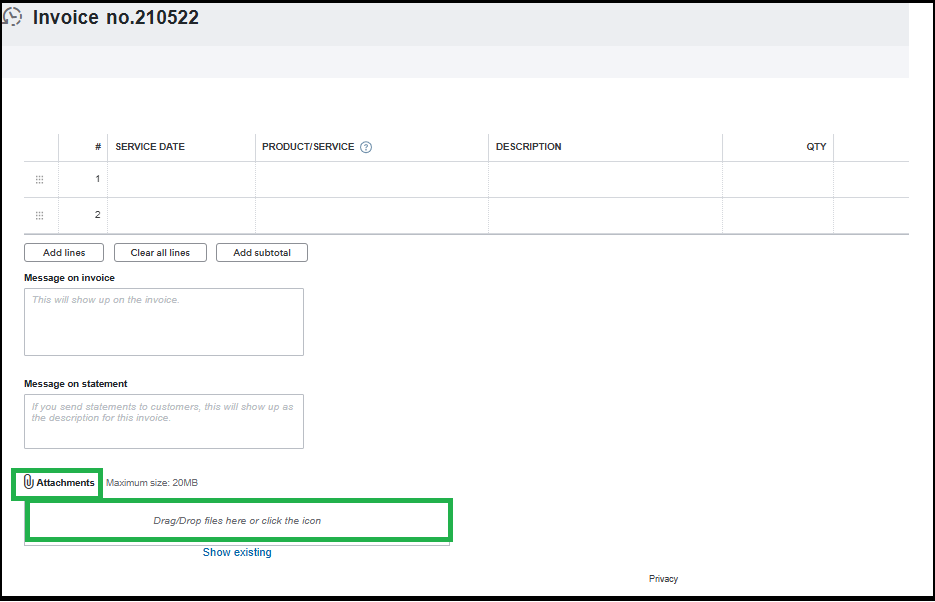
If the Show existing option is the only one appearing and there's no way to add a document, know that this issue can be caused by a full browser cache. You can refresh your browser’s page to reload your QuickBooks Online (QBO) or use a private or incognito browser to help prevent data storage and resolve temporary issues.
If you can see the Attachment icon or the Drag/Drop files here or click the icon inside the box, you can use these to upload source documents from your desktop. The Show existing option only lets you view and reuse attachments linked from other transactions.
Let us know if you need additional clarification. We're here to guide.


