Hi there, @ashishami2002. You can put the HST from the Sales Tax column in the invoice form.
Here's how:
- Open an invoice form.
- Add your customer name and all necessary details. Then, click the dropdown icon below the Sales Tax column.
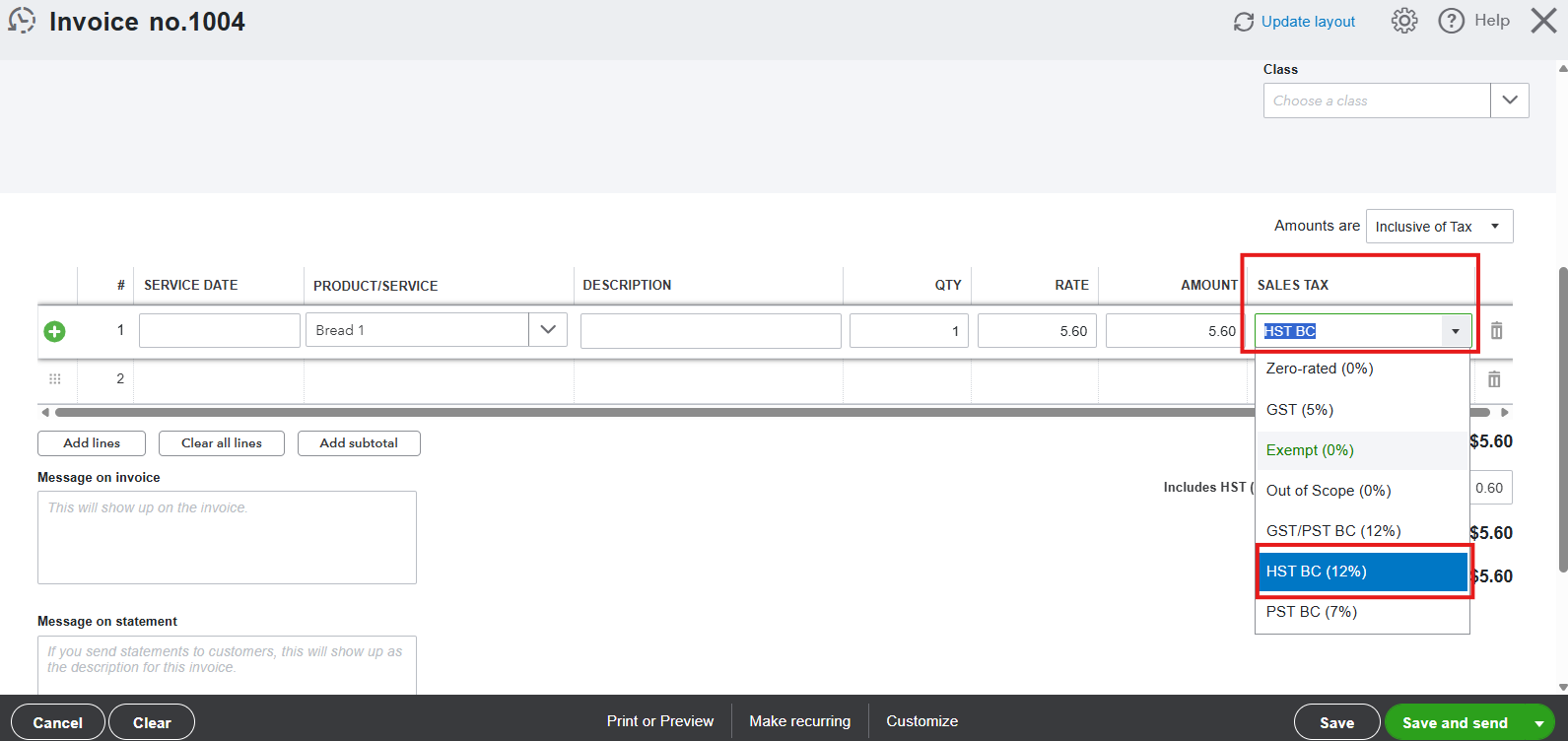
- Select the HST rate of your invoice. If it isn't available in the list, you can add or customise one.
- Choose if it is Exclusive or Inclusive of Tax in the Amounts field.
- Exclusive HST adds tax on top of the subtotal.
- Inclusive HST extracts the tax amount from a total price.
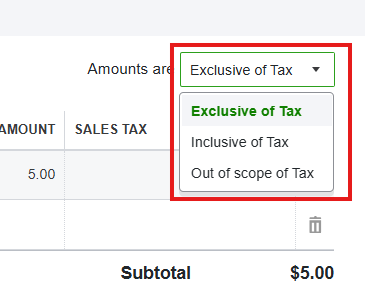
- Once done, click on Save.
If you need to note a payment from your customer, take a look at this article: Record invoice payments.
Please let us know if you have additional questions by leaving a reply below.


